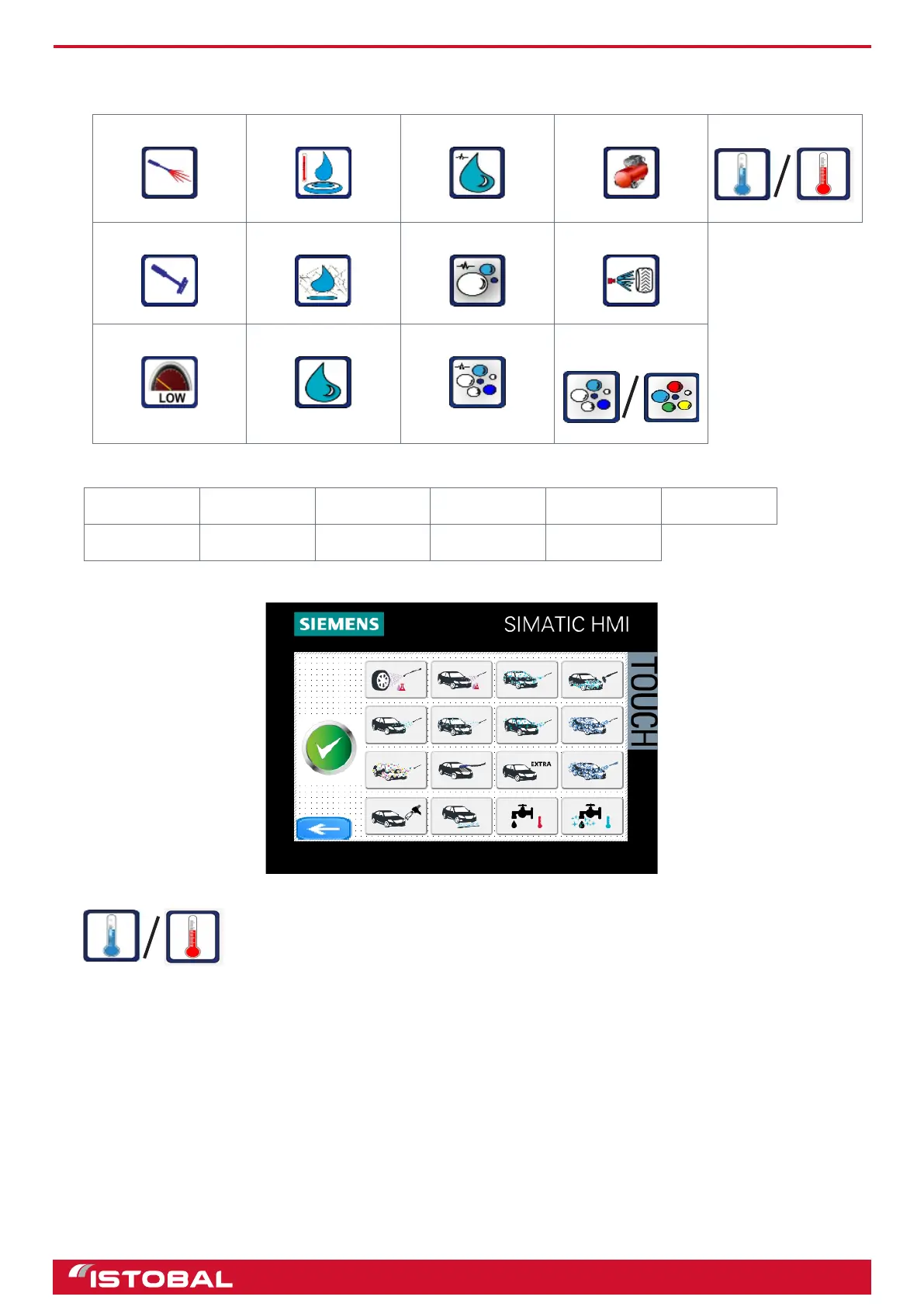
SIEMENS KTP400 touch-screen screen
• Choose the functions and products to be used in the program. The buttons that can be selected to set the
program are described next:
Lance/gun Hot water Wax pressed Compressor Thermometer
Brush Osmosis water Shampoo pressed Wheel-wash
Low pressure Wax Foam pressed White foam / Triple
foam
• Choose the name of the program on this drop-down menu:
Hot shampoo Cold shampoo Hot foam Cold rinse Hot wax Cold triple foam
Cold wax Cold foam Hot triple foam Wheel-wash Engine wash
• Select a program icon. The icon is shown on the TFT display when the wash program is activated.
A picture of a blue or red thermometer will also be displayed under each icon based on the
‘Thermometer’ function selected for the program.
31


 To Next Page