18
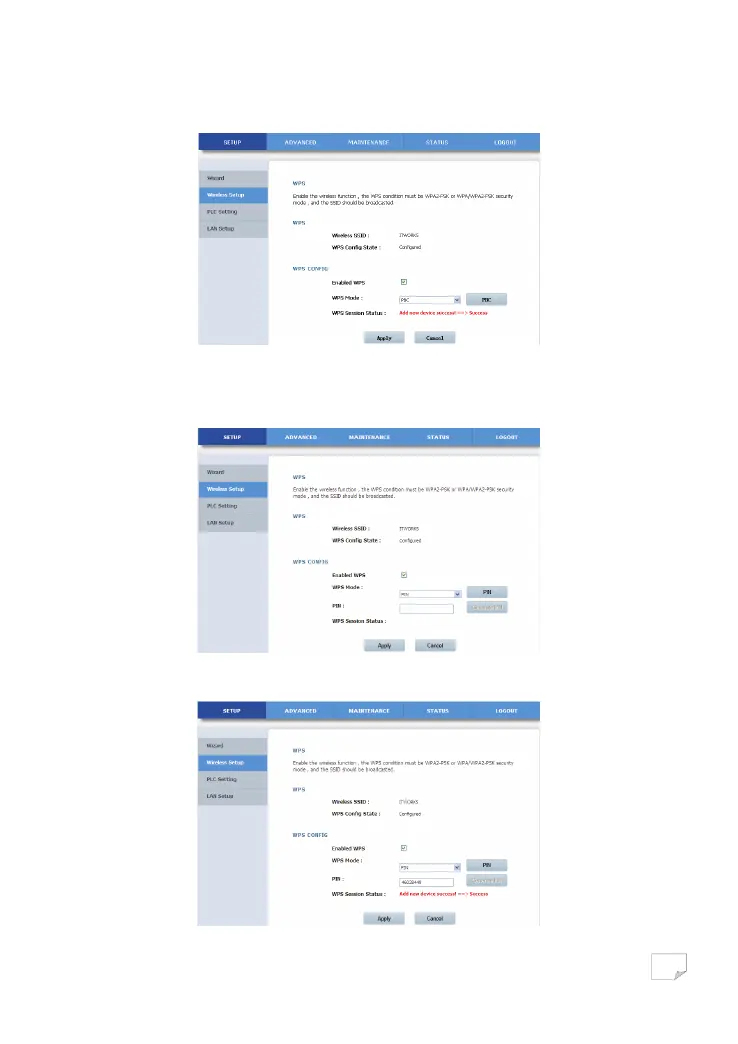
Press the WPS button on the network card or click the PBC button in the configuration utility page of network card within two
minutes to start WPS connection. After WPS connection is established, the following page appears. The client can now visit the
LAN.
Click Apply to save your configuration.
• PIN Mode
Select PIN from the WPS mode dropdown list.
Enter the PIN value of the network card on the WPS page (refer to the client of the network card), and then click the PIN button
on the right configuration utility page of network card within two minutes to start WPS connection.
Downloaded from www.vandenborre.be


 To Next Page