19
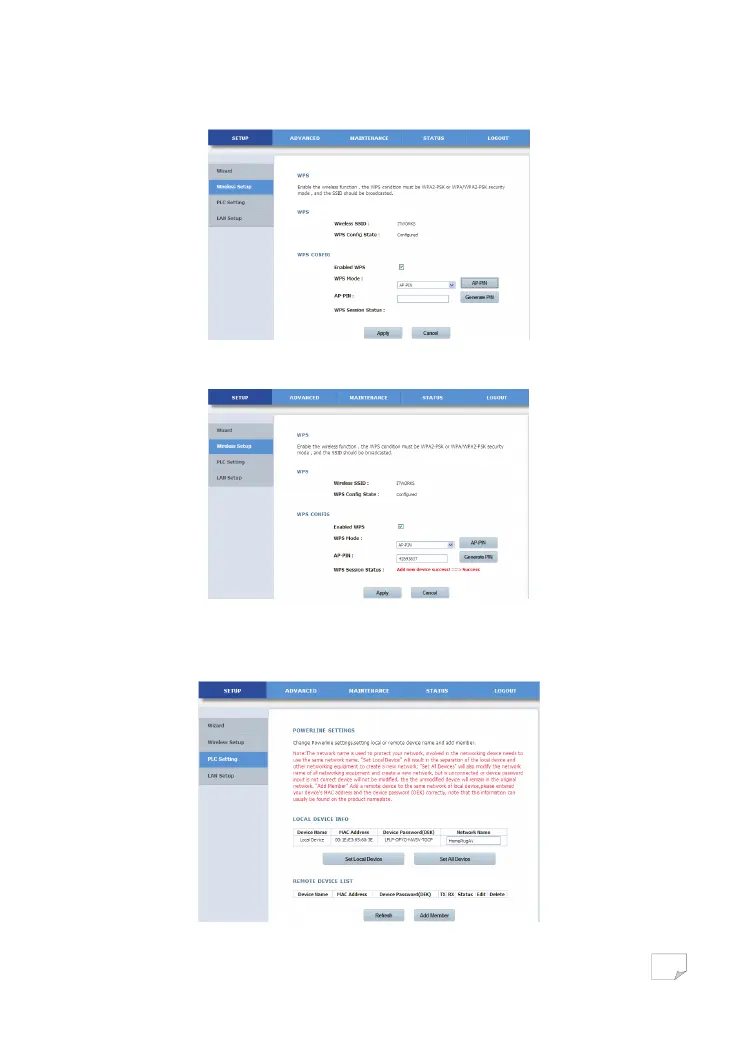
• AP-PIN mode
Select AP-PIN from the WPS mode dropdown list.
Enter the PIN value of the network card on the WPS page (refer to the client of the network card), and click the AP-PIN button on
the right configuration utility page of network card within two minutes to start WPS connection.
PLC Setting
Choose SETUP > PLC Setting, and the following page appears.
This page displays the local device information, including device name, MAC Address, device password and network name.
Downloaded from www.vandenborre.be


 To Next Page