User Guide
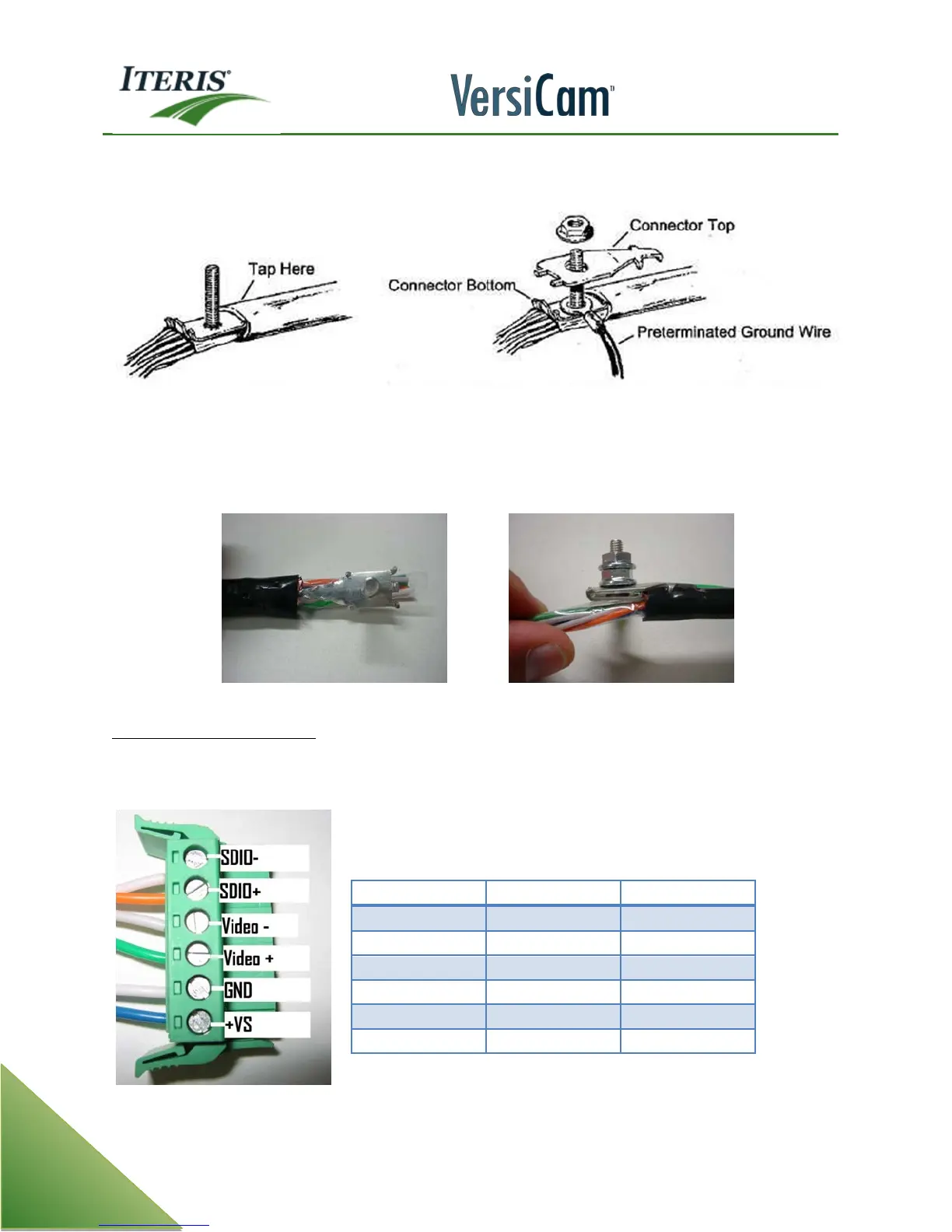
Insert the ground lug connector bottom on the opposite side that you cut the slit in the cable sheath. The lug
should be inserted between the core wrap and copper corrugated shield.
Install a ground wire, 14 gauge or larger, to to the post on the grounding lug and then place the connector
top over the the post and secure it in place using one of the nuts provided. Run the ground wire the shortest
distance, without severe bends, to the cabinet equipment grounding buss.
Inserting Connector Bottom (Tap) Finished Grounding Lug Assembly
ICC Module Wire Terminations
You will require three 19 gauge stranded wire pairs. After the grounding lug has been installed, separate the
three wire pairs and strip each of the wires insulation back approximately 1/4 inch.
ICC Module Connector Plug



 To Next Page