User Guide
COUNT SPEED OCCUPANCY (CSO) – These zones are similar to count zones. They collect extra data splitting
the count into small, medium and large vehicles and also estimating average speed and road occupancy per
Bin Interval.
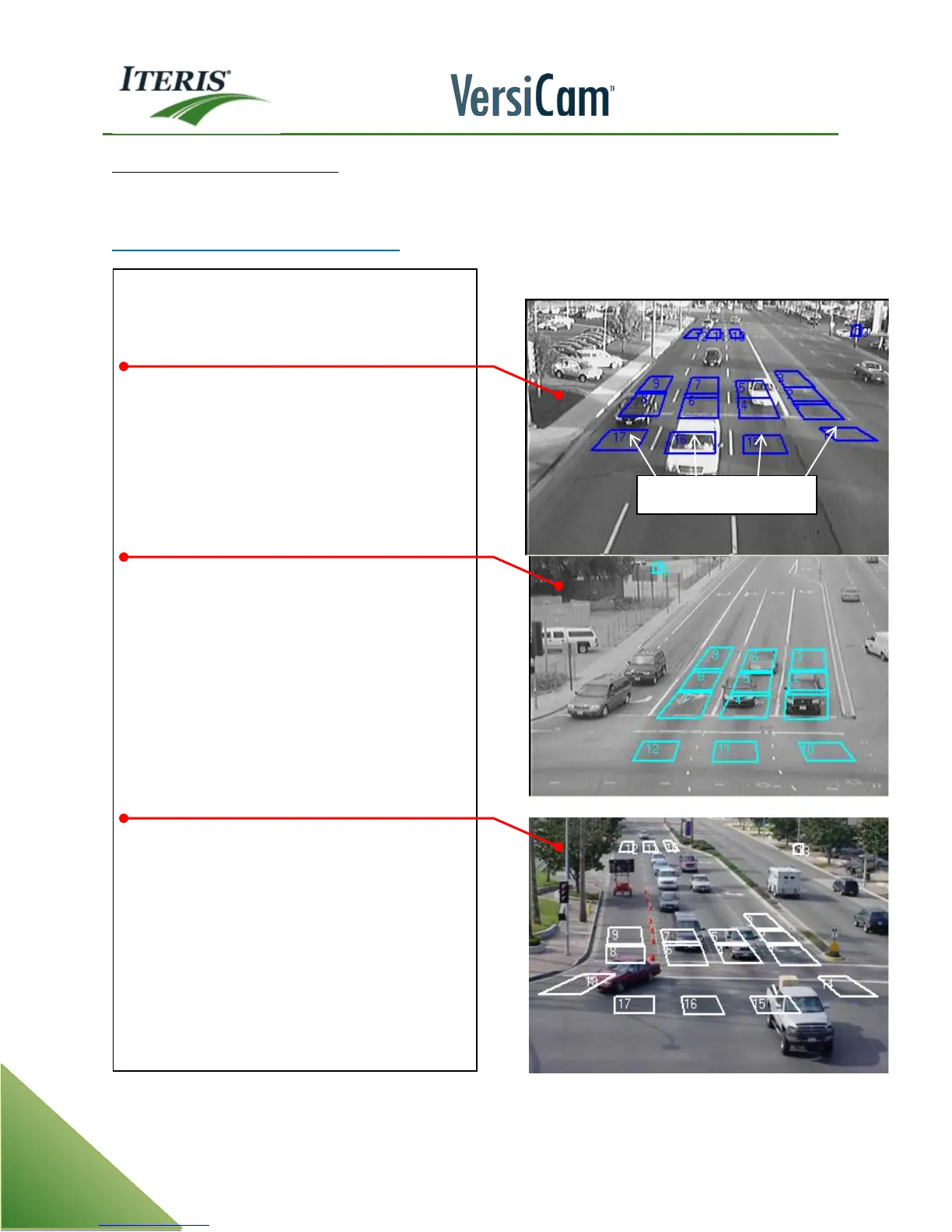
Achieving Vehicle Separation & Placement
• Key: The camera is aimed with the
intersection in the FOV.
This camera is mounted on the signal mast arm.
• CSO zones are placed in the intersection and
not above the stop bar. This will allow
vehicles to have a gap between them when
passing through the count zone. Only one
vehicle should occupy the zone at any one
time.
This camera is mounted on a safety light mast
arm. This location creates a good FOV for both
vehicle detection and counting.
• CSO zones Direction is set to down and is 15
feet from the top of the zone to the bottom
of the zone.
• Notice the zones are set in the path the
vehicles travel.
This camera is mounted on the safety light mast
arm
• The camera is zoomed out wide enough
to place the LT CSO zone where only left
turning vehicles will trigger it. It can also
accommodate a count zone for the right
turn.
Note: Each of the FOV has at least half of the
departing lane in them; this will allow the LT
cso zone to be placed correctly



 To Next Page