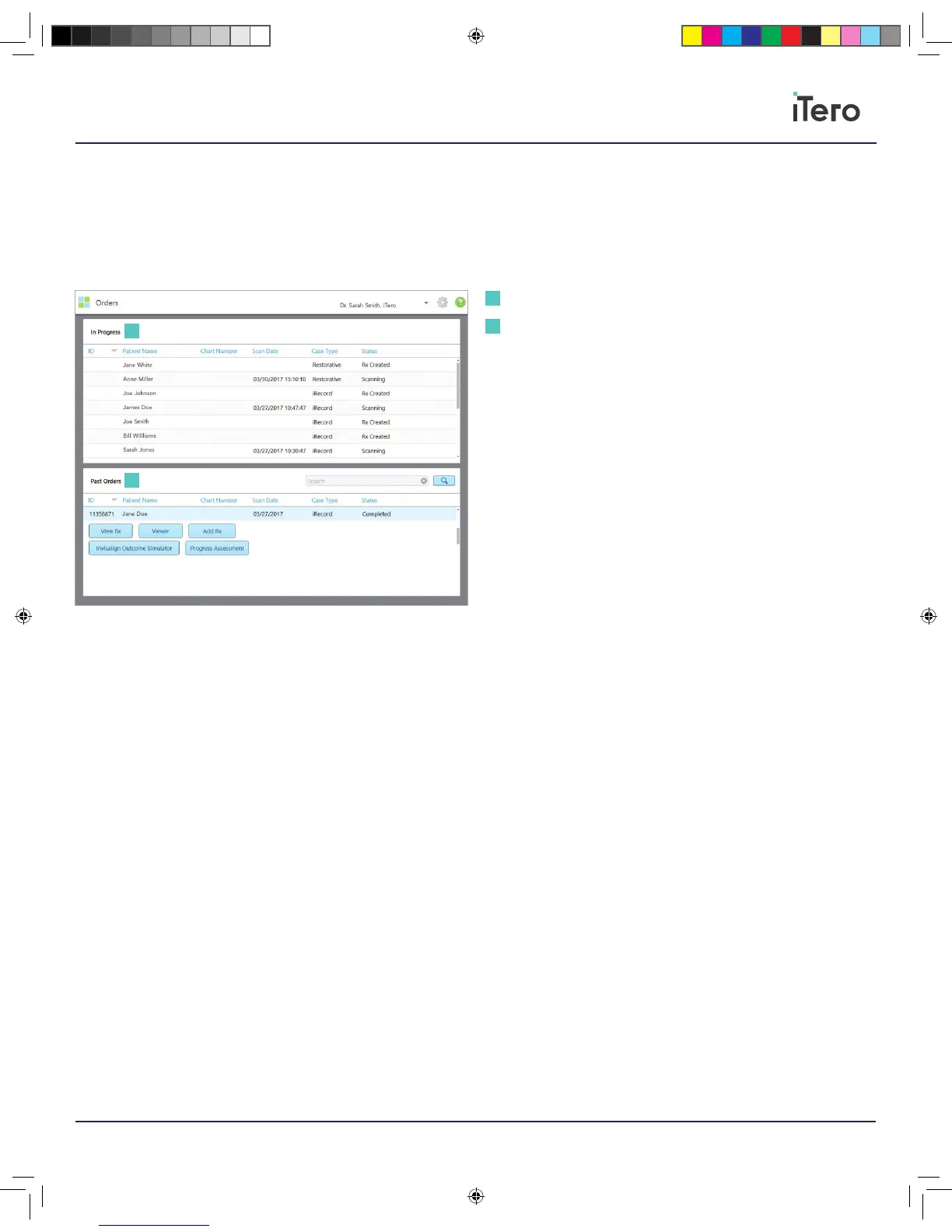
Tap on the Orders icon to view or review In Progress or Past Orders.
In Progress: Scans that have not been submitted.
Past Orders: Orders that have been submitted. Press on any order to
check the status of the scan.
Clicking on a past order shows the following options, depending on the
case type.
View Rx: View the prescription for this order.
Viewer: View the scans for this order.
Add Rx: Add a prescription for this order (only applicable for Orthodontic
orders and available up to 21 days after a scan).
Invisalign doctors may also select Invisalign features such as Invisalign
Outcome Simulator.
Chapter 5:
Orders
In Progress
Past Orders
1
1
2
2
206721RevC_iTeroElement5D_IFU.indd 13 1/9/19 3:12 PM



 To Next Page