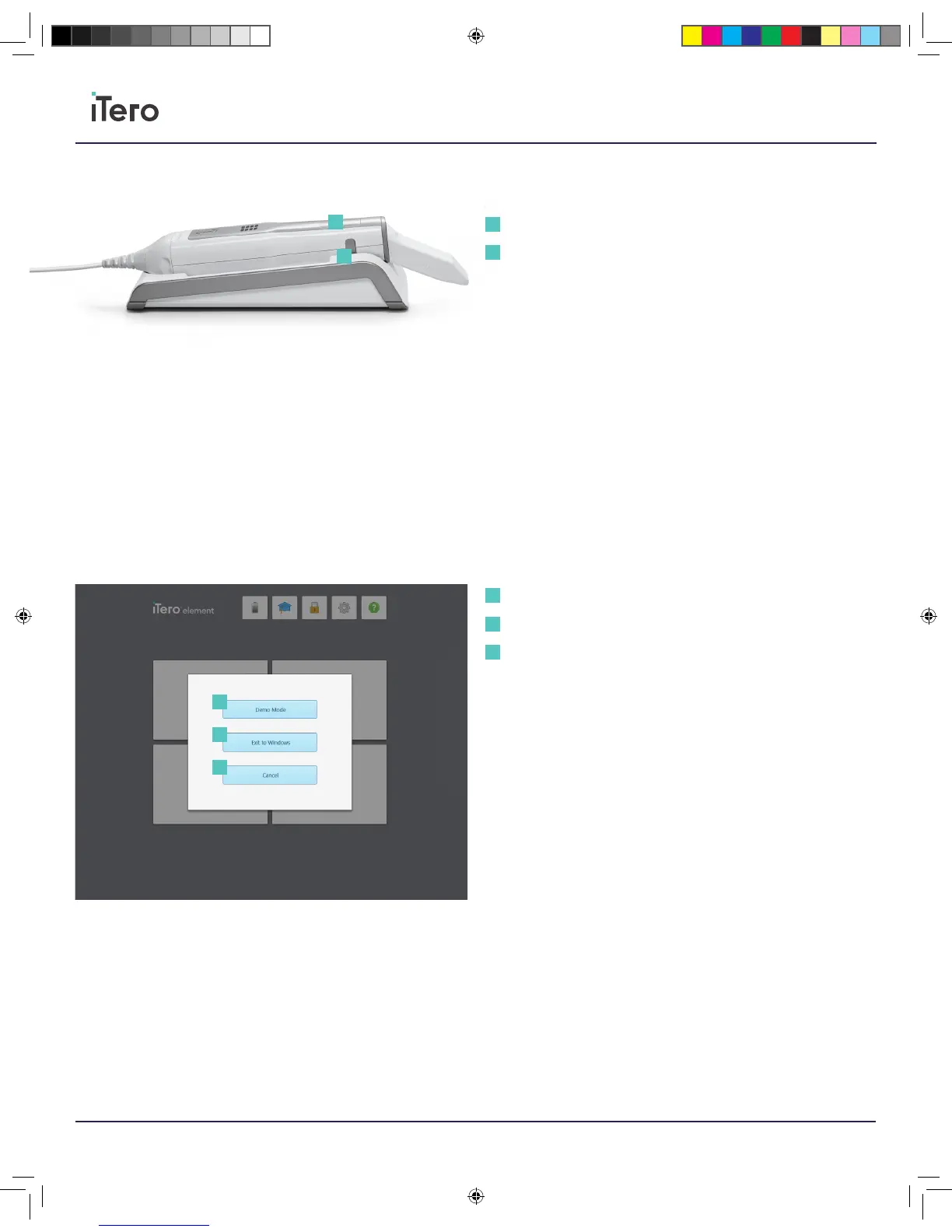
Wand controls
Side buttons: Press and release either of the side buttons on the wand to
start or stop the scanning process. Press the buttons simultaneously to
activate the touchpad.
Touchpad: Once activated, swipe left or right on the touchpad to
navigate between scan segments. Press and hold the touchpad will
enable the gyro function to rotate the model on the screen.
Demo Mode
To access demo mode, press the iTero Element logo on the upper left
side of the home screen. A menu will appear to press Demo Mode or to
cancel and return to the home screen. Demo Mode will appear with all
the same functionality as when taking a normal scan. No data will be
permanently saved.
Side buttons
Touchpad
1
1
2
2
Demo Mode
Exit to Windows
Cancel
1
2
3
1
2
3
206721RevC_iTeroElement5D_IFU.indd 10 1/9/19 3:12 PM



 To Next Page