iTero TimeLapse compares previously captured patient’s 3D scans to
allow a clinician to visualize changes of a patient’s teeth, tooth structures,
and oral soft tissues.
Patients scanned on a regular basis can be analyzed using the iTero
TimeLapse tool.
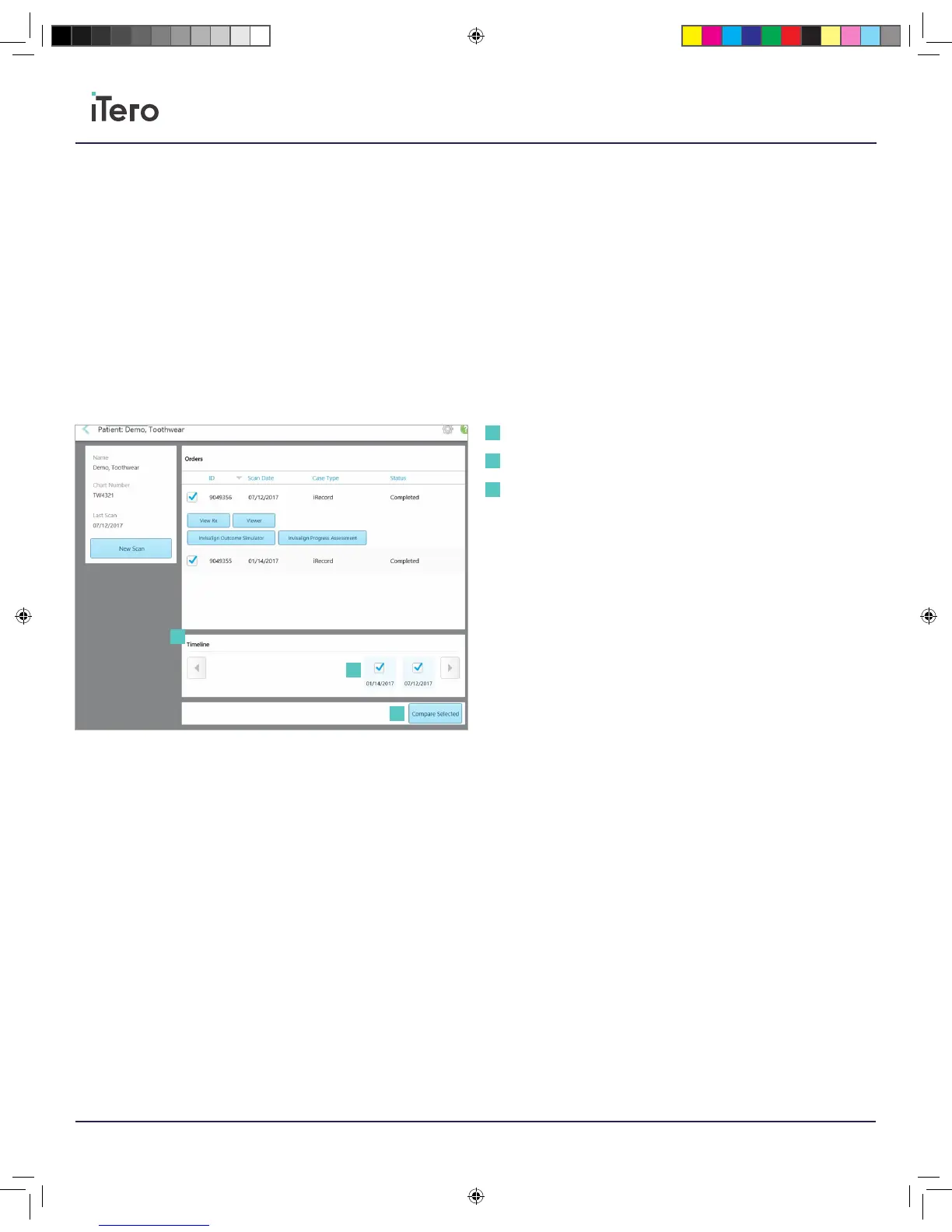
In the patient’s profile, select two scans from the timeline at the bottom
of the screen. Once two scans are selected, press the Compare
Selected button to analyze the scans.
Timeline: Scans taken over time of the patient.
Scan selection checkboxes: Selected scans to compare and visualize in
iTero TimeLapse.
Compare selected: Analyze scans using iTero TimeLapse.
Chapter 9:
iTero TimeLapse
Timeline
Scan selection checkboxes
Compare selected
1
1
2
2
3
3
206721RevC_iTeroElement5D_IFU.indd 22 1/9/19 3:12 PM



 To Next Page