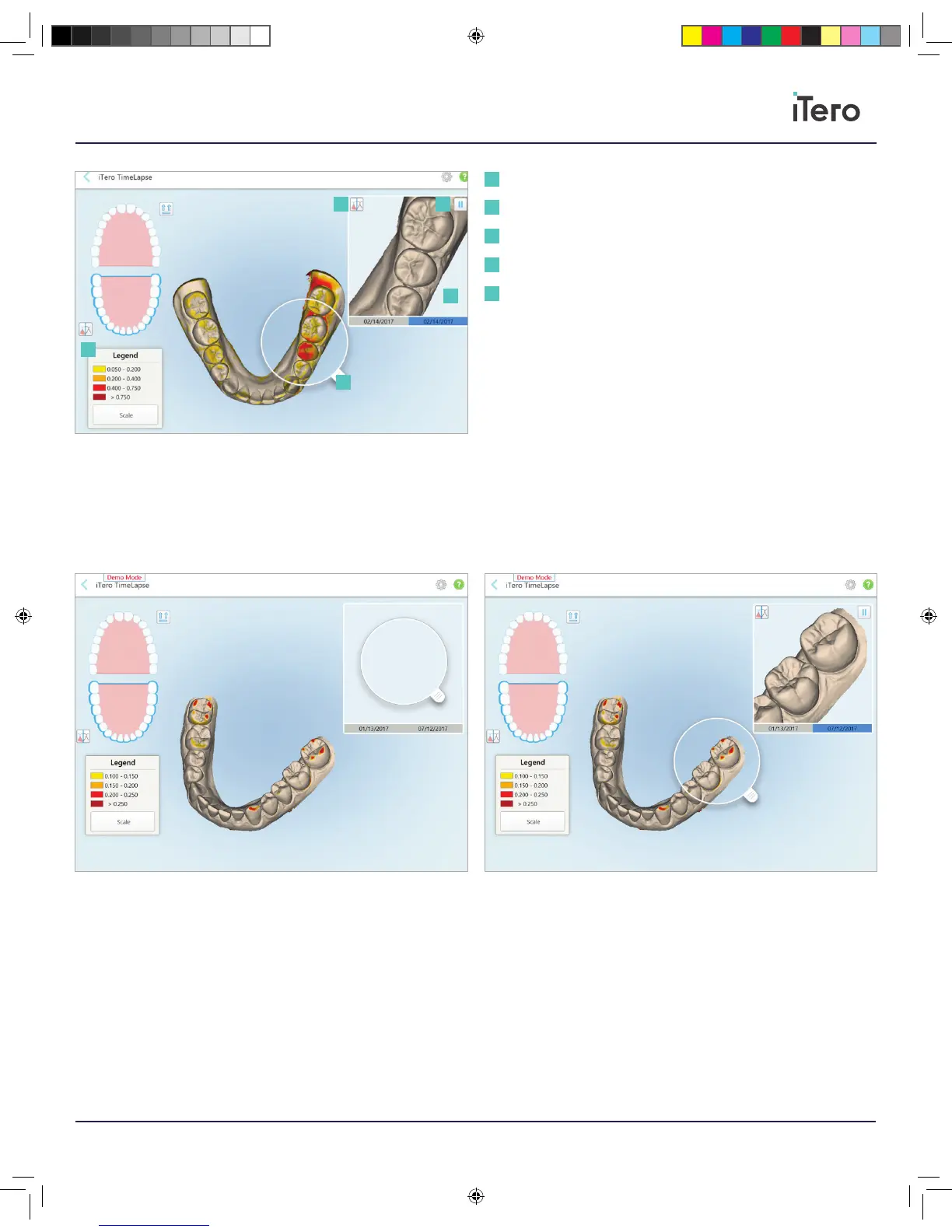
Color Legend: Highlighted areas with the most changes between scans
with rich color. Scale measurements are in millimeters.
Loupe: To view areas in detail and visualize points on interest in the
Animation Window. Drag the loupe from the animation window to the area
of interest in order to magnify potential treatment spots. The areas in
which appear in the loupe will be magnified within the animation window.
Animation window: Visualize fine details of changes for the
scans selected.
Color visibility: Toggle between monochrome and color in the
Animation Window.
Play/pause: To play or pause the Animation Window.
1
2
Color Legend
Loupe
Animation window
Color visibility
Play/pause
1
2
3
3
4
4
5
5
206721RevC_iTeroElement5D_IFU.indd 23 1/9/19 3:12 PM



 To Next Page