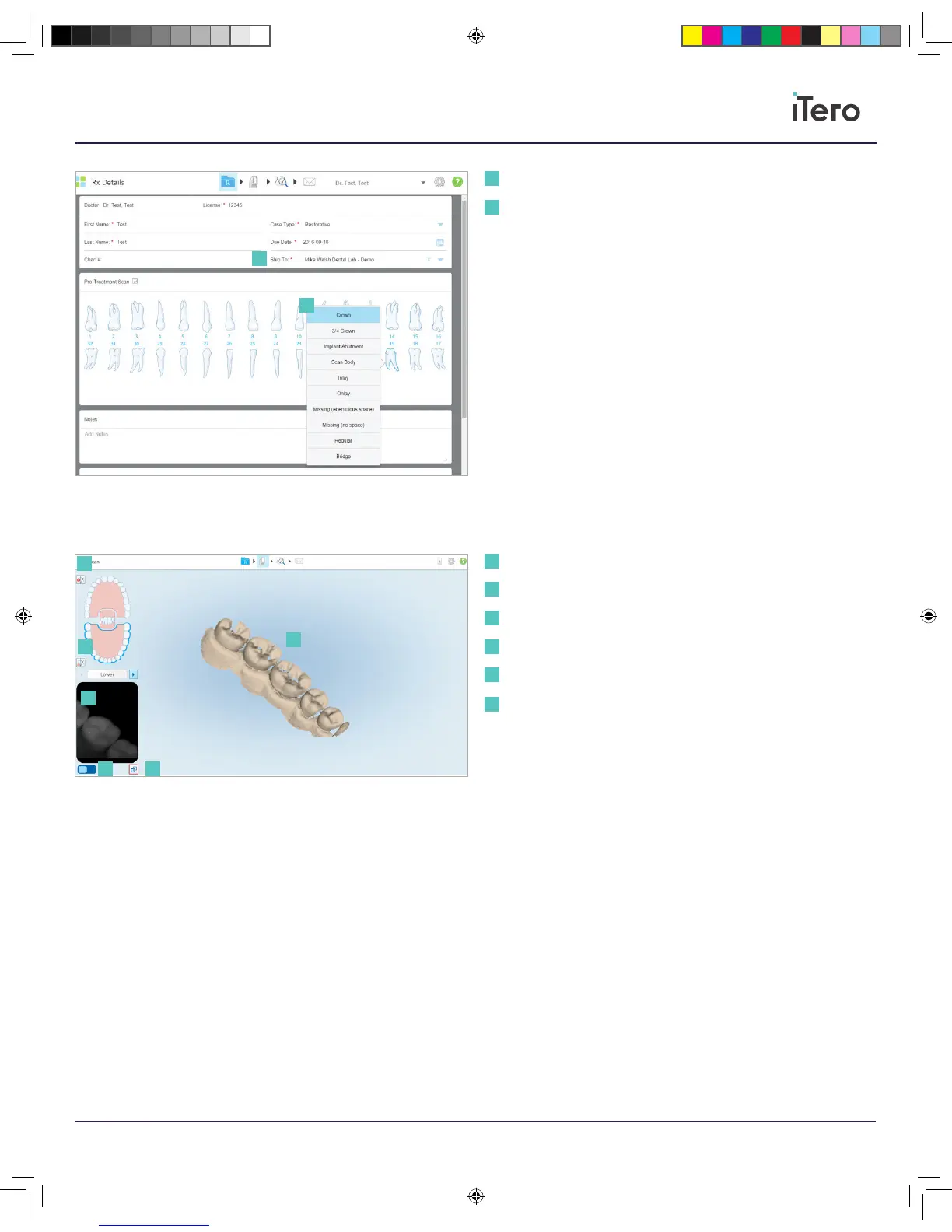
After selecting the case type for a patient, please begin scanning.
To start a scan, tap the scan icon.
Scan feedback: To view any missing tooth, soft tissue, or oral structure
during the scan.
Color: To switch from scan to color view.
View finder: View the wand’s current positioning.
Toggle View: Toggle between displaying a color image or a NIRI image in
the viewfinder
Enlarge View: Switch to a large viewfinder in the middle of the screen
1
Select a lab to send the case
Select the restoration type
from the dropdown
1
2
Real time modeling
View finder
Color
Scan feedback
Toggle view
Enlarge view
1
1
2
2
2
3
3
4
4
5
6
5
6
206721RevC_iTeroElement5D_IFU.indd 15 1/9/19 3:12 PM



 To Next Page