9
To use Connected GPS
From the dashboard of the app, scroll down and hit Running Mode. A new screen will appear that will
say Start. Tap Start. A countdown will appear and once complete, connected GPS mode will be enabled
unl you pause or completely stop it. This screen will showcase your steps, pace, and calories burned.
You will have an opon to toggle between this screen or an actual live map of your route. Once complet-
ed, you can view distance traveled.
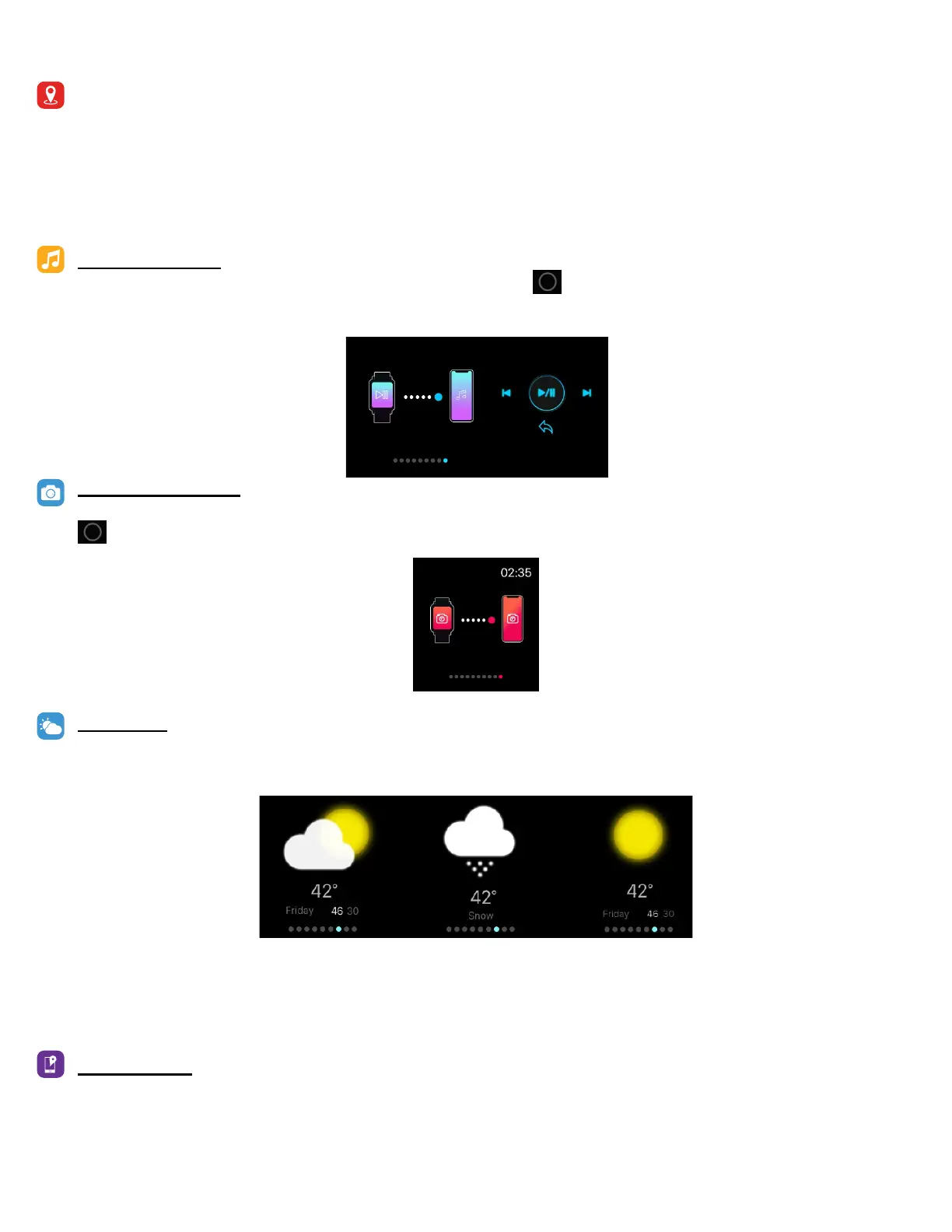
MUSIC REMOTE
To remotely control your music from your smartwatch, hold buon on the Music feature on the
smartwatch. The music remote allows you to Play/Pause, Skip Forward, or Skip to previous music from
your music apps.
CAMERA REMOTE
To access camera remote on iTOUCH AIR 2S, rst open the camera app on your smartphone and hold the
buon on the Camera feature on your smartwatch to snap a photo.
WEATHER
Once your smartwatch is fully paired to the app, the weather feature will show on your wearable device.
Your smartwatch shows weather updates hourly.
To change from Farenheit to Celsius, navigate to addional features on the iTOUCH AIR Special Edion
app. From there you can input the city you would like to see the weather for.
FIND DEVICE
Tap Find Device under addional features to vibrate your iTOUCH AIR 2S.



 To Next Page