49
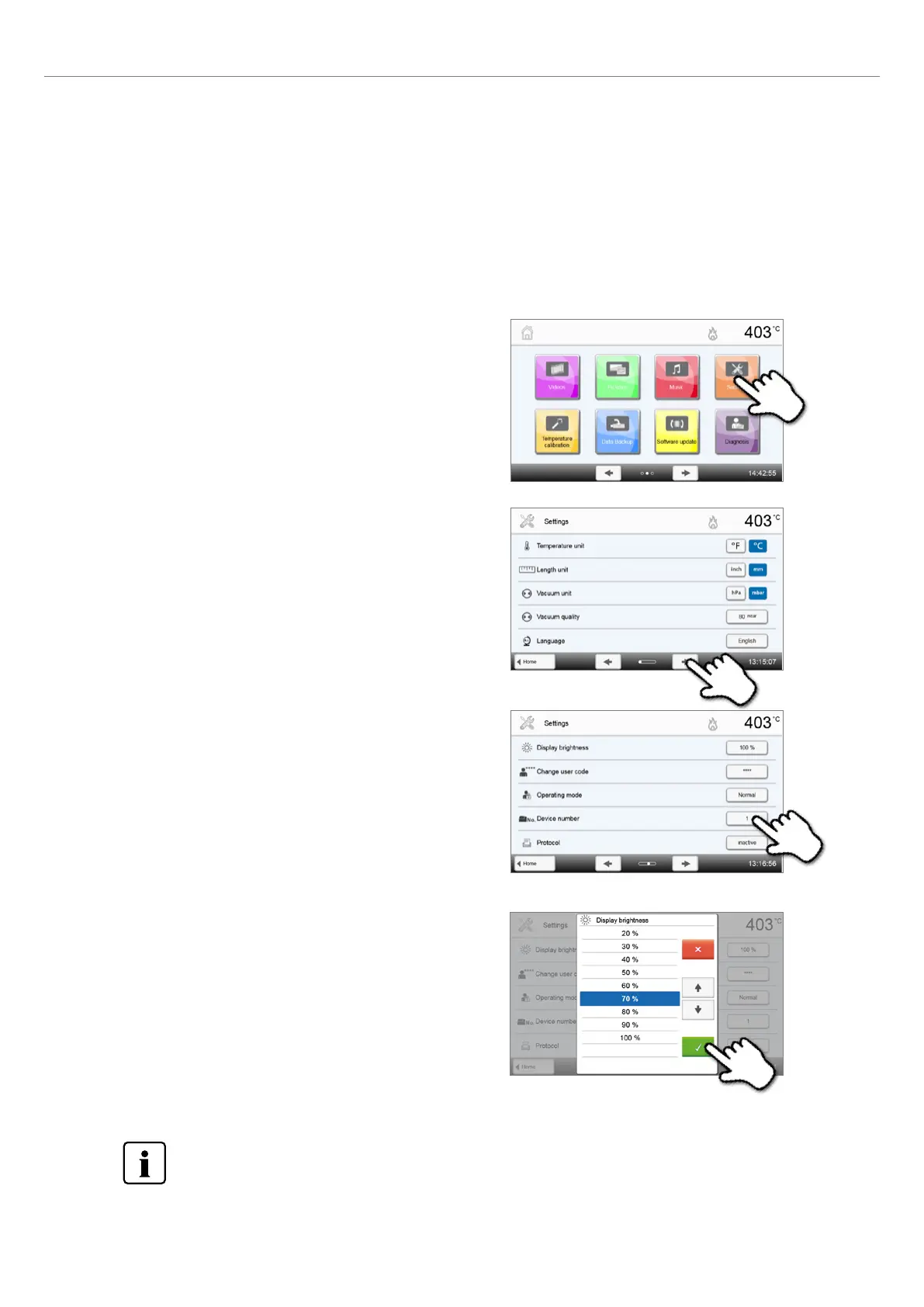
1. Open the Settings menu.
Scroll to page 2 in the home screen and press the [Settings] button.
3. Change the brightness of the display.
Press the touch button in the line "Display brightness".
2. Open the display brightness setting.
The [Arrow] buttons are used to scroll through the Settings menu.
Press the button until the setting "Display brightness" appears in the
display.
4. Select the desired display brightness.
in percent and confirm the entry with the green button or cancel the
entry with the red button.
The setting was changed.
To return to the home screen, press either the [Home] touch button in the navigation bar or the HOME key on
the membrane-sealed keypad.
5.4 Advanced functions of the furnace
5.4.1 Settings
To reach the Settings menu, scroll to page 2 in the home screen and press the [Settings] button.
Example: Changing the brightness of the display
5. Operation and Configuration















 To Next Page