73
Step 4:
Load the furnace.
Now, open the furnace head using the OPEN FURNACE HEAD key
and position the firing tray with the object in the furnace.
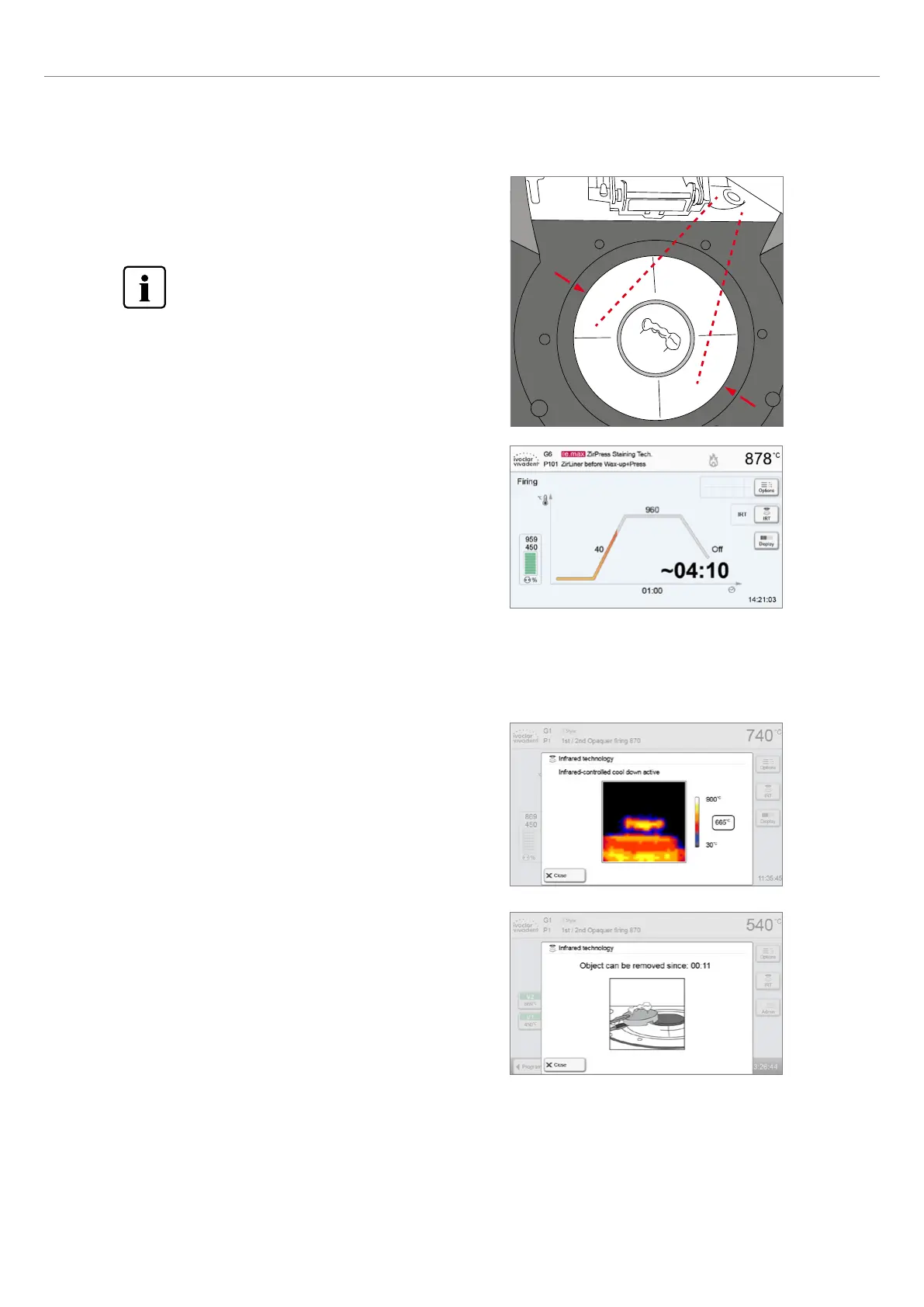
With the Infrared Technology active, position the objects
in such a way that the infrared camera has a wide view of
the objects. Use the markings on the frame plate (see
Figure) for orientation purposes.
6. Practical Use
Step 5:
Start the program.
Activate the program by pressing the START key. The LED lights up in
green. The process is indicated in the firing curve display.
The IRT key (see Chapter 5.1.2) is used to switch to the view of the infrared camera during the closing and predrying
process. The corresponding key is pressed again to return to the firing curve display.
Once the object has reached the ideal removal temperature, the
display shows a corresponding notification and the cooling time
elapsed.
As soon as the OSD lights up in green, the furnace is ready for the
next program start.
The furnace head opens automatically at the end of the program. If
IRT was activated, the IRT2 function is started during cooling. The
function measures the temperature of the fired objects and shows it
on the right next to the IRT image.















 To Next Page