30
5. Operation and Configuration
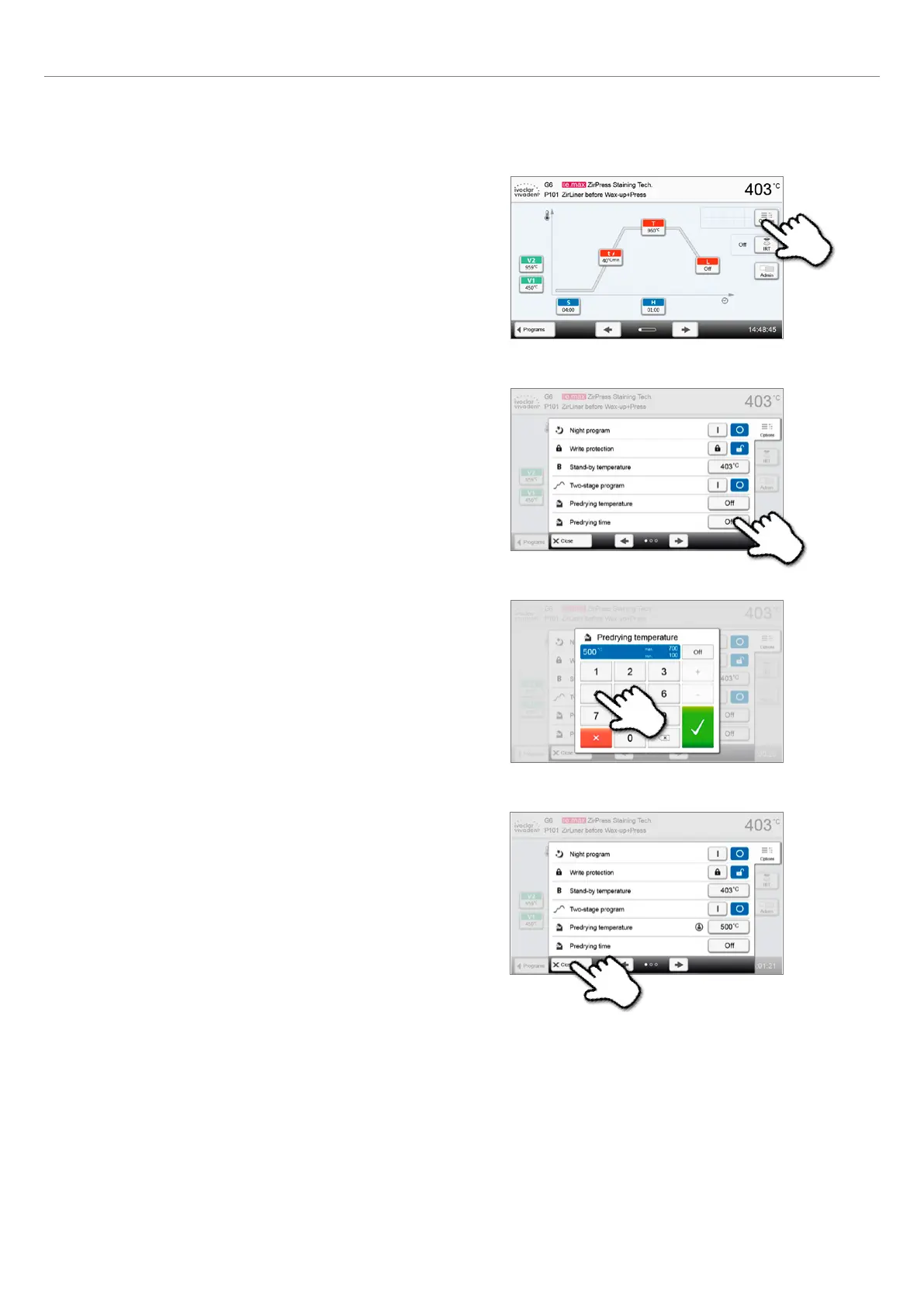
Example 2: Changing the predrying temperature
1. Press the [Options] button.
2. Press the [Pre-drying temperature] button.
3. Enter the desired predrying temperature and confirm with
the green button.
4. The predrying temperature was successfully changed.
Press the [Close] button to leave the Options menu.
The program screen now shows the symbol "pre-drying active"
next to the [Options] button.















 To Next Page