
 Need help?
Do you have a question about the J.Burrows Elite KB400 and is the answer not in the manual?
Details on LED status for power, charging, and low battery.
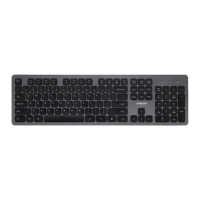
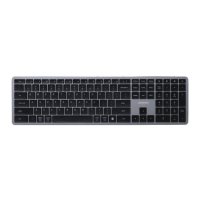
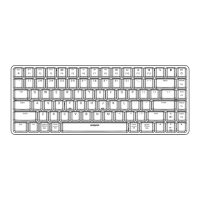
The J.BURROWS Elite KB400 is a compact mechanical backlit keyboard designed for versatile connectivity and a comfortable typing experience across multiple operating systems. This instruction manual provides a comprehensive guide to its functions, installation, and maintenance.
The Elite KB400 is a compact mechanical keyboard featuring a backlit design, enhancing visibility and aesthetics, especially in low-light environments. It offers multi-device connectivity, supporting wired, 2.4GHz wireless, and Bluetooth connections, making it highly adaptable to various setups and user preferences. The keyboard is compatible with Windows® 10 or later, Mac OS X 10.10 or later, iOS 13 or later, and Android™ OS 5.0 or later, ensuring broad compatibility across popular platforms.
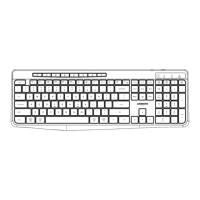
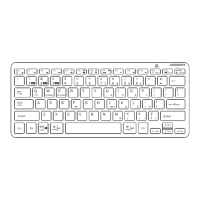
A key feature of the KB400 is its array of shortcut keys, conveniently located on the top row of the keyboard. These keys provide quick access to various functions on your connected device, streamlining workflow and enhancing user efficiency. The keyboard also includes a multimedia function, which is activated by default upon first use, allowing for easy control of media playback.
The backlight feature is fully controllable, allowing users to turn it ON or OFF and adjust its brightness. This customization helps conserve battery life and adapt to different lighting conditions. The keyboard also incorporates an operation memory function, which retains settings even after the device is turned off, ensuring a consistent user experience.
The Elite KB400 offers three primary modes of connectivity:
Wired Connectivity: For a stable and reliable connection, users can switch the keyboard to the "OFF" (mid-location) position and connect it directly to their device using the provided USB cable. This mode is ideal for situations where wireless interference is a concern or when charging the keyboard.
2.4GHz Wireless Connectivity: For a clutter-free workspace, the keyboard supports 2.4GHz wireless connection. To activate this, users switch the keyboard to the "2.4G" (left-side) position and insert the USB receiver, retrieved from the bottom of the keyboard, into a computer's USB-A or USB-C port. This provides a robust wireless connection suitable for desktop and laptop use.
Bluetooth Connectivity: The KB400 is equipped with Bluetooth 5.0, allowing connection to up to three different Bluetooth devices. To enter Bluetooth mode, users switch the keyboard to "BT" (right-side) and then short press either the BT1 (F1), BT2 (F2), or BT3 (F3) keys. A quickly flashing white light indicates that the keyboard is in Bluetooth pairing mode. Users can then select "Elite KB400" from their device's Bluetooth settings and follow the on-screen instructions to complete pairing. The light will turn off once pairing is successful. This multi-device Bluetooth capability is particularly useful for users who switch between a computer, tablet, and smartphone.
The keyboard's shortcut keys offer a range of functions tailored for different operating systems:
Backlight control is intuitive:
Fn + Esc turns the backlight ON/OFF.Fn + *+ increases backlight brightness.Fn + *- decreases backlight brightness.Fn + Del for more than 3 seconds restores the backlight settings to default.The keyboard also features a system switch on its left side, allowing users to select between "MAC" (for Mac and iOS devices) and "WIN" (for Windows and Android devices) modes. This ensures optimal key mapping and functionality across different operating systems.
The Elite KB400 is designed with user convenience in mind, particularly regarding power management. It features a rechargeable battery, indicated by an LED light.
For optimal battery life and performance, it is recommended to fully charge the Elite KB400 before its first use. During charging, ensure the wireless keyboard is turned off. The product comes with a charging cable, which should only be connected to the Elite KB400 wireless keyboard. Connecting this cable to other devices may cause damage to both the cable and the device. The operation memory function helps maintain user settings, reducing the need for frequent reconfigurations.
 Wireless Connectivity
| Bluetooth Version | 5.0 |
|---|---|
| Working Frequency | 2.4GHz |
| Operating range | 8m |
 Power
Power| Rating | 3.7V 150mA |
|---|---|
| Rechargeable battery | Lithium 2000mAh |
 Weight and Dimensions
| Dimensions | 311 x 121 x 26.35 mm |
|---|---|
| Cable length | 1.5 M |
| Receiver | USB-A / USB Type-C |


 To Next Page