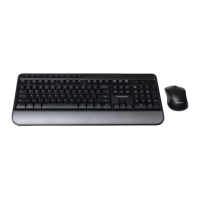
The J.BURROWS WIRELESS KEYBOARD AND MOUSE (MK100) is a peripheral set designed for seamless computer interaction, offering both a full-sized keyboard and a comfortable mouse with wireless connectivity. This instruction manual provides comprehensive details on its setup, functionality, and technical specifications, ensuring a smooth user experience.
Function Description:
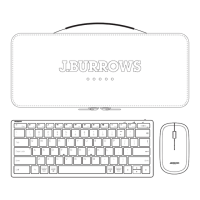
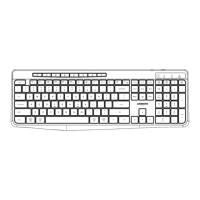
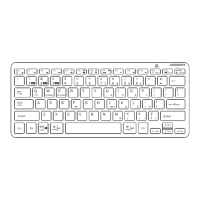
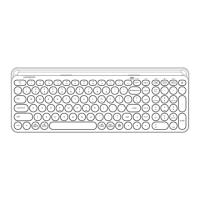
The MK100 set provides a complete wireless solution for desktop computing. The keyboard features a standard layout with additional multimedia function keys, accessible via the Fn key, to enhance productivity and control over media playback, volume, and common computer functions. The mouse offers precise cursor control for navigation and interaction with the graphical user interface. Both devices connect to a computer via a single USB-A/USB-C receiver, simplifying setup and minimizing the number of ports required. The wireless design eliminates cable clutter, providing a clean and organized workspace.
Important Technical Specifications:
- Product Model: MK100
- Item Number: JB530CM695
- Working Frequency: 2.4GHz, ensuring a stable and reliable wireless connection.
- Rating:
- Wireless Keyboard: 3V === 5mA
- Wireless Mouse: 1.5V === 15mA
- Dimensions:
- Wireless Keyboard: 449 x 204 x 22 mm, indicating a full-sized keyboard suitable for extended typing.
- Wireless Mouse: 112 x 63 x 39 mm, suggesting an ergonomic design that fits comfortably in hand.
- System Requirements:
- Compatible with Windows® 10 or later.
- Compatible with Mac OS X 10.10 or later.
- Power Source: Both the keyboard and mouse operate on AA alkaline batteries. The keyboard requires two 1.5V AA batteries, and the mouse requires one 1.5V AA battery. The package includes three AA batteries for immediate use.
- Receiver: A single USB-A/USB-C receiver is provided for connecting both devices, offering versatility for different computer ports.
Usage Features:
The MK100 is designed for ease of use and immediate functionality.
- Setup:
- Unpack the keyboard and mouse. The USB-A/USB-C receiver is conveniently stored in the battery compartment of the mouse.
- Insert two 1.5V AA batteries into the keyboard, ensuring correct polarity, and turn on its power switch.
- Insert one 1.5V AA battery into the mouse, also ensuring correct polarity.
- Plug the USB-A/USB-C receiver into an available USB port on your computer (either USB-A or USB-C, depending on the receiver's connector).
- The devices will be automatically recognized and installed by the computer's operating system, making them ready for use without manual driver installation.
- Combined Multimedia Functions (Fn Keys): The keyboard incorporates a range of multimedia functions accessible by pressing the "Fn" key in combination with the F1-F12 keys. These functions include:
- Fn+F1: Player (Launches media player)
- Fn+F2: Volume - (Decreases volume)
- Fn+F3: Volume + (Increases volume)
- Fn+F4: Mute (Mutes/unmutes audio)
- Fn+F5: Previous Track
- Fn+F6: Next Track
- Fn+F7: Play/Pause (Plays or pauses media)
- Fn+F8: Stop (Stops media playback)
- Fn+F9: Homepage (Opens default web browser to homepage)
- Fn+F10: Email (Launches default email client)
- Fn+F11: My Computer (Opens "This PC" or "My Computer")
- Fn+F12: Favorites (Opens browser favorites/bookmarks)
- These multimedia functions are fully compatible with Windows® 10 or later.
- Mac OS Compatibility Note: It is important to note that the multimedia functions of the keyboard are not available in MacOS. However, the basic keyboard and mouse functionalities remain operational.
Maintenance Features:
To ensure the longevity and optimal performance of the MK100 wireless keyboard and mouse set, the following maintenance recommendations are provided:
- Battery Usage: The keyboard and mouse are designed to be functional only with AA alkaline batteries. Using other battery types may affect performance or damage the devices.
- Battery Removal for Storage: If the keyboard and mouse are not going to be used for extended periods, it is strongly recommended to remove the batteries from both devices. This prevents potential battery leakage, which can cause corrosion and damage to the internal components, thereby extending the lifespan of the product.
Officeworks Ltd provides a 3-year warranty for this product from the date of purchase by the original customer, ensuring it is free from defects and functions as intended. In case of defects or non-performance within the warranty period, Officeworks will, at its discretion and expense, repair or replace the product.
The warranty does not cover:
- Cosmetic damage.
- Damage caused by consumables (e.g., batteries).
- Damage due to non-compliance with provided instructions.
- Damage from fair wear and tear.
- Damage resulting from unreasonable use.
- Intentional or negligent damage.
- Damage caused by customer repair attempts.
To make a warranty claim, customers should return the product with their receipt or proof of purchase to an Officeworks store or contact 1300 633 423. This warranty is in addition to rights under the Competition & Consumer Act 2010, which guarantees replacement or refund for major failures and compensation for foreseeable loss, and repair or replacement for goods that fail to be of acceptable quality but do not amount to a major failure.

 Need help?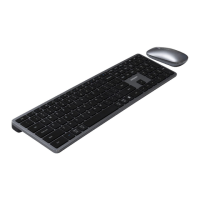


 To Next Page
 General