EasyManua.ls Logo

J.Burrows Elite KB300 - User Manual

J.Burrows Elite KB300
8 pages
Print Icon
To Next Page IconTo Next Page
Loading...
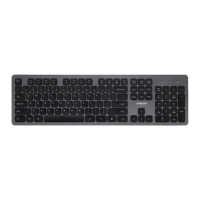
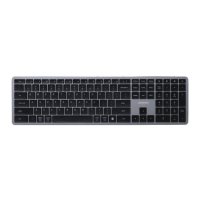
Elite KB300
WIRELESS KEYBOARD
INSTRUCTION MANUAL
OFFICEWORKS LTD
236-262 EAST BOUNDARY ROAD
EAST BENTLEIGH VIC 3165 AUSTRALIA
MADE IN CHINA
Compatible with:
Windows® 10 or later
Mac OS X 10.10 or later
1/8
Question and Answer IconNeed help?

Do you have a question about the J.Burrows Elite KB300 and is the answer not in the manual?

Summary

Elite KB300 Wireless Keyboard Instruction Manual

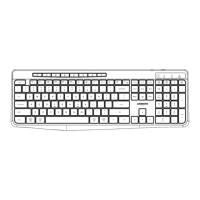
Functions

Multimedia Function Lock Note

Explains how to lock multimedia functions using the FN key for consistent F-key operation.

2.4 GHz Connectivity Installation Guide

Bluetooth Connectivity Installation Guide

Bluetooth Pairing - Device 1

Guide for pairing the keyboard with the first Bluetooth device using FN+1.

Bluetooth Pairing - Device 2

Guide for pairing the keyboard with the second Bluetooth device using FN+2.

Bluetooth Pairing - Device 3

Guide for pairing the keyboard with the third Bluetooth device using FN+3.

Switching Bluetooth Devices

Indicator Lights

2.4 GHz Indicator Light

Details the white LED indicator behavior for the 2.4GHz connection.

Bluetooth Indicator Lights

Explains the blue, green, and red LED indicators for BT1, BT2, and BT3 connections.

Charging Indicator Light

Specifications

Product Warranty Information

J.Burrows Elite KB300 Specifications

General IconGeneral
BrandJ.Burrows
ModelElite KB300
Number of Keys104
TypeKeyboard
Connection InterfaceUSB

Related product manuals