
 Need help?
Do you have a question about the J.Burrows Elite MKG300 and is the answer not in the manual?
Open the battery compartment cover of the mouse.
Insert batteries into the keyboard and mouse according to polarity, then place the receiver.
Short press mode switch for slow flash; long press for quick flash to enter pairing mode.
Search and select 'MKG300KB3.0' or 'MKG300KB5.0' on your device.
Short press mode switch for slow flash; long press for quick flash to enter pairing mode.
Search and select 'MKG300MS3.0' or 'MKG300MS5.0' on your device.
Switch between 2.4G, Bluetooth I, and Bluetooth 2 modes using the mode switch button.
Select between 2.4G, BT1, and BT2 by short pressing the mode switch button.
Switch keyboard layout by holding Fn + specific keys for 3 seconds.
Toggle between multimedia functions and F1-F11 keys using Fn + Esc.
Low battery indicator flashes red to signal the need for battery replacement.
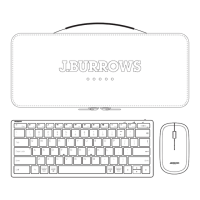
List of items included in the product package.
Details required USB port, Bluetooth version, and compatible operating systems.
Details device connectivity, working distance, battery types, and power ratings.
Provides solutions for common issues like receiver connection and distance.
Details warranty period, terms, exclusions, and claim procedure for Australian customers.


 To Next Page
 General