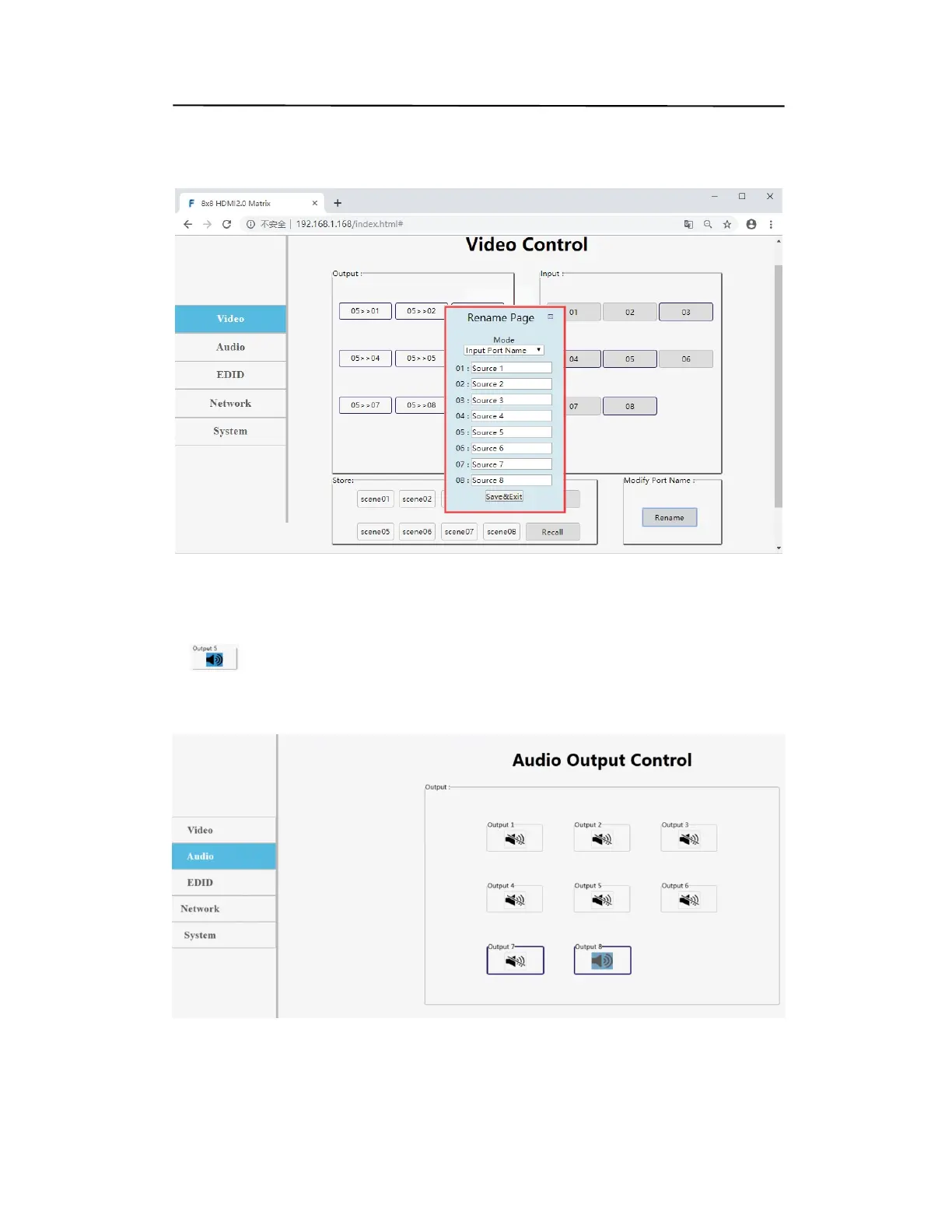
Rename: modify input/output port name. Operation steps: click into the interface of
port modification, enter the name of modification in the new name column and click
Save&Exit
Web control(P22)
“AUDIO” interface description:
1.
Represents the output audio. You can only choose to output all or mute all
2. Just click the icon directly to complete the operation, rather than fast continuous
operation
Web control(P22)
Operating Instruction


 To Next Page