Operating Instruction
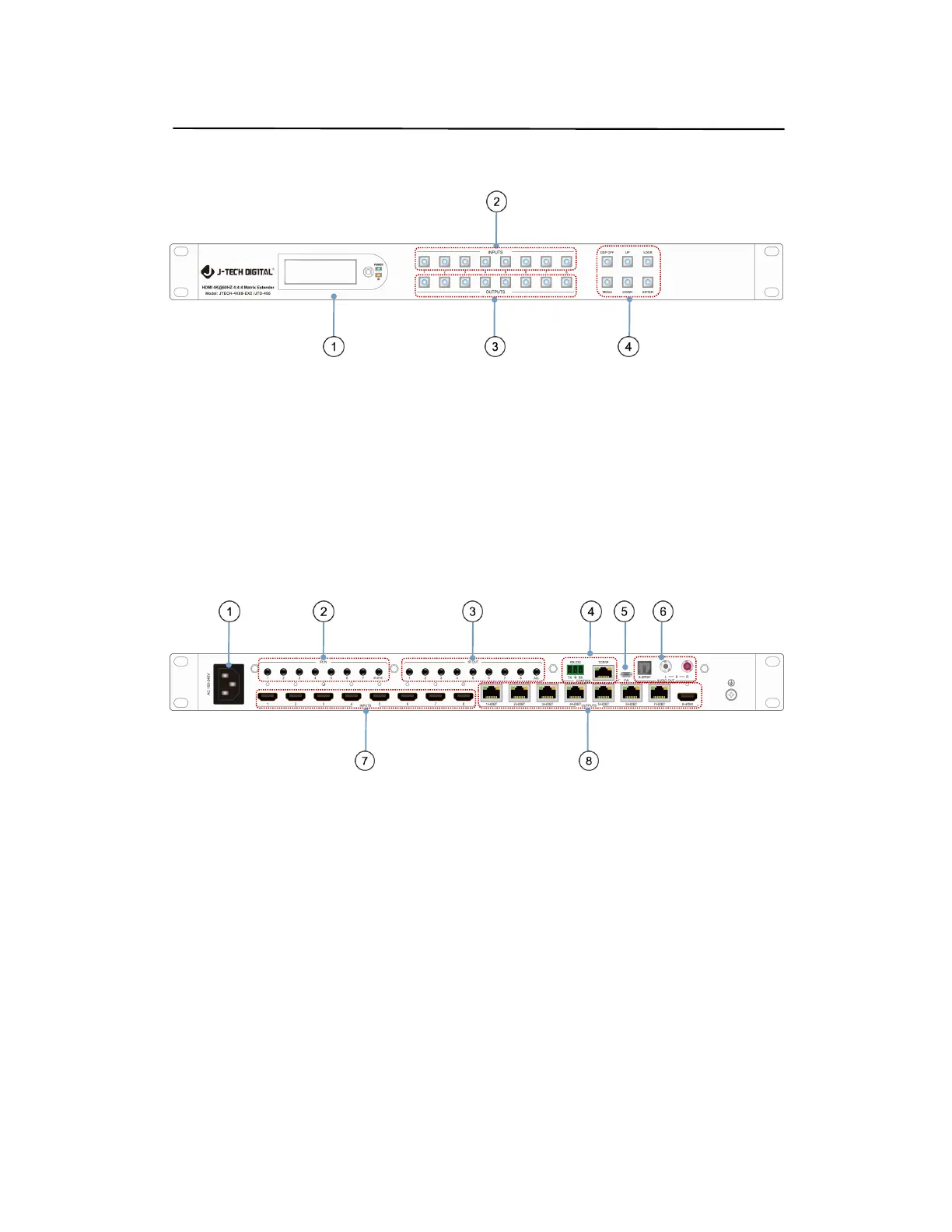
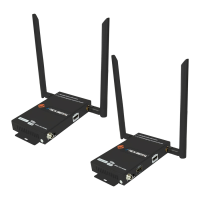
4. Panel Descriptions
ᬅ LCD: Showing Matrix information
ᬆ Input button OUT1~8
ᬇ Output button IN1~8
ᬈ Function button: DSP OFF; MENU; UP; DOWN; LOCK; ENTER
DSP OFF : Short press output N, then press DSP OFF to turn off the output.
Long press Output 8 to select all output, then press DSP OFF to turn off all the output.
ᬅ AC 100-240V power port
ᬆ IR in port x7 & IR EYE
ᬇ IR out port x8 & All out
ᬈ RS232; TCP/IP control port
ᬉ FW USB port
ᬊ Audio output port ( 8-SPDIF & L R Analog)
ᬋ HDMI Input x8
ᬌ HDBaseT out x7 & HDMI out


 To Next Page