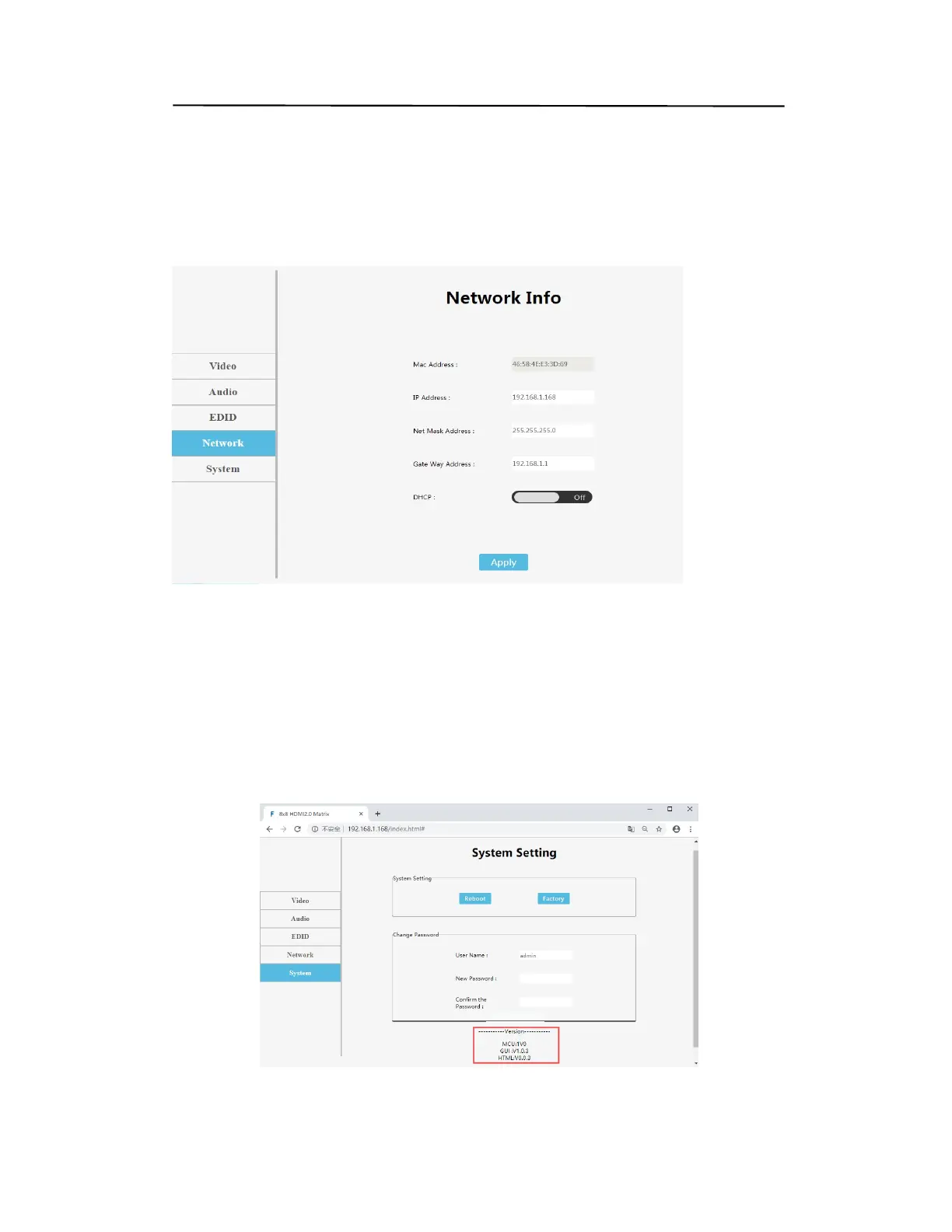
“Network” interface description:
1. The interface displays Mac address, IP address, sub code mask and gateway address
2.DHCP can only modify IP address, sub net mask and gateway in the off state, and
does not support any parameter modification in the on state
3.DHCP switch: click Apply after click the white scroll bar to modify
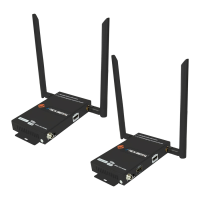
System interface description:
The user name means change the logged-in user name. New password means enter the
new password in the login interface, enter the new password again to confirm, and
click apply to complete the modification after entering
(1.Matrix has 5 default accounts: admin~admin4, password: 123456. Account has level
permissions
2. Only supports changing 6-15 characters of the account password in the form of
letters, underscores and Numbers.)
Web control(P25)
Operating Instruction


 To Next Page