Operating Instruction
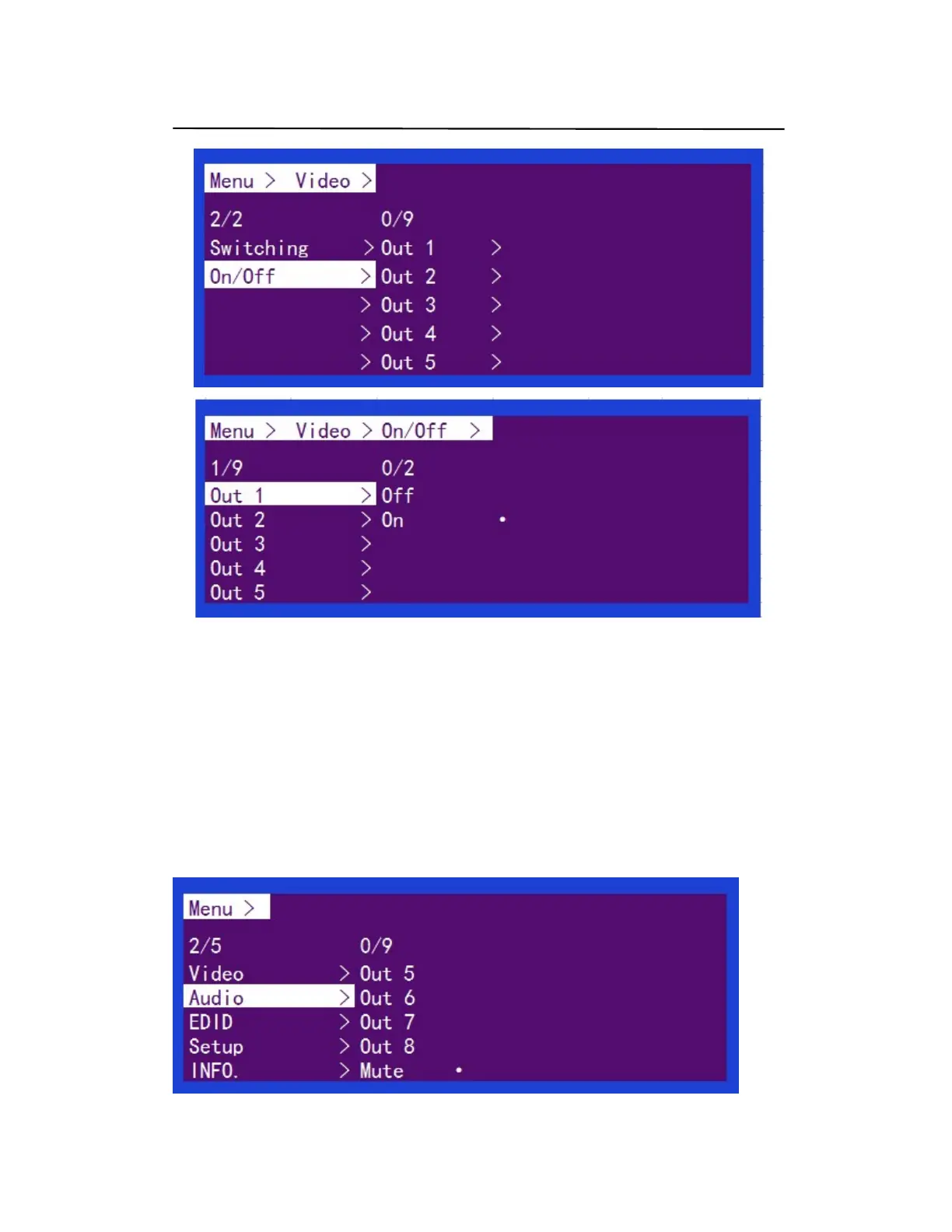
Video On/Off (P3)
4.2.3 Audio Separation
The Audio Control have NINE sub menu
1. Out 1 ~ Out 8
2. Mute (Default)
The specific operation is as follows:
Audio interface can be set to output Audio (Analog or SPDIF), then choose Audio output or mute
Operating instructions:
Select "Audio" from the main menu and press "ENTER" to confirm
Press the up and down buttons to select "Out" or "Mute" and press "ENTER" to confirm the.
The bottom of the selected state will turn white with white dots at the back
Audio mode (P4)


 To Next Page