
 Need help?
Do you have a question about the J2 240 and is the answer not in the manual?
Essential safety instructions for proper device use and maintenance.
Guidelines for safe handling, replacement, and disposal of lithium batteries.
Information on the Waste Electrical and Electronic Equipment directive and symbol.
Details of the essential items included in the system package.
Details of optional accessories that can be added to the system.
Illustrations and labels identifying components on the front and rear panels.
Diagrams showing the side profile and bottom interface of the system.
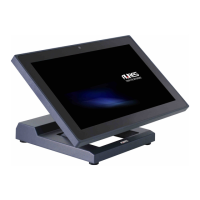
Specifications for system dimensions and its adjustable viewing angles.
Comprehensive identification and description of all input/output ports.
Step-by-step guide for connecting and installing the power adapter.
Procedure for safely removing and replacing the Hard Disk Drive.
Procedure for safely removing and replacing the Solid State Drive.
Steps to install the Magnetic Stripe Reader (MSR) module.
Steps to install the iButton module for user identification.
Steps to install the Addimat Key Reader.
Guide for installing the graphic LCM customer display.
Instructions for installing and enabling a secondary display.
Procedure for mounting the system using the VESA compatible wall mount kit.
Guide for installing the cash drawer and its controller.
Diagram showing the layout of the D36 motherboard and its connectors.
Explanation of each connector's purpose and function on the motherboard.
Guide to configuring system functions via jumpers.
 General
| Brand | J2 |
|---|---|
| Model | 240 |
| Category | Payment Terminal |
| Language | English |

 To Next Page