8
3 System Assembly & Disassembly
3-1 Install the Power Adapter
The system is equipped with a 65W power adapter. Please follow the steps below to
install the power adapter.
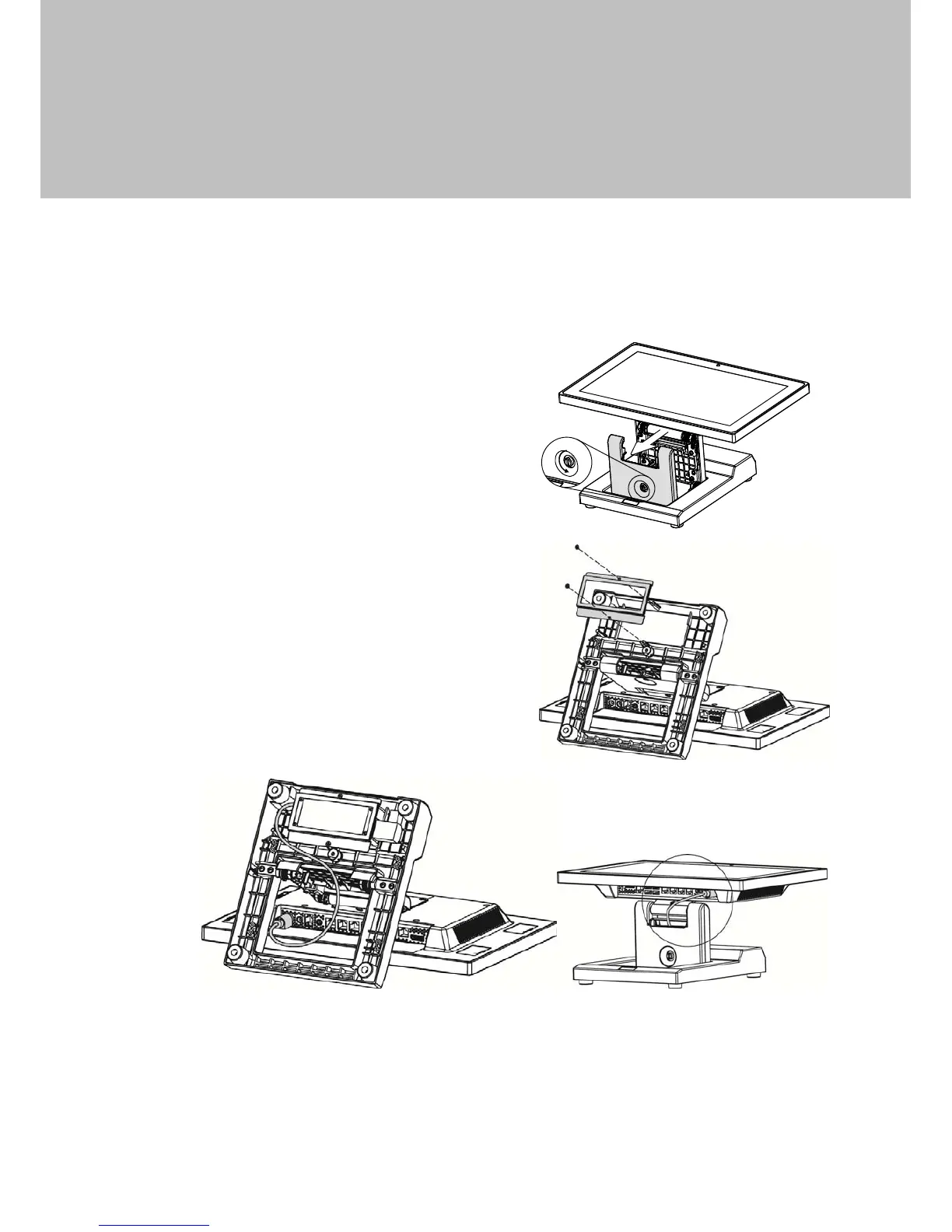
1. The swing arm base is designed to
allow for clean cable management.
There is a cable channel through the
swing arm base, which has a quick
access cover. Please loosen the
thumb screw (x1) of the cable cover
first.
2. Lay down system to access the
bottom of the base. Remove the
screws (x2) of the holder bracket.
3. Attach the power adapter and then
replace the holder bracket.
4. Route the cable as shown in the picture.
5. Connect the power adapter to the 19V DC IN port.
6. Replace the cable cover.


 To Next Page