10
4 Peripherals Installation
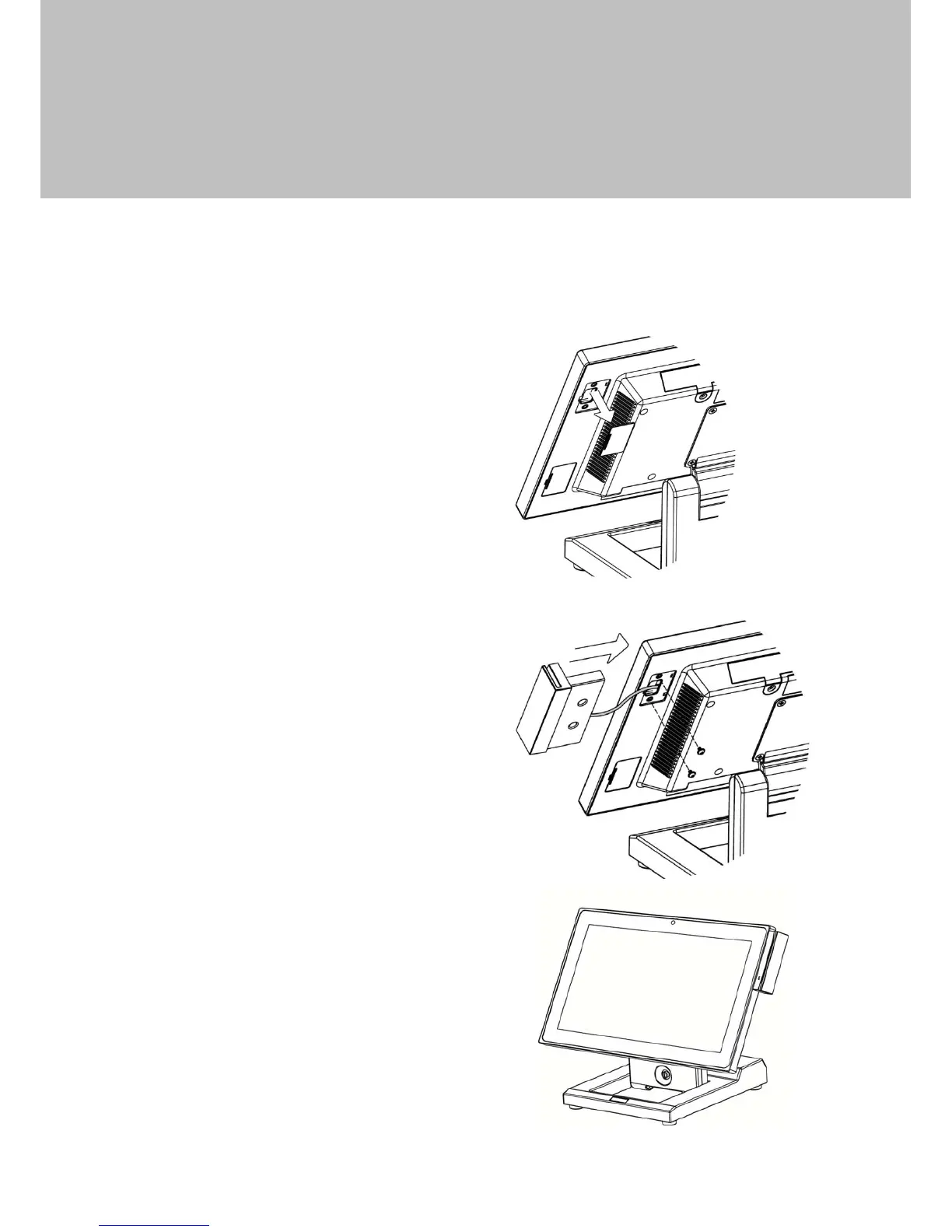
4-1 Install the MSR Module
MSR is installed on the right side of the system. Please make sure the unit is
powered down before starting.
1. Remove the dummy cover first.
2. Connect the MSR cable (x1) to the
connector on the system side.
3. Insert the MSR module in place
and fasten the screws (x2) on the
back to secure the module.


 To Next Page