15
4-5-1 How to activate the 2
nd
display Under Windows
Make sure to connect the 2
nd
display cable and begin the installation after your
system has booted.
The Setup program requires about one minute for the installation. If you turn the
power off or remove the 2
nd
display cable while the Setup program is running, it
may cause an error with the Windows operating system.
The optimal resolution for this USB monitor is 1024 x 600.
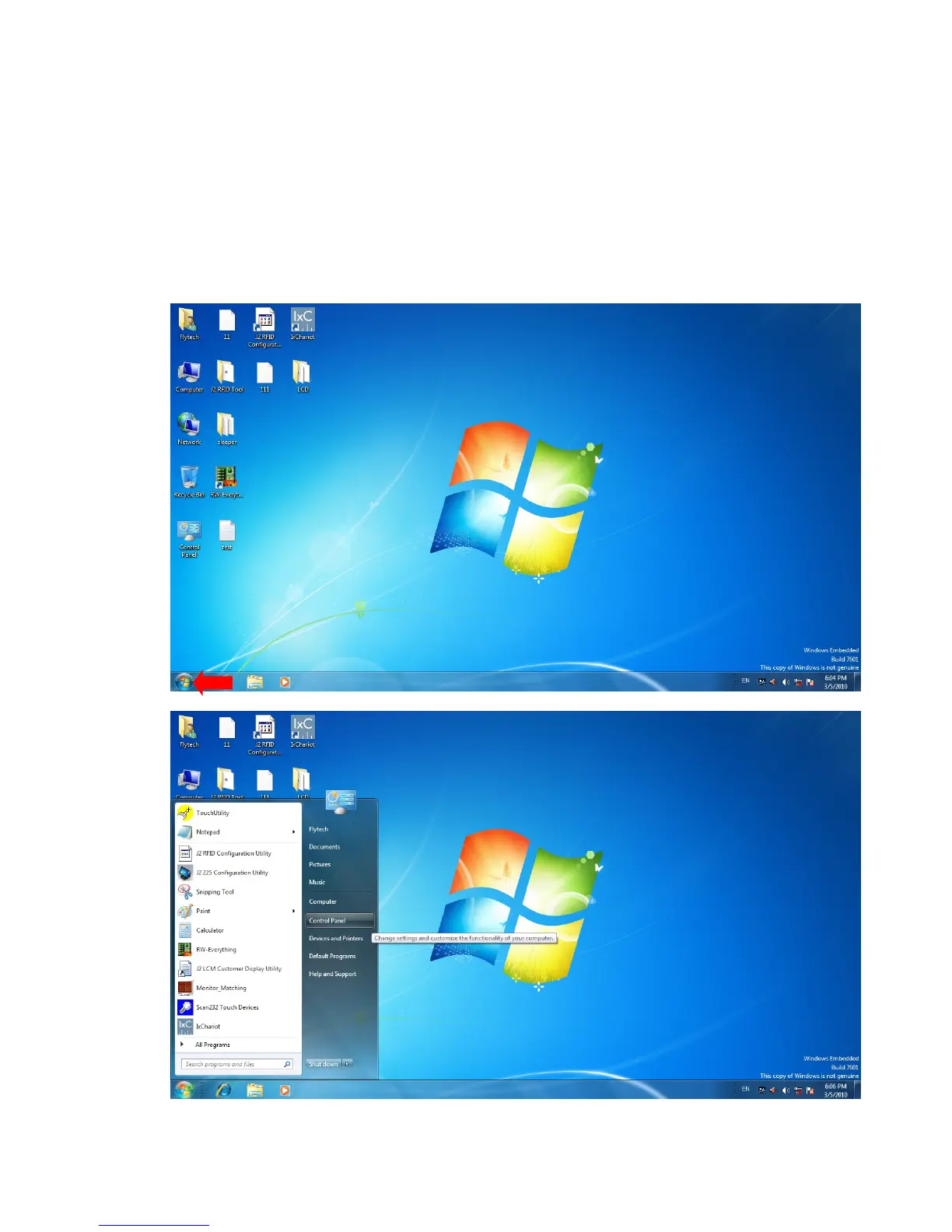
When the installation is completed, configure the following settings to activate
the 2
nd
display.
1. Click


 To Next Page