18
4-6 Install the Wall Mount Kit
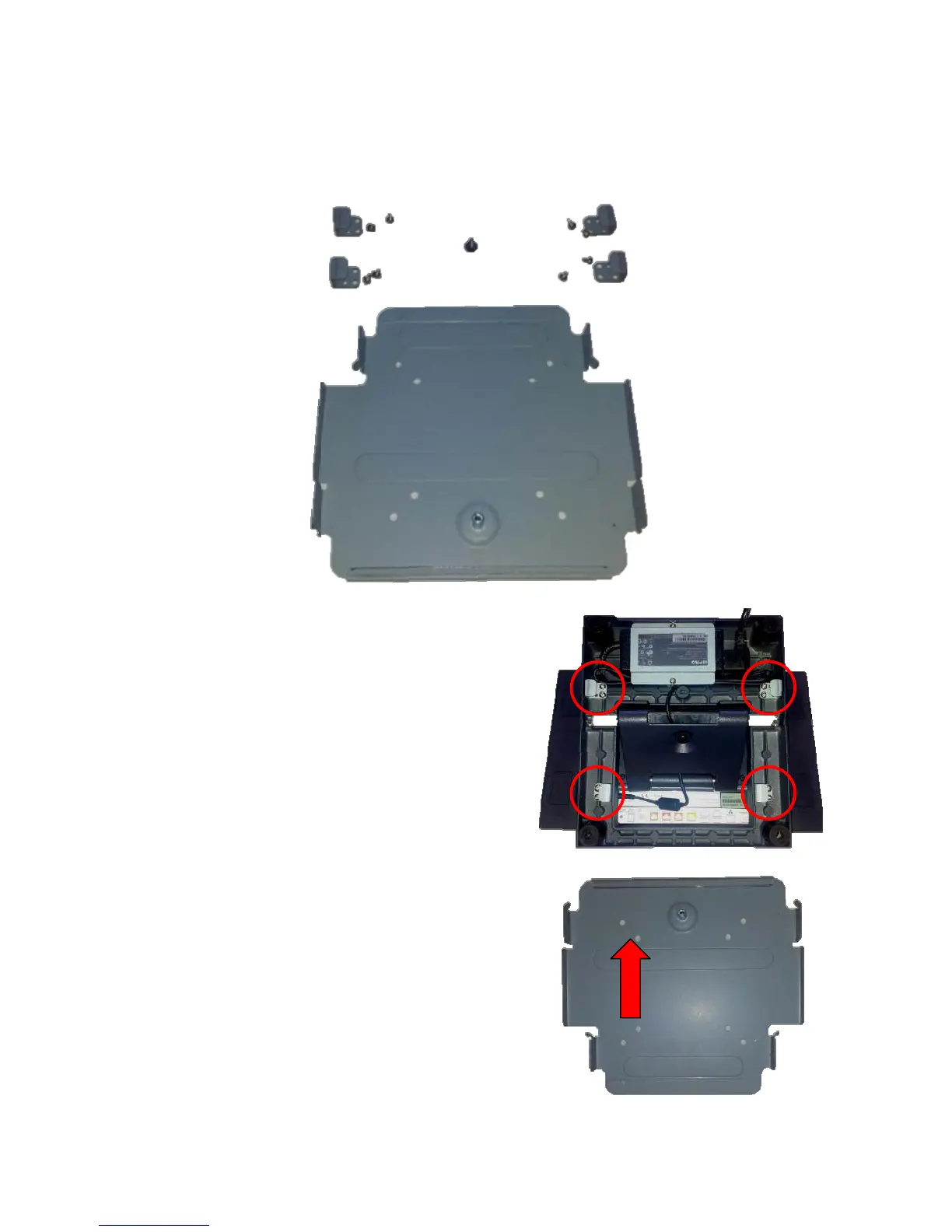
The wall mount come with the following parts:
1. First attach the four mounting clips
using the 3 mm screws as shown in
the picture.
2. Next attach the mounting bracket to
the wall or other surface using at
least four of the bracket mounting
holes. Please note that the bracket
has both a 100mm and 75mm hole
pattern, so that the bracket can be
used with the VESA bracket as well
as being directly mounted to a wall.


 To Next Page