9
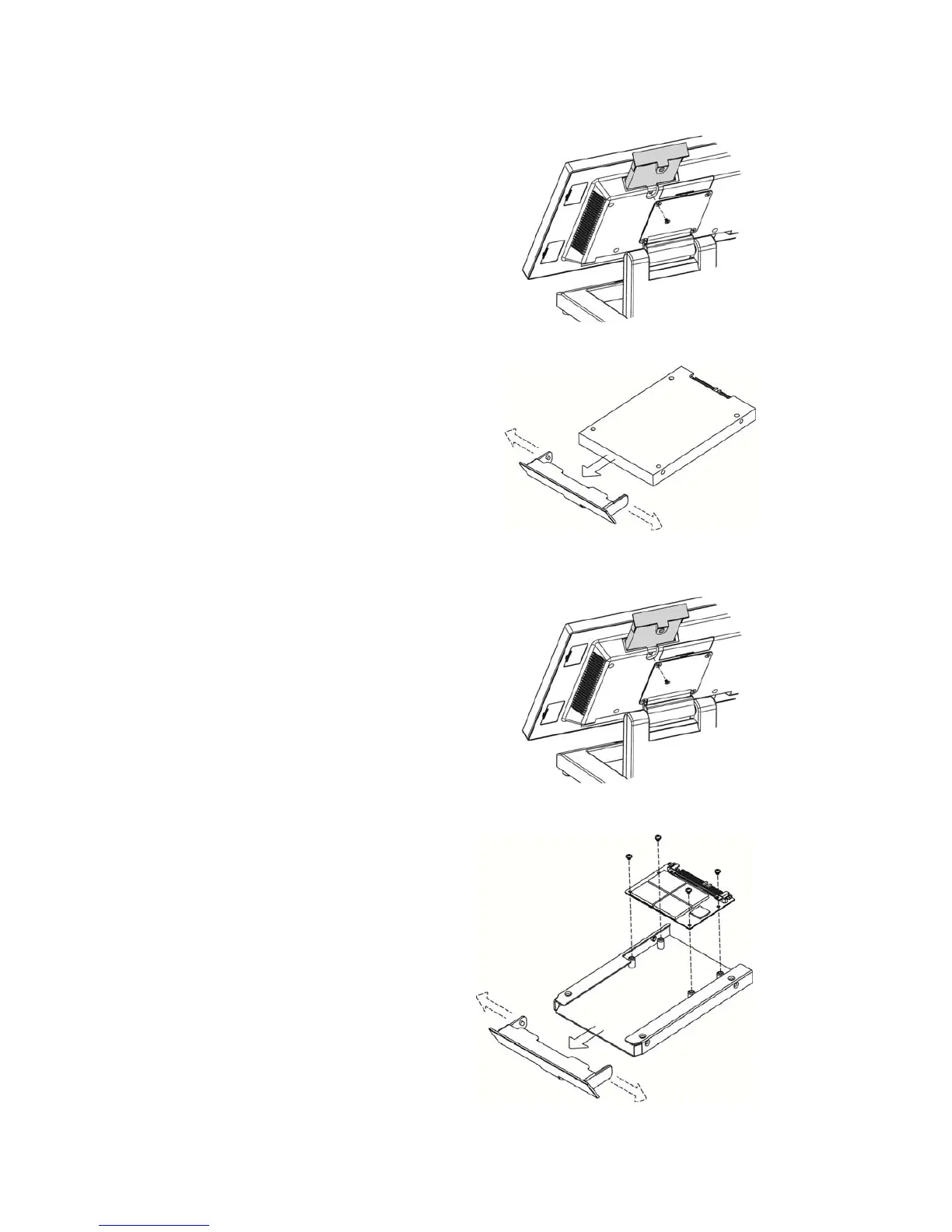
3-2 Replace the HDD
1. Remove the HDD/SSD cover
retaining a screw and sliding the
drive out.
2. Unclip the HDD cover from the
drive as shown in the picture.
3-3 Replace the SSD Card
1. Remove the HDD/SSD cover
retaining a screw and sliding the
drive out.
2. Remove the screws (x4) that fix
the SSD card to the bracket.


 To Next Page