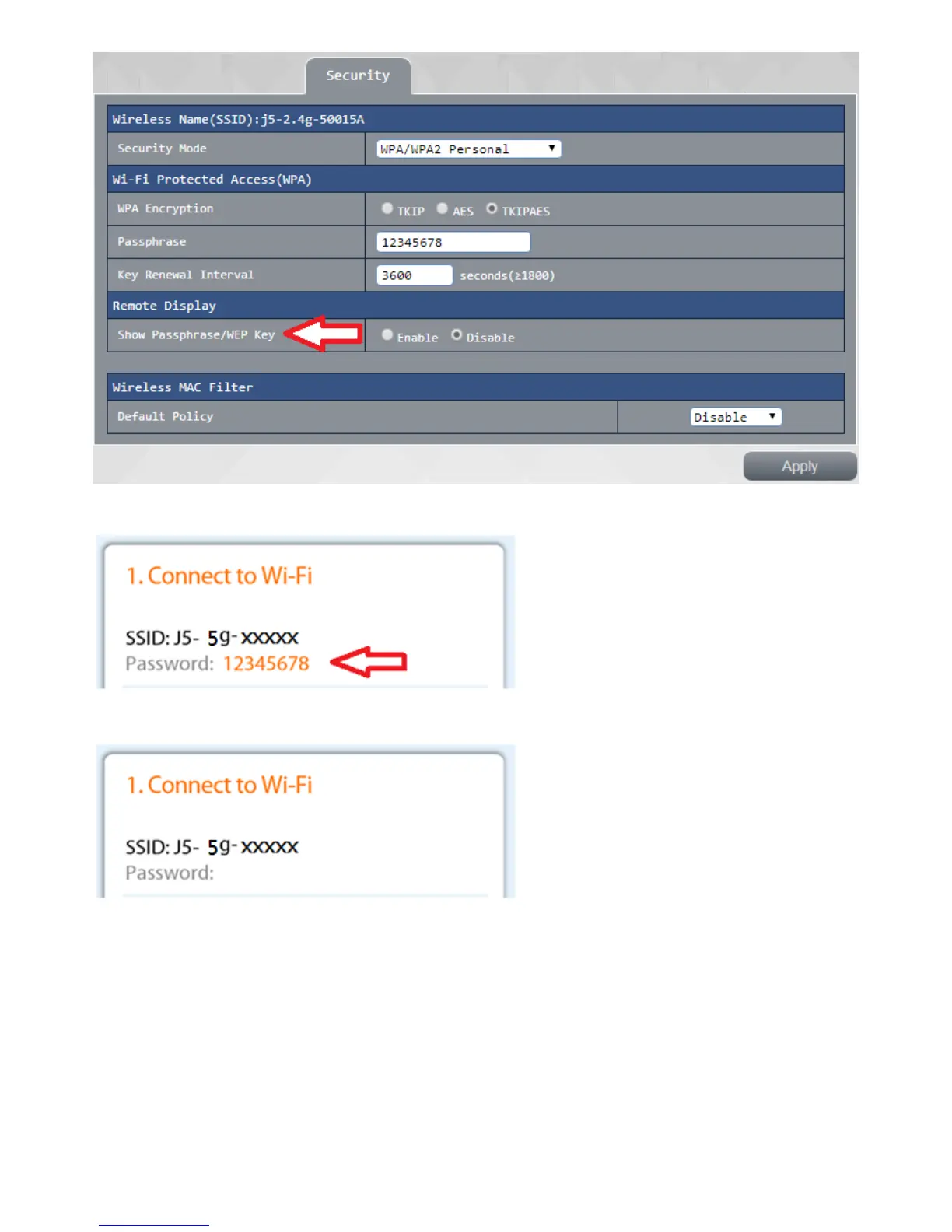
authentication password enables the display / WEP key, on the output screen see the SSID a schematic
view of key
does not showverify password / WEP key, on the output screen of a schematic view seen
WPS settings:
You can easily connect WPS client through a according to any of the following
1 . Press the WPS button of the router, and then pressed by the user of the wireless network card WPS
button and waiting for connection
2. the UE input PIN and the base station wait a connection
3 . press <connection> button on the interface, and then press the WPS button on the user end of a
wireless network card waiting for connection and
4. the UE obtaining the PIN code and inputted in the [connects to the device with a PIN] fields, press
<connection>and waiting for connection



 To Next Page