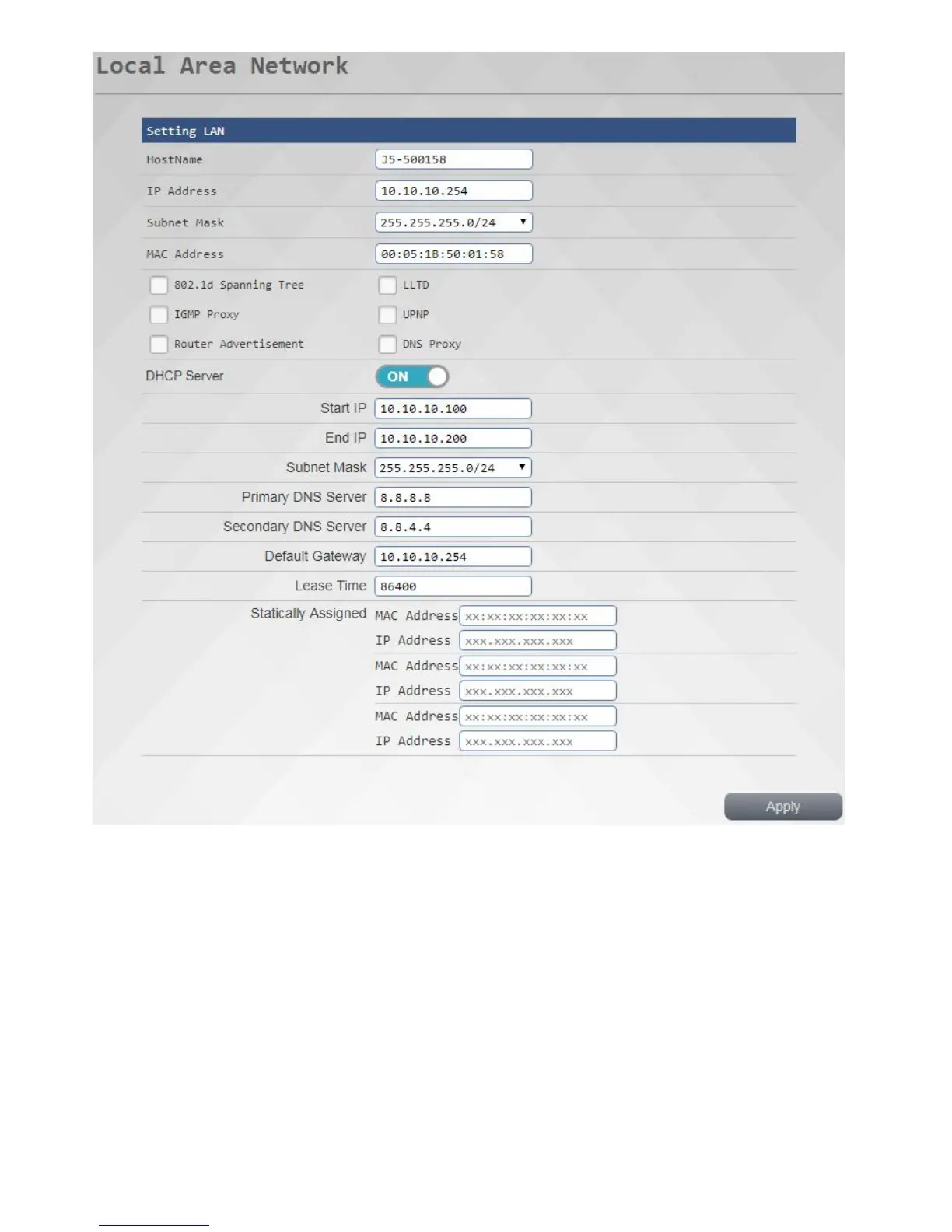
When you want to specify a particular time to a particular IP machine, can be used to manually specify this
purpose, we can support manually the specified group 3, used for the embodiment, in the {} input MAC
address MAC address of the device, and in {} enter the desired network address assigned to IP,
---------------------------------- -------------------------------------------------- -
☆ Note
Please note that the IP address of the router must now address in the same network segment
------------------------------ -------------------------------------------------- ------
Wide Area Network
Click <Wide Area Network> on the left side to enter this page, we supports static mode (fixed IP Ltd.), a
dynamic mode (to obtain IP Ltd.), the PPPoE (floating IP system), PPTP (point to point protocol), after
setting is completed, press "apply" to make your settings changes to take effect.



 To Next Page