[rili-
tt:iliW~~~mrr:
J
[ Changing over procedure from the bottom feed to the nee
dl
e feed ]
1)
fl11
r
:ili
ti
·
f!H8
t
H~
® ,
:ili
:ffJ
!if ® ,
ffiJJt41(13l
o
2)
fflJ
r9=111i~ffiJt
®,
11i~@
o
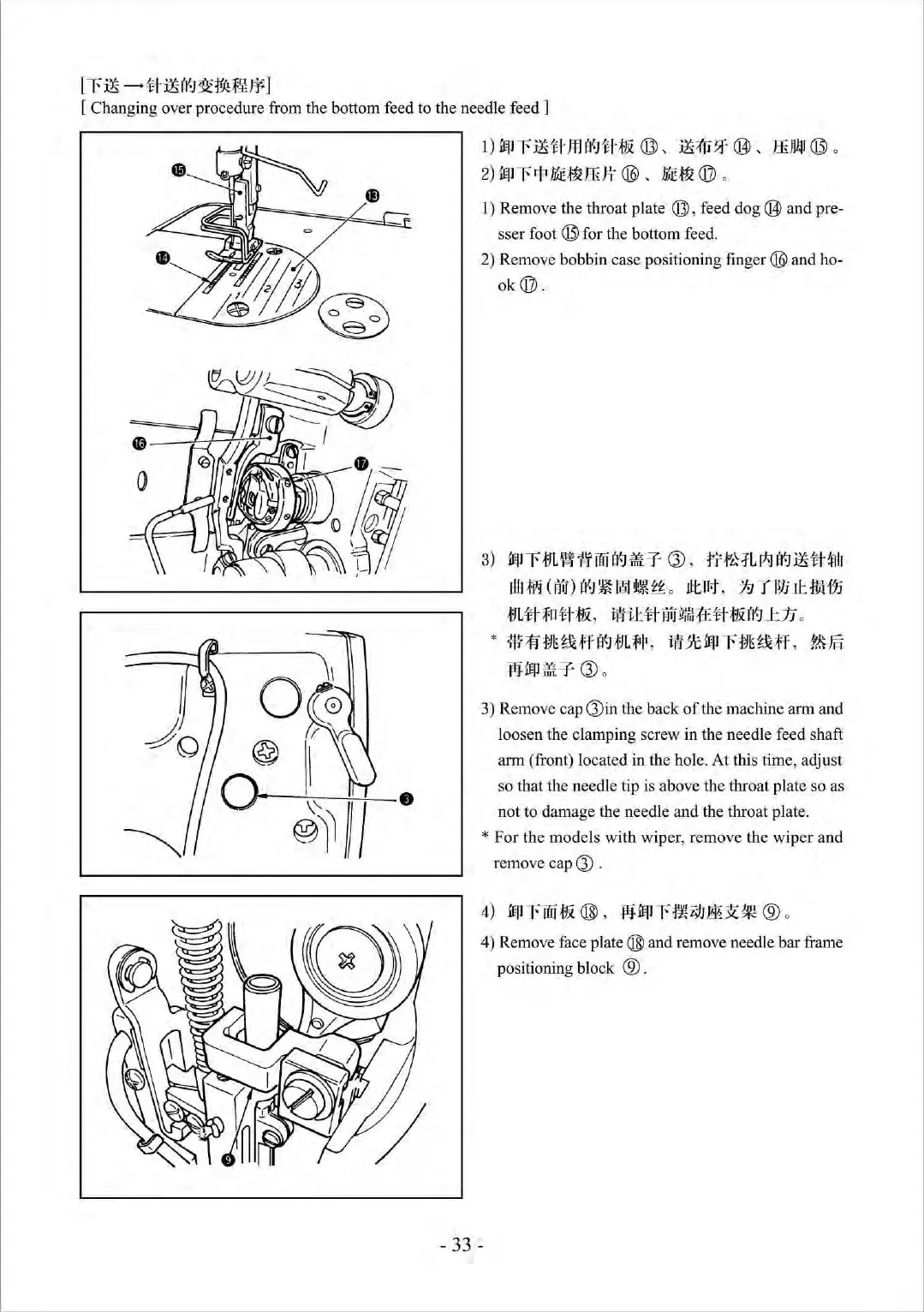
1) Remove the throat plate ®, feed d
og@
and pre-
sser foot
(13)
for the bottom feed.
2) Remove bobbin case positioning
finger @ and ho-
ok@.
3)
ffPr*JL~~fflH81Wir
CJ)
,
fTftH
Ll*.ll¥J
:ili#~
itlI
Wi
(Jiu)
(f~
~
~
~~
ii
o
Jlt
111
,
;Jg
T l
lJJ
.Ji
!V!fjj
mtt~tt&
,
ffiilttM•~tt&~~~
o
*m~
•
~ff~
m#
,
•*•r•~ff
.
•~
:fllfl'
P
il'iir
CJ)
o
3) Remove cap Q)in the back
of
the machine arm and
loosen the clamping screw in the needle feed sh
af
t
arm (front) located in the hole. At this time, adjust
so that the needle tip is above the throat plate so as
not to damage the needle and the throat plat
e.
* For the models with wiper, remove the wiper and
remove cap
CJ)
.
4) Remove face plate ® and remo
ve
needle bar frame
positioning block
® .
- 33 -



 To Next Page