© 2017 Jackson Labs Technologies, Inc. 39
Mini-JLT GNSS™ User Manual
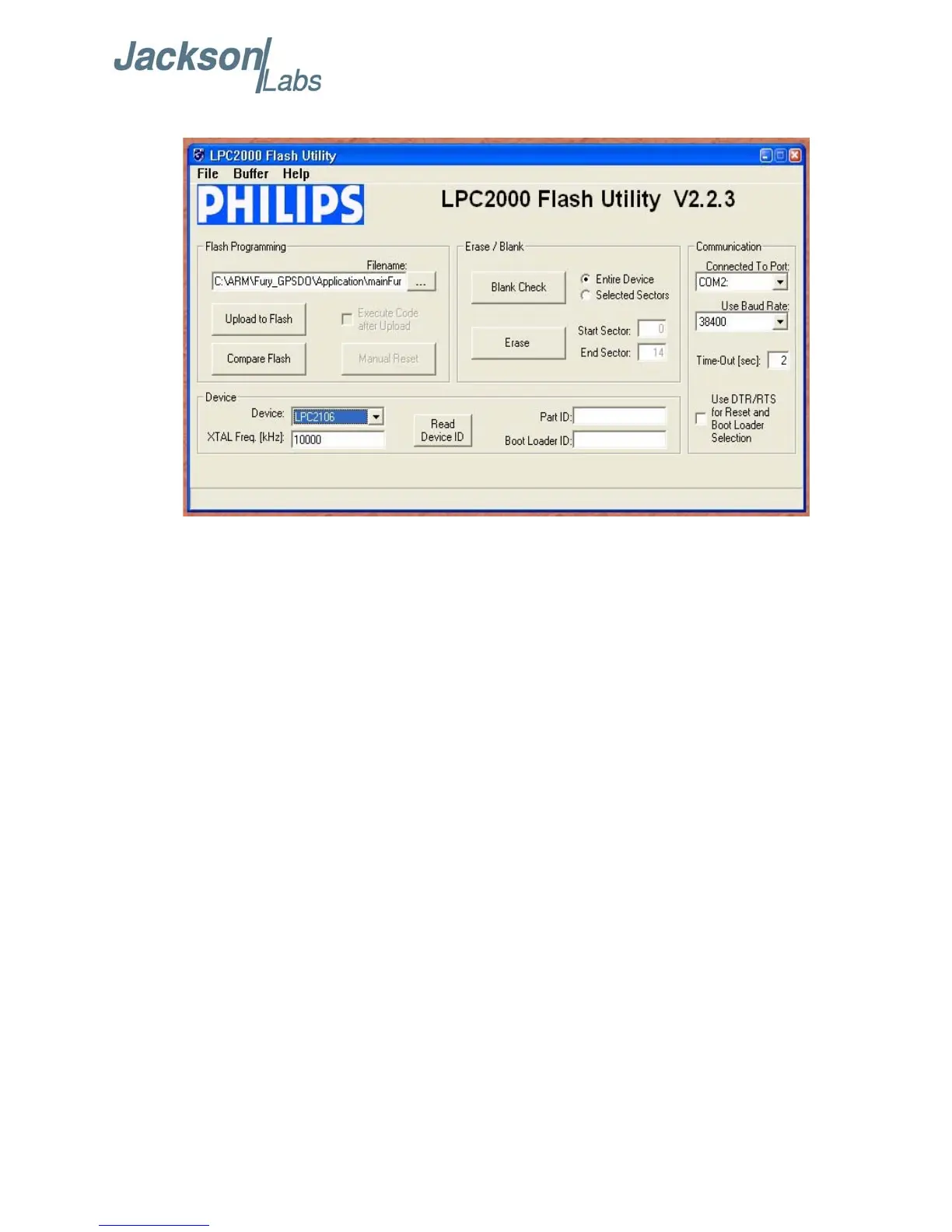
Figure 4.1 LPC2000 flash utility
Please note that the “Use Baud Rate” setting needs to be set to 38400 Baud or less, it will not work
faster than 38400 Baud.
The “DEVICE” should show up as “LPC2138” after pressing “READ DEVICE ID”
Also, please point the “Filename” to the directory where you have stored the latest firmware hex file
that is to be downloaded.
D) Start the download by pressing “Upload to Flash” button. The following window should appear if
the correct COM port has been chosen etc.:



 To Next Page