Mini-JLT GNSS™ User Manual
46 © 2017 Jackson Labs Technologies, Inc.
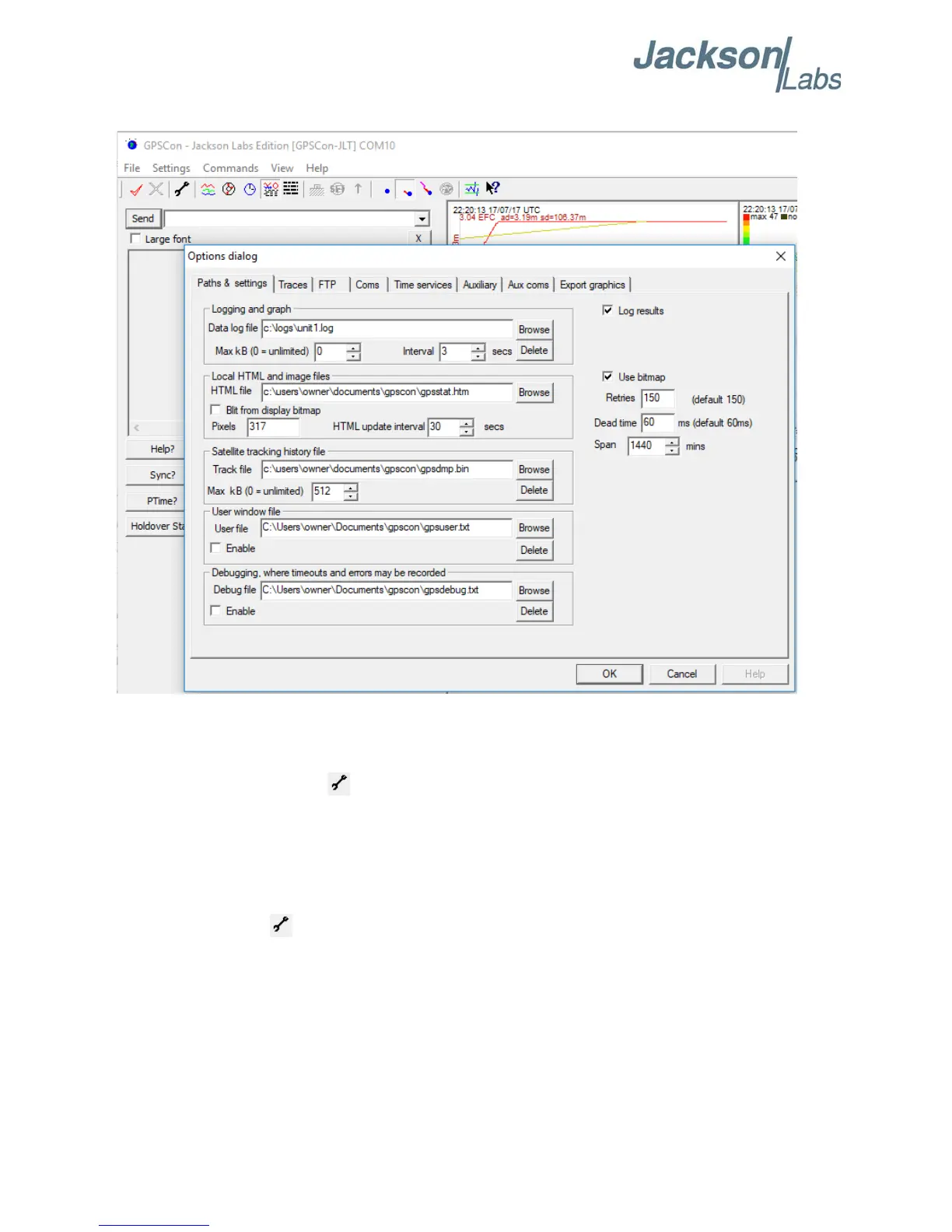
Figure 5.1 Options window
5.3.1.1 Communication Parameters
Before you can use GPSCon you must set the communication parameters for your system. Open the
dialog box by pressing the wrench icon. Then select the “Coms” tab. You will see the window
shown in Figure 5.2. Select the correct COM port for your computer and set the baud rate to 115200,
parity to None, Data Bits to 8 and Stop Bits to 1. Set Flow Control to “None”. Once you have
configured the communication parameters, press the “OK” button to close the window.
5.3.1.2 Auxiliary Parameters
After pressing the wrench icon, you can select the “Auxiliary” tab to configure auxiliary
measurements. See Figure 5.3 for an example of an auxiliary measurement. You will notice that the
“Aux1” request string has been set to meas:current?<CR> and the “Trace to go to” is set to trace
position 6. See “Trace position” diagram for the arrangement of the trace positions in the trace
window. In this example the data obtained from the meas:current? query will be plotted in trace
position 6.



 To Next Page