Mini-JLT GNSS™ User Manual
40 © 2017 Jackson Labs Technologies, Inc.
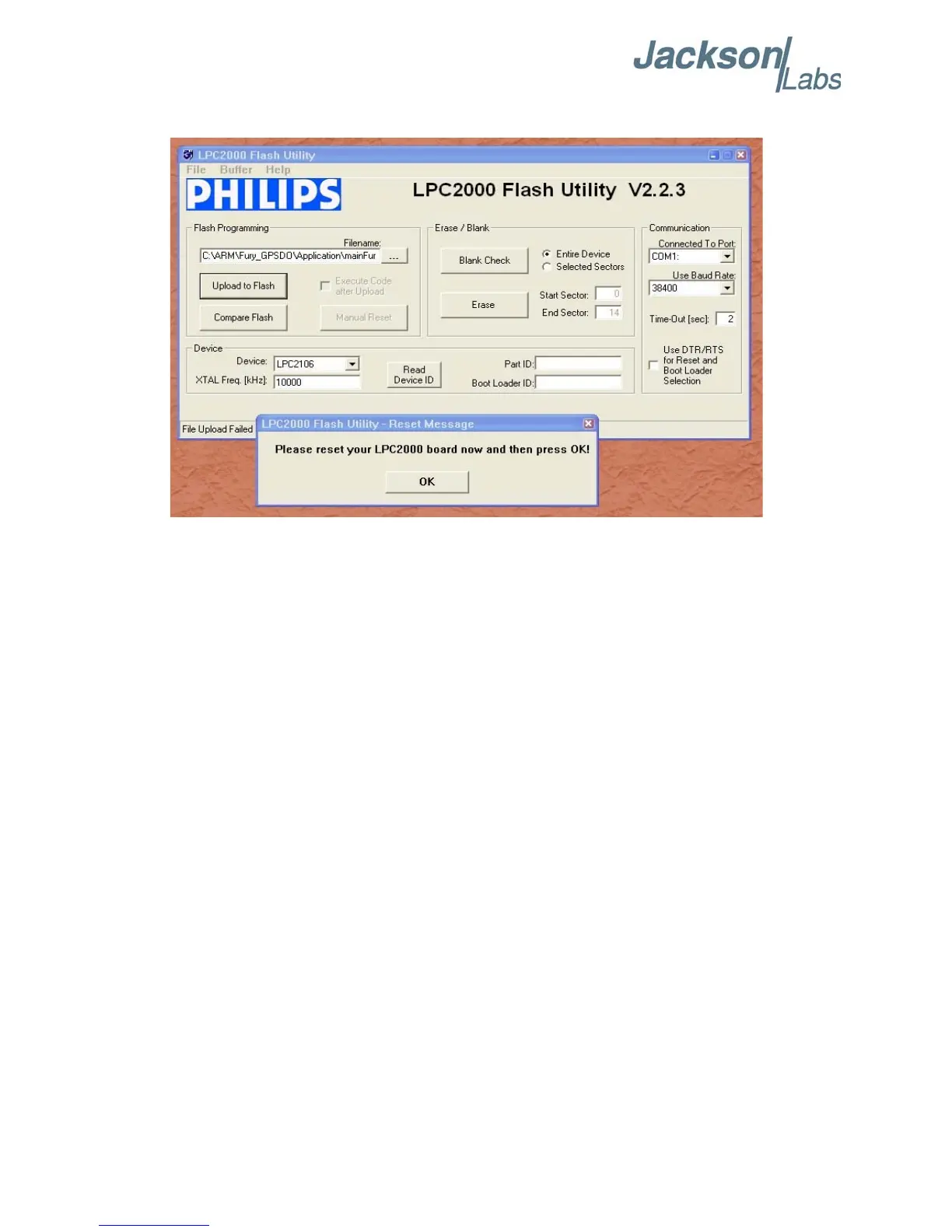
Figure 4.2 LPC2000 flash download
Press the “OK” button, and the download should start. Sometimes the utility gets confused and this
process (from item 4.4 B) ) has to be tried several times.
It is not necessary to press “reset” as the utility is asking. Just press “OK” on the utility window’s
button.
Warning: DO NOT PRESS THE “ERASE” BUTTON AT ANY TIME! THIS WILL
RENDER THE PCB USELESS AND CAN ONLY BE RECOVERED AT THE
FACTORY!
4.4.2 Flash Magic Flash Programming Utility
A) Open the Flash Magic utility. Set the COM port in the Flash Magic application as needed on your
PC. Set “Interface” to “None (ISP)”.



 To Next Page