ADpcmcia adapter
ADwin
32 ADwin Installation, manual version 2.1, December 2005
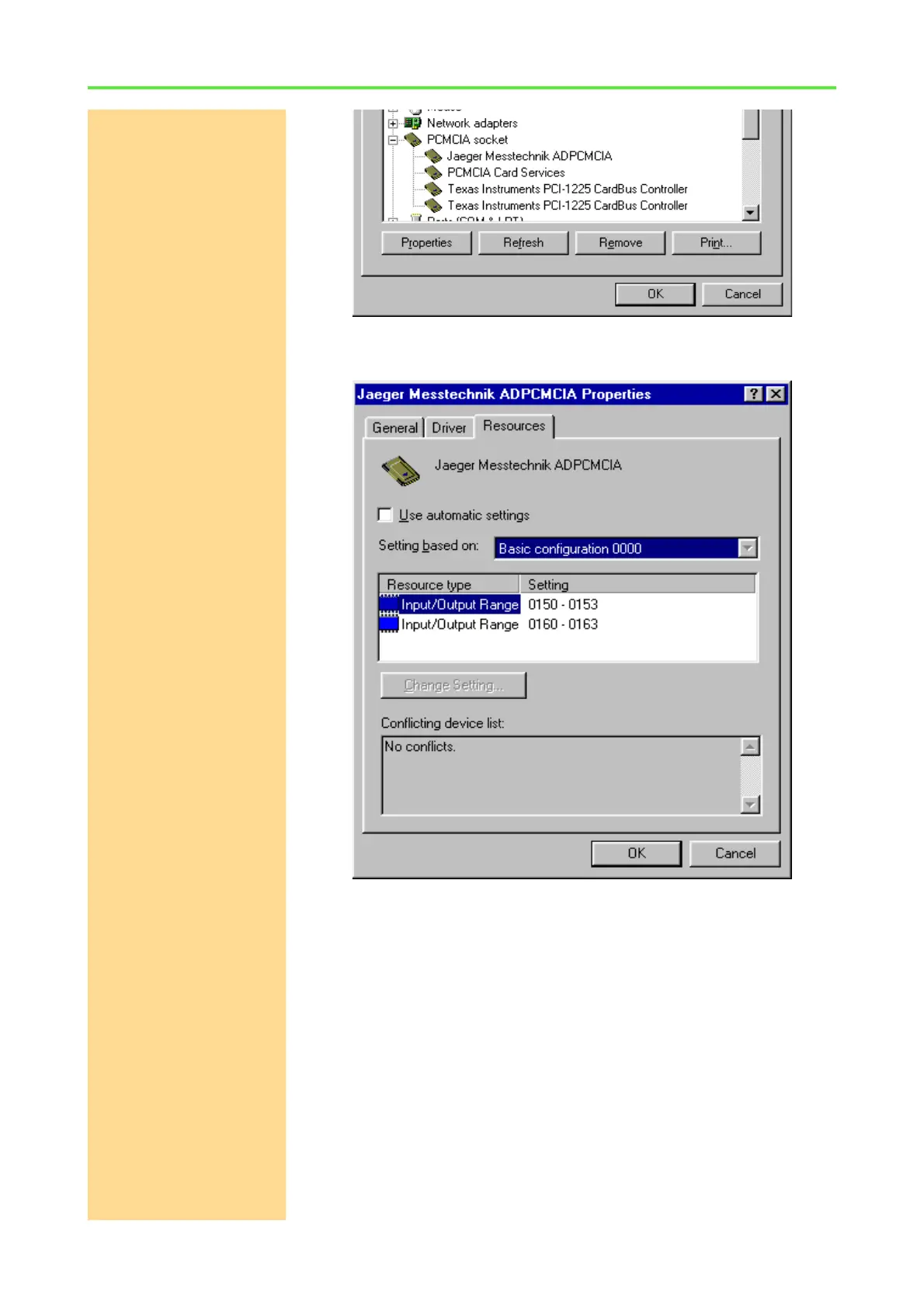
Under the tab: "Resources" you find the settings of the ADpcmcia card. The
first number shown is the base address of the card.
Deactivate the option "Use automatic settigs" and select: "Settings
based on". If you change the base configuration in the pull-down list from
0000 to 0001, the base address will then be changed to 190h.
Confirm the hardware address with OK and continue with the paragraph
„ADconfig“.
Changing the address via DIP switch
The second, more complicated possibility is to change the link address on your
ADlink PC ISA, ADwin or ADwin-light board manually via DIP switch. For this
you have to open the PC and pull out the board. Advantages: Depending on
the ADwin system, there are four or more addresses available and moreover,
the advantages of plug & play of the PCMCIA interface remain.
In chapter 3 "ADwin ISA link interface" in this manual (page 18) or in your hard-
ware manual there is a list of addresses and a description of how the DIP
switch is set to the corresponding address.



 To Next Page