ADwin ISA link interface
ADwin
20 ADwin Installation, manual version 2.1, December 2005
3.3 Settings in ADbasic and hardware installation
3.3.1 Settings in ADbasic
Checking the settings in
ADbasic
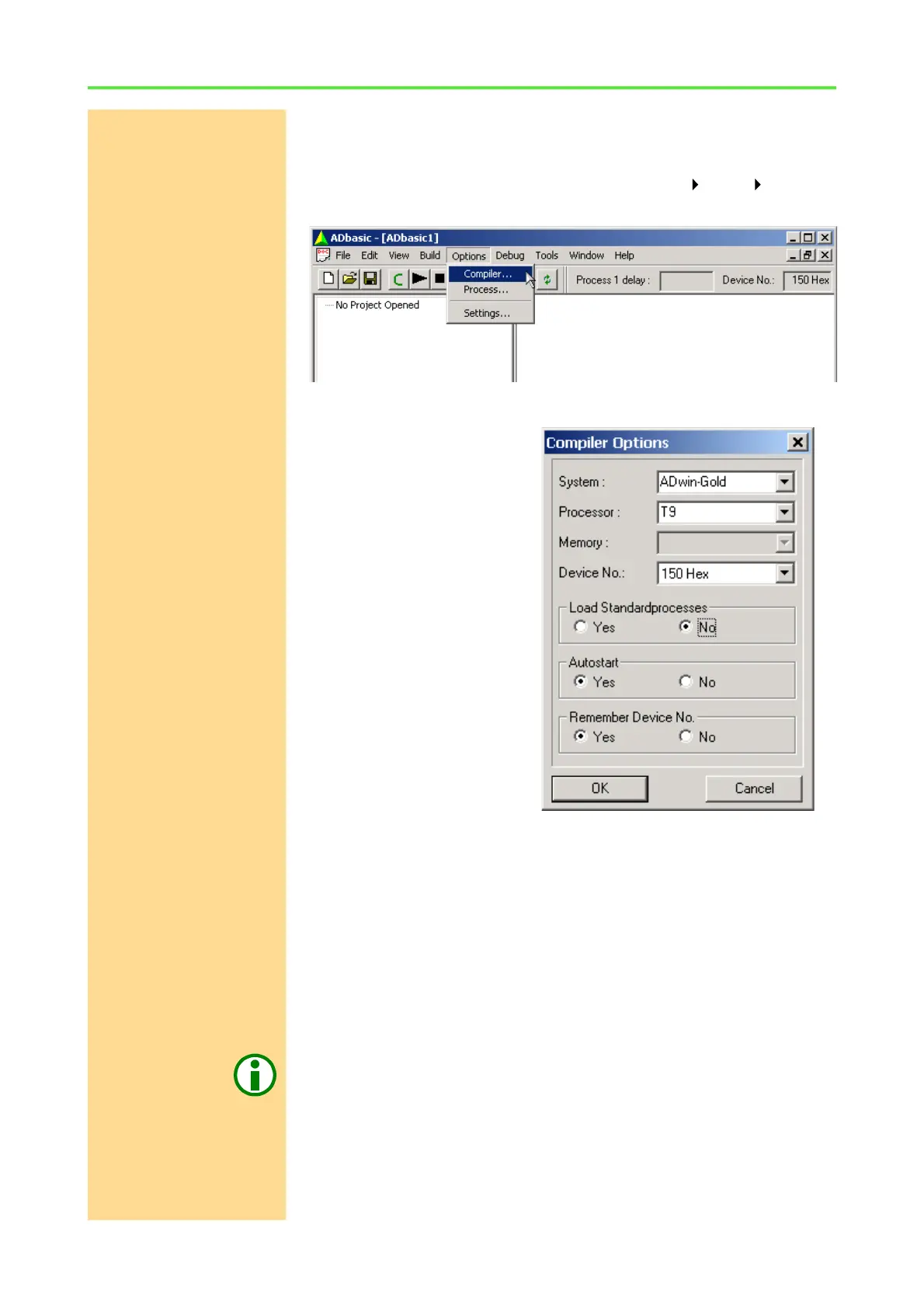
Open ADbasic (in the Windows start menu: Programs ADwin ADbasic)
and check first the settings in the dialog window "Options\Compiler".
Set the options in the window: "Compiler Options" from top to bottom
Device No.
– System: Choose the ADwin
system which is used.
– Processor: The processor
type of the ADwin system
used.
– Memory: This option is only
available for ADwin cards,
ADwin-light cards or
ADwin-Pro systems with a
T4…T8 processor.
Set the memory size of your
ADwin system.
– Device No.: Check the base
setting of this option (up to
ADwin CDROM
version 3.0.22.x: "Link
address"). The number has
to be identical to the base
address set with the DIP
switch.
The setting "None" in the pull-down list is only necessary in order to
compile ADbasic programs for test purposes, when no ADwin system is
connected.
– Set the options "Load Standardprocesses", "Autostart" and
"Remember Device No." later, when programming with ADbasic.
Confirm with "OK" in order to return to ADbasic. The driver installation and the
main settings in ADbasic are now finished.
3.3.2 Installation of the hardware
Hardware initialization Before you connect your PC with the ADwin system, please read your hard-
ware manual including the chapter "Initialization of the hardware". Do not yet
connect any inputs or outputs.



 To Next Page