ADwin Installation, manual version 2.1, December 2005 53
ADwin System with Ethernet Interface
ADwin
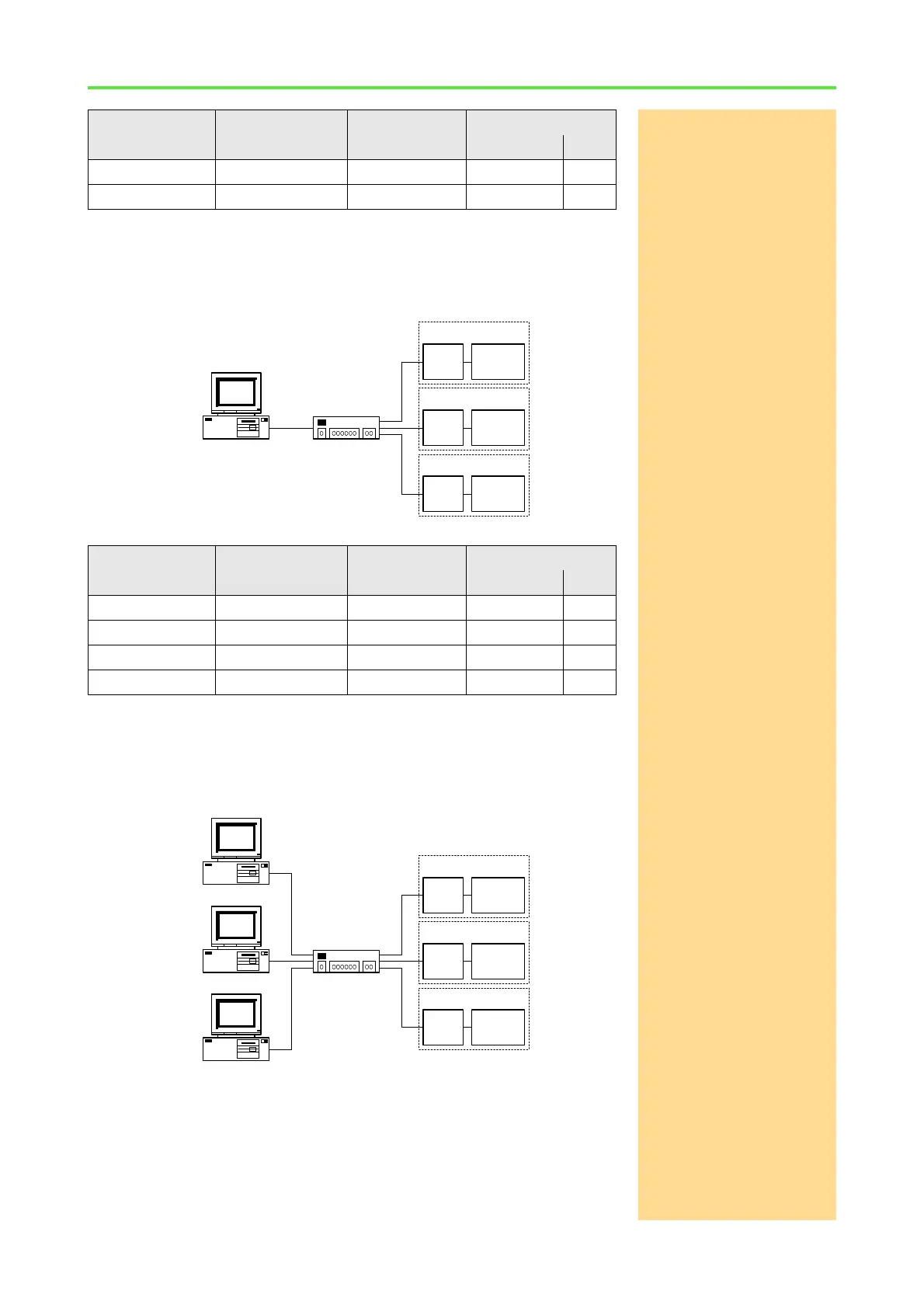
Example 3:
Hub/SwitchIf you connect several ADwin Ethernet interfaces with your network card via a
hub/switch (the network cable is not part of the standard delivery), you can use
the following configurations:
NIC = Network Interface Card
For more PCs or ADwin Ethernet interfaces you can simply use the same sub-
net mask and the same network identification. For the host identification you
choose the next higher value.
NIC = Network Interface Card
Example 4:
Intranet network card and
own network card
If your PC is connected via network card to an intranet and you would like to
operate several ADwin Ethernet interfaces independent of the intranet, you
can do so without any problems with a second network card in the PC (the net-
work cable is not part of the standard delivery).
Device Subnet Mask IP address Identification
network host
PC 255.255.255.0 192.168.0.1 192.168.0 1
ADwin ENET 255.255.255.0 192.168.0.2 192.168.0 2
Device Subnet Mask IP address Identification
network host
PC 255.255.255.0 192.168.0.1 192.168.0 1
ADwin ENET 1 255.255.255.0 192.168.0.2 192.168.0 2
ADwin ENET 2 255.255.255.0 192.168.0.3 192.168.0 3
ADwin ENET 3 255.255.255.0 192.168.0.4 192.168.0 4
Hub/Switch
PC with NIC
ADwin
system
ADSPENET
ADwin
system
ADSPENET
ADwin
system
ADSPENET
Hub/Switch
ADwin
system
ADSPENET
ADwin
system
ADSPENET
ADwin
system
ADSPENET
PC with NIC
PC with NIC
PC with NIC



 To Next Page