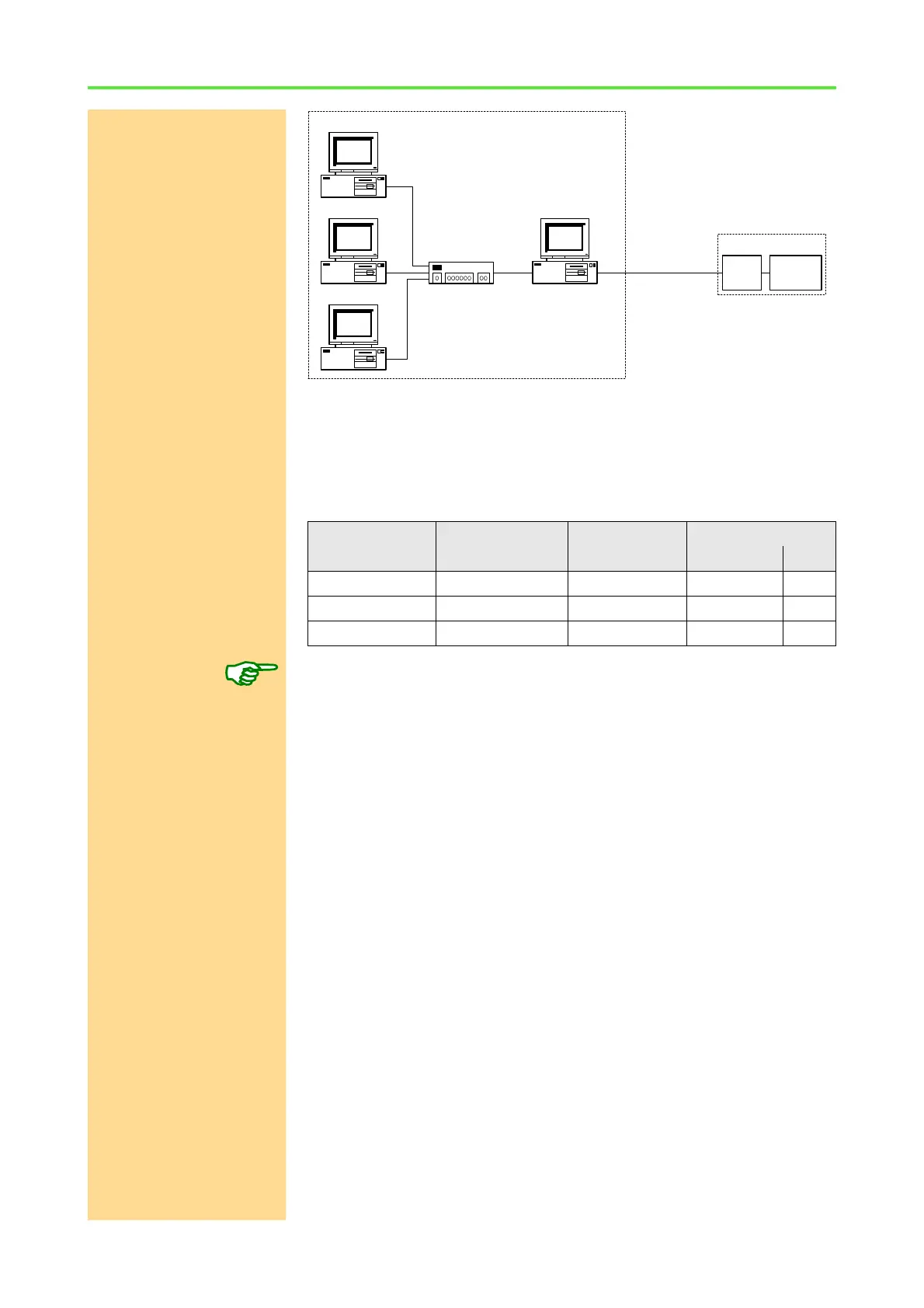
ADwin System with Ethernet Interface
ADwin
54 ADwin Installation, manual version 2.1, December 2005
NIC = Network Interface Card
You can configure the second network card according to the examples
described above.
If it happens that the proposed network identification is already occupied by the
intranet network card, then choose the next higher value. In the example above
this would be 192.168.1.
The network identification of the intranet network card and the network identi-
fication of the network card to the ADwin system must not be identical.
9.1.3 Default Gateway
Default Gateway If several networks with different network identifications are connected with
each other by a router (gateway) and if the ADwin Ethernet system is to be
accessed by a different network, then you have to indicate the "default gate-
way".
If the ADwin Ethernet interface is accessed by an IP address which has a net-
work identification different from the ADwin Ethernet interface, then the
response is sent to the "default gateway". The default gateway is responsible
for the correct transfer of the response. The IP address of the default gateway
must have the same net identification as the ADwin Ethernet interface.
Ask your network administrator for the IP address of the default gateway. If
working with simple networks, indicating the default gateway is not necessary.
9.1.4 DHCP
DHCP With DHCP (Dynamic Host Configuration Protocol) the IP addresses of the
hosts (TCP/IP devices) are allocated and managed dynamically by the DHCP
server. In this case the involved hosts have to support DHCP.
With an ADwin Ethernet interface this support can be enabled or disabled. But
to use DHCP with the ADwin Ethernet interface cannot be recommended,
because as a consequence, the IP address of the ADwin Ethernet interface
can be changed by the DHCP server.
This occurs for instance, when the communication of the ADwin Ethernet inter-
face to the network is interrupted for a certain time. Since the ADwin Ethernet
interface is accessed via its IP address and this address is now no longer iden-
Device Subnet Mask IP address Identification
network host
PC 1st NIC 255.255.255.0 192.168.0.1 192.168.0 1
PC 2nd NIC 255.255.255.0 192.168.1.1 192.168.1 1
ADwin ENET 255.255.255.0 192.168.1.2 192.168.1 2
Intranet
PC with two NICs
Hub/Switch
1st
NIC
2nd
NIC
PC with NIC
PC with NIC
PC with NIC
cross-over
cable
ADwin
system
ADSPENET



 To Next Page