ADwin Installation, manual version 2.1, December 2005 59
ADwin System with Ethernet Interface
ADwin
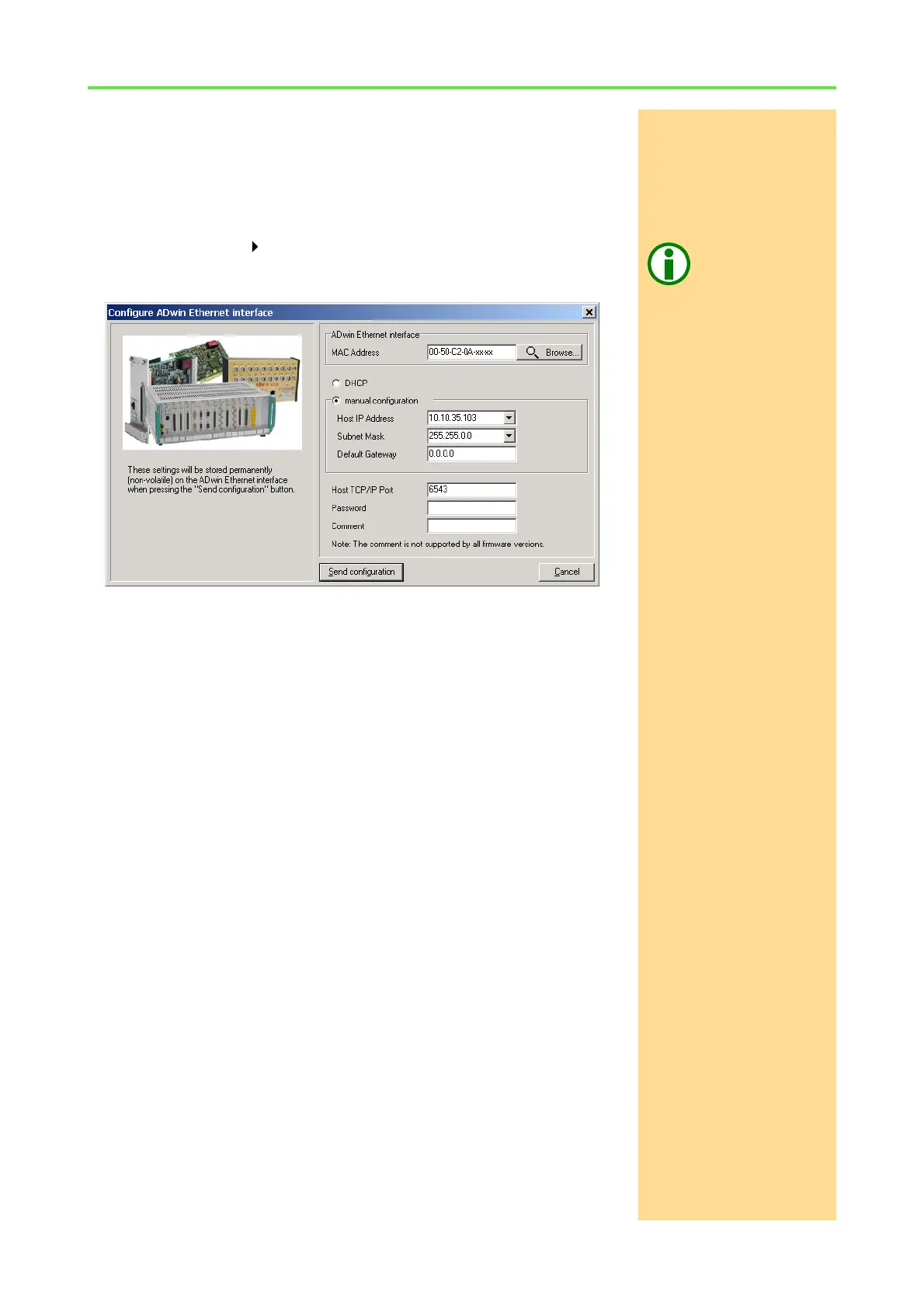
9.3.2 Configuration of the ADwin Ethernet interface
Non-volatile memory
When configuring the ADwin Ethernet interface (AEI) the settings described
above are transferred to the AEI and stored in a non-volatile memory (inde-
pendent of power supply). For the first connection to the AEI the MAC address
will be used for identification.
ADconfigExecute the configuration by using the program ADconfig (under the Windows
start menu: Programs ADwin). More detailed information on the program
can be found in the online help of ADconfig (button F1).
Configure Ethernet
Interface
MAC address: page 51f
Default Gateway: page 54
Host TCP/IP Port: page 55
Password: page 55
Send configuration +
Close
Checking the
configuration
The LED "ST" and "BU" show that the configuration of the ADwin Ethernet inter-
face has been successful (see also chapter 9.2.1).



 To Next Page