Section 9. DATALOGGER
The flowmeter provides both of RS-232C and RS-485 for the communication.
Caution) Before user start logging data, user should review this section carefully.
Time Set User must setup the correct date and time for recording the
measurement.
Configure User should complete the Configure Setting for data logger
Baud Rate User can select the baud rate of the flow.
Caution) The value must be same with the value of user’s PC or Laptop
Data Bits Set the Databits for data logger
Parity
Stop Bits Set the Stopbits for data logger.
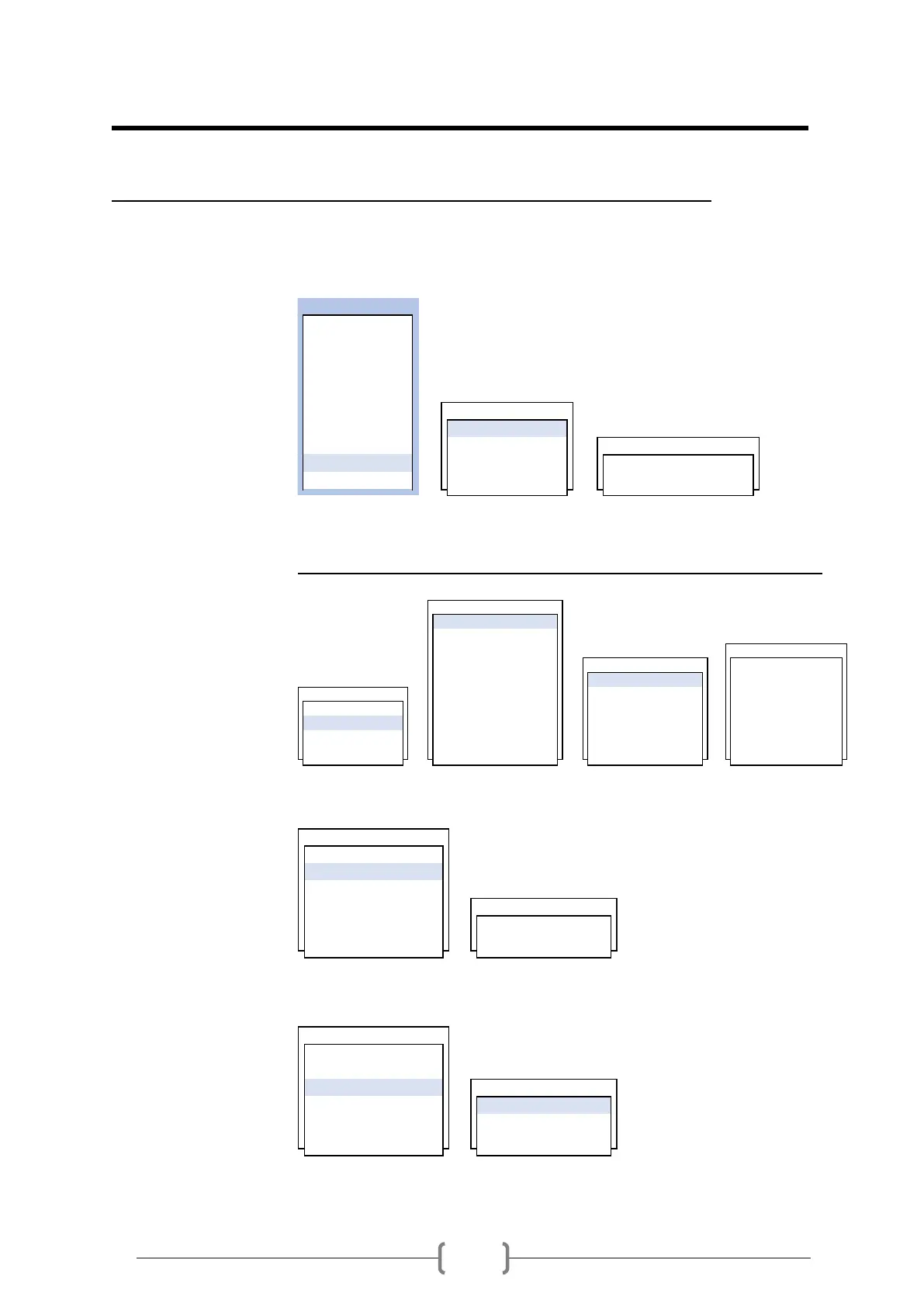
MAIN MENU
1 . GENERAL
2 . CH SELECT
3 . PIPE
4 . LIQUID
5 . INSTALL
6 . OPERATE DATALOG
7 . FLOW 1 . TIME SET
8 . IN/OUTPUT 2 . RS-232C TIME SET
9 . DATALOG 3 . MEMORY YY/MM/DD HH:MM:SS
0 . DIAG 4 . WAVE DATA
RS-232C
1 . CONFIGURE
2 . HEADER
3 . FORMAT
4 . SEPERATOR 1 . 2400
5 . LOG INTERVAL 1 . BAUD RATE 2 . 4800
6 . LOG TIME SYNC. 2 . DATA BITS 3 . 9600
1 . TIME SET 7 . LOG ENABLE 3 . PARITY 4 . 19200
2 . RS-232C 8 . COMM MODE 4 . STOP BITS 5 . 38400
3 . MEMORY 9 . SELECT COMM 5 . LINE FEED 6 . 57600
4 . WAVE DATA 0 . COMM. INFO. 6 . NETWORK ID 7 . 115200
1 . BAUD RATE
2 . DATA BITS
3 . PARITY
4 . STOP BITS
5 . LINE FEED 1 . 8Bits
6 . NETWORK ID 2 . 7Bits
1 . BAUD RATE
2 . DATA BITS
3 . PARITY
4 . STOP BITS 1 . NO PARITY
5 . LINE FEED 2 . EVEN PARITY
6 . NETWORK ID 3 . ODD PARITY


 To Next Page
 Loading...