Clear List – this will clear the list of readings (if any) which are stored in
the bottom left corner of the software window
Erase Memory – if the RM3000 has readings stored in its memory then this
will erase those readings. Erased readings cannot be recovered
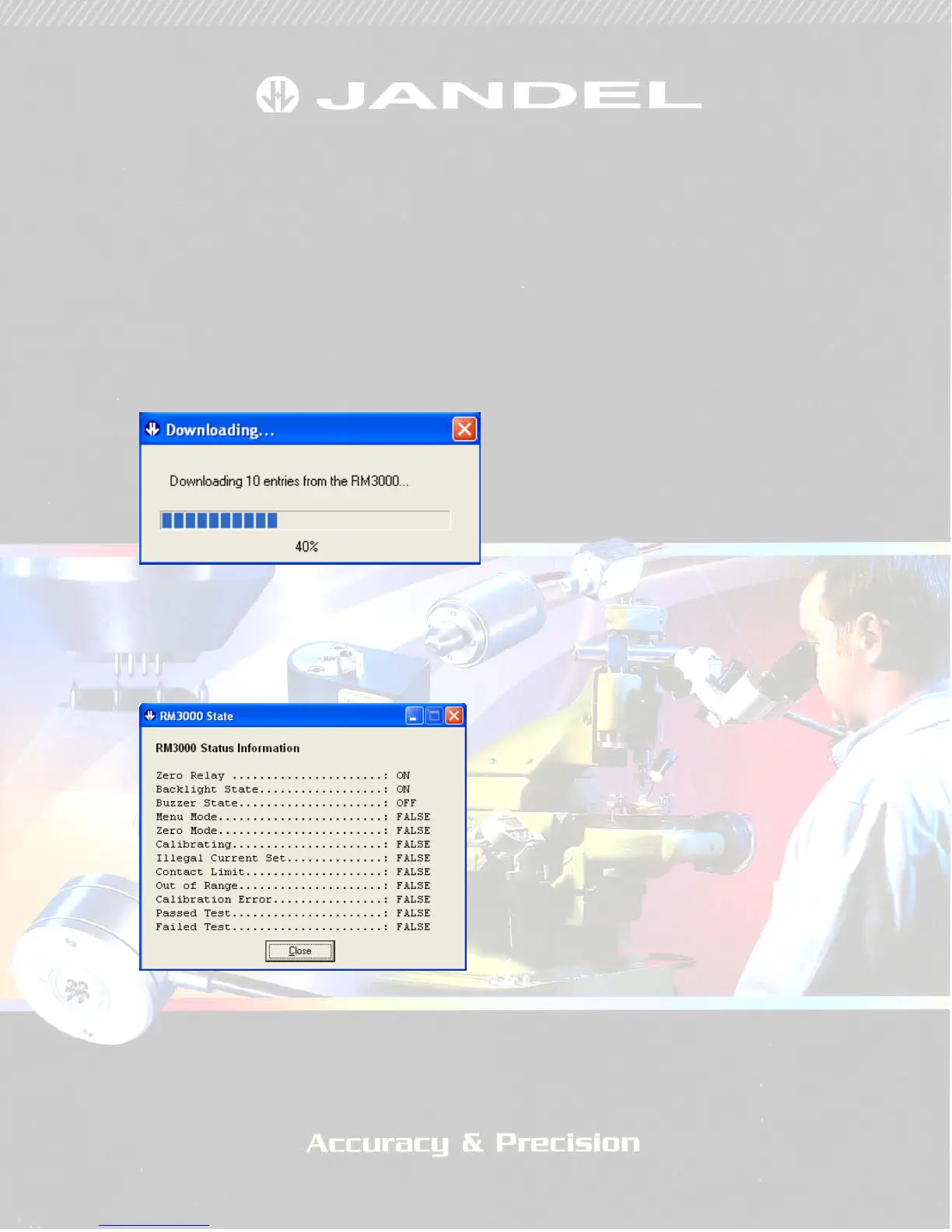
Download – this will download any readings which have been stored to the
internal memory of the RM3000. While downloading readings you will see
an information window showing progress (Figure 3). This only takes a few
seconds and it is necessary to wait until the process is complete, at which
time there is an option to clear the stored results from the RM3000 memory.
FIGURE 3
About – this gives software version and copywrite information
RM3000 State – this gives the pop-up shown in Figure 4
FIGURE 4
This represents the state of the RM3000 in its basic form and can be used for
diagnostics in case of suspected errors.


 To Next Page