Settings – this enters the menu for selecting auto-detect or manual port
select for the RM3000, and to give the location of the default spreadsheet
program
Enter Menu (MODE button) – this enters the menu as if pressing and
holding the ‘MODE’ button on the RM3000 to adjust probe spacing, time,
date etc.
Quit – this will safely quit the RM3000 software program
Exporting Measurements
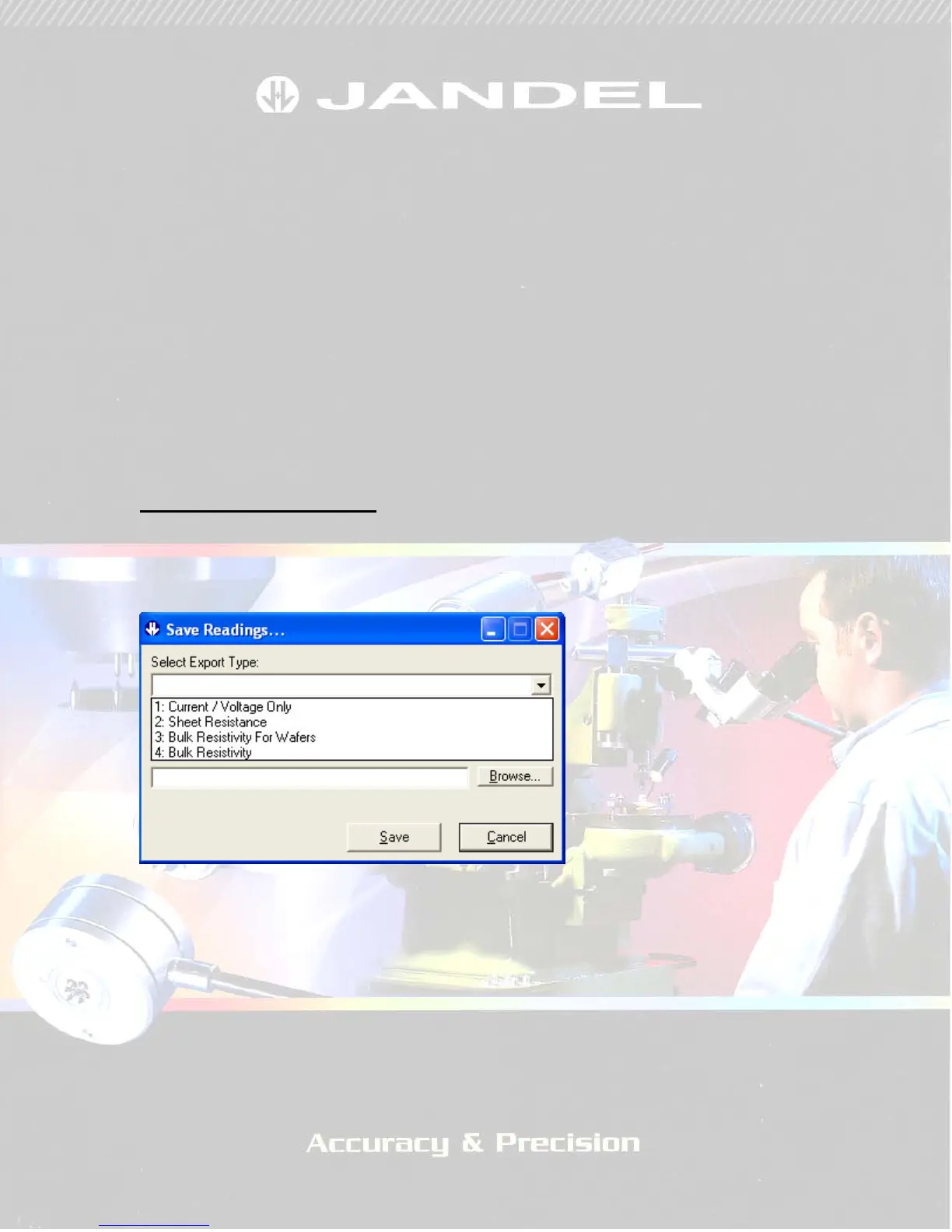
By right clicking and selecting ‘Save Readings’ you can export readings to a
spreadsheet in one of several formats.
FIGURE 5
In the ‘Save Readings’ window, clicking on the down arrow by ‘Select
Export Type’ will give you 4 saving options (Figure 5). These can be used as
follows:
Current / Voltage only – outputs the current setting and voltage
measurement only for each stored reading
Sheet resistance – this outputs the current setting and voltage measurement,
along with the calculated sheet resistance


 To Next Page