Firgure 7 shows a typical spreadsheet output, in this instance showing the
calculated sheet resistance. Note that the units and the values have been
placed in separate columns so that if required it is possible to write
algorithms to manipulate the numerical values.
Keyboard operation
With the software running, or through interface software such as
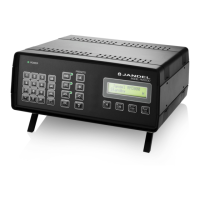
HyperTerminal, it is possible to control the RM3000 using the computer
keyboard. The remote control commands simply mimic the operation of the
keypad.
The keyboard controls are:
“1” to “9” and “.” to set the current. Terminate in “m”, “u”, or “n”
“m” for mA
“u” for uA
“n” for nA
“e” will erase the current setting. If entering a current sending.
“f” sets the forward current
“r” sets the reverse current
“s” puts the RM3000 in standy mode
“z” zeros the reading
“h” sets high resistivity mode (either 2 or more decimal places max +/-
150mV)
“l” low sensitivity (1 decimal place max +/- 1250mv)
“a” first preset current
“b” second present current
“c” third preset current
“d” fourth present current
“q” changes display from ohms/sq to mV


 To Next Page