EasyManua.ls Logo

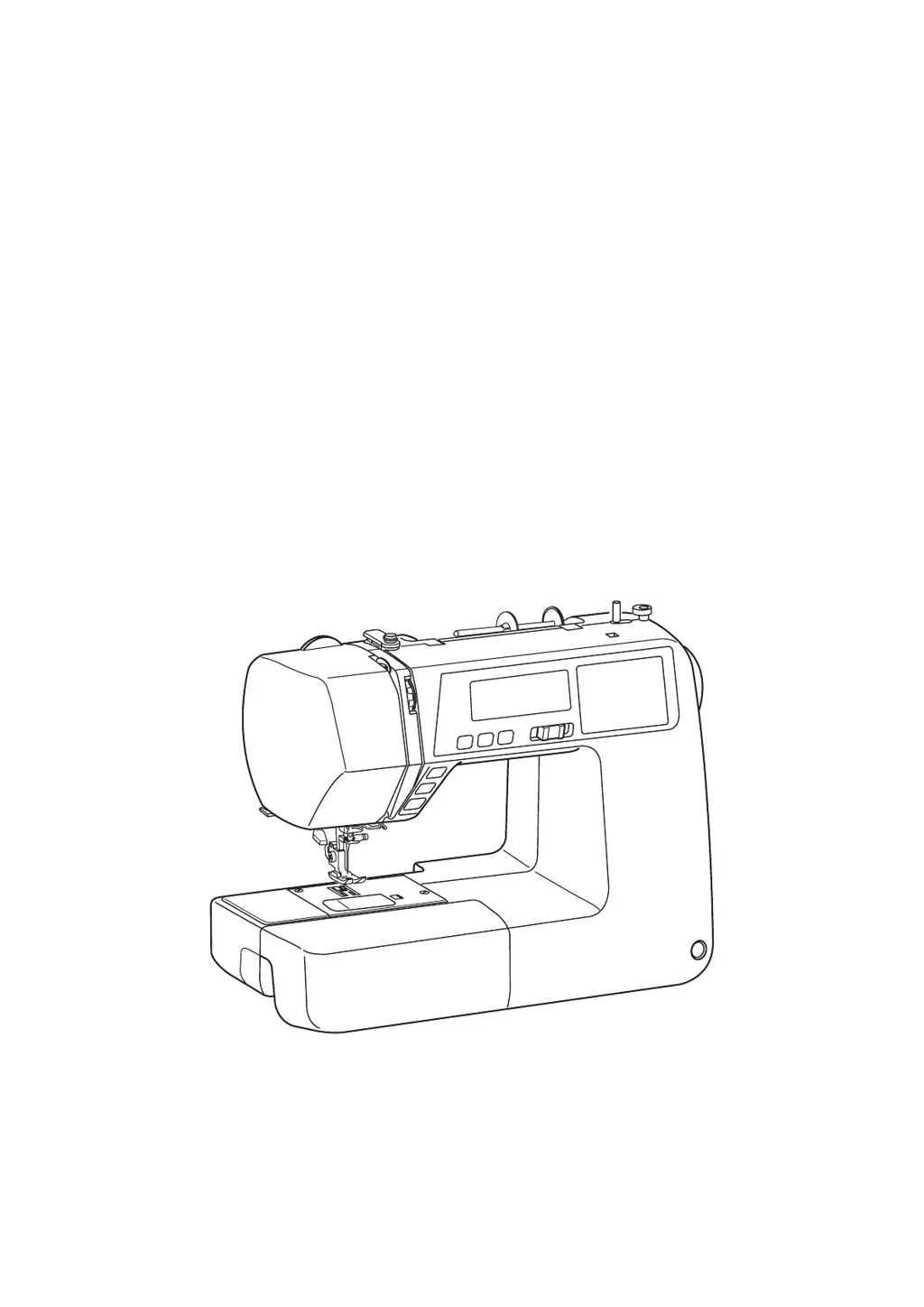
Janome 5270QDC - User Manual

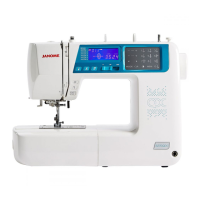
Janome 5270QDC
84 pages
Print Icon
To Next Page IconTo Next Page
Loading...
Instruction Book

Table of Contents

Other manuals for Janome 5270QDC

Questions and Answers

  • J
    jamesharveyAug 14, 2025
    How to fix skipped stitches on Janome 5270QDC Sewing Machine?
    • M
      mike46Aug 14, 2025
      Skipped stitches can occur if the needle is incorrectly inserted, bent, or blunt, so reinsert or replace the needle. The needle and/or threads may not be suitable for the fabric, so use suitable needle and threads. If you are sewing stretch, very fine fabrics, and synthetics, use a blue tip needle. Also, the needle thread might not be threaded properly, so re-thread it. Finally, a poor-quality needle could be the cause, so use a higher quality needle.
  • J
    Jonathan MartinezAug 17, 2025
    Why does the bobbin thread break on my Janome 5270QDC Sewing Machine?
    • R
      Robert WeaverAug 17, 2025
      The bobbin thread may break if it is not threaded properly in the bobbin holder, so re-thread the bobbin. Lint may have collected in the bobbin holder, so clean it. The bobbin could be damaged and not turn smoothly, so change the bobbin. Also, the thread might be wound loosely on the bobbin; ensure the thread is wound tightly.
  • K
    Kim SweeneyAug 21, 2025
    Why my Janome Sewing Machine does not work?
    • M
      megantaylorAug 21, 2025
      Your machine might not work if it is not plugged in, so plug in the machine. Thread could be caught in the hook race, so remove the caught thread. The bobbin winder spindle might not be returned to the left after bobbin winding, so return the bobbin winder spindle to the left.
  • J
    Jessica CrawfordAug 25, 2025
    Why is my Janome Sewing Machine not feeding fabric smoothly?
    • M
      Michael GreeneAug 25, 2025
      The fabric might not feed smoothly because the feed dog is packed with lint, so clean the feed dog. The stitches may be too fine, so make stitch longer. Alternatively, the feed dog might not be raised after “drop feed” sewing, so raise the feed dog.
  • B
    burnettrichardAug 27, 2025
    Why does the needle thread keep breaking on my Janome 5270QDC?
    • C
      Cindy StewartAug 28, 2025
      The needle thread may break due to several reasons: it might not be threaded properly, so re-thread the needle. The tension could be too tight, requiring an adjustment. The needle might be bent or blunt, in which case you should replace it. It's also possible the needle is incorrectly inserted, so reinsert it. Make sure the needle and bobbin threads are set under the presser foot before you start sewing. Finally, the thread might be too heavy or fine for the needle, so use appropriate thread.
  • R
    rodneythomasAug 31, 2025
    What to do if the needle breaks on my Janome 5270QDC Sewing Machine?
    • P
      Paul AlvarezAug 31, 2025
      If the needle breaks, it might be incorrectly inserted, so reinsert it. The needle clamp screw could be loose, so tighten it. Ensure the threads were drawn to the rear after sewing. The needle may also be too fine for the fabric; use a needle suitable for the fabric. Finally, make sure you are using an appropriate presser foot.
  • K
    Kelly SmithSep 3, 2025
    What causes seam puckering on my Janome 5270QDC and how to fix it?
    • R
      Rebecca YuSep 4, 2025
      Seam puckering can be caused by several factors. The needle thread tension might be too tight, so adjust it. The needle thread might not be threaded properly, so re-thread the needle. The needle could be too heavy for the fabric, so use a lighter needle. The stitch length might be too long for the fabric, so make stitch shorter. Finally, a stabilizer might not be used when sewing very fine fabrics, so apply a stabilizer.
  • M
    Monica HayesSep 7, 2025
    What to do if my Janome 5270QDC is not sewing buttonholes properly?
    • R
      Rachel LewisSep 7, 2025
      If buttonholes aren't sewing properly, the stitch density may not be suitable for the fabric, so adjust the stitch density. Interfacing might not have been used for stretch or synthetic fabric, so apply an interfacing. Also, the buttonhole lever might not be lowered, so lower it.
  • M
    Michelle NewmanSep 9, 2025
    What to do if auto thread cutting failed on Janome 5270QDC Sewing Machine?
    • J
      Julie CaseySep 10, 2025
      If the auto thread cutting failed, the thread might be too thick, so use thinner thread. Threads may have been caught in the thread cutter mechanism, so remove the caught threads.

Summary

Important Safety Instructions

Essential Parts

Components & Accessories

Names of parts, standard accessories, extension table, and knee lifter.

Stitch Reference Chart

Explains how to use and store the stitch reference chart.

Getting Ready to Sew

Power & Basic Setup

Connecting power, foot control, and initial preparations.

Controls & Adjustments

Machine buttons, LCD, touch panel, presser foot, and tension.

Decorative Stitches

Common Decorative Stitches

Instructions for Patchwork, Applique, Fringing, Cross Stitch, Smocking, Satin.

Specialty Decorative Stitches

Using Twin Needle, Pintucking, Drawn Work, Fagoting, Scallop stitches.

Programming & Customization

Pattern Combinations & Monogramming

Combining patterns, creating monograms, and editing sequences.

Machine Care & Troubleshooting

Maintenance, cleaning, and resolving problems and warnings.

Essential Parts

Names of Parts

Labelled diagram and list of all external parts of the sewing machine.

Standard Accessories

Extension Table & Knee Lifter

Stitch Reference Chart

Explains how to use and store the stitch reference chart.

Getting Ready to Sew

Power & Foot Control Setup

Connecting power and using the foot control for operation.

Basic Operation & Controls

Before first use, operating instructions, and start/stop button.

Using the start;stop button

Controlling Sewing Speed

Extension Table & Free-arm Sewing

Using the extension table and the free-arm feature for sewing.

Machine Operating Buttons

Start;Stop, Reverse & Auto-lock Buttons

Functions of the start/stop, reverse, and auto-lock buttons.

Needle, Thread Cutter & Twin Needle Buttons

LCD Display & Touch Panel

Presser Foot Lifter & Changing Foot

Presser Foot Pressure & Feed Dog

Adjusting Needle Thread Tension

Guide to adjusting needle thread tension for balanced stitches.

Thread Tension Adjustment

Tension Issues & Solutions

Identifying and fixing tight, loose, or unbalanced zigzag stitch tension.

Optic Magnifier

Changing the Needle

Fabric, Thread and Needle Chart

Spool & Bobbin Setup

Bobbin Winding & Removal

Steps for winding and removing the bobbin.

Winding the bobbin

Inserting the bobbin

Threading the Machine

Needle Threader

Drawing up the Bobbin Thread

Selecting Stitch Patterns

Mode 1 Selection

Direct selection of stitch patterns using number keys.

Modes 2-6 Selection

Selecting stitch patterns in modes 2 through 6.

Setting Mode

Buzzer, Needle Stop Position & Key Adjustment

Configuring buzzer sound, needle stop position, and calibrating keys.

Reset Default & Auto-off Timer

Basic Sewing

Straight Stitch Sewing

Instructions for performing basic straight stitch sewing.

Sewing Techniques

Stitch Adjustments

Variety of Straight Stitches

Lock-a-matic, Locking & Triple Stretch Stitches

Using specific straight stitches for securing and reinforcing seams.

Stretch & Sculpture Stitches

Zigzag Stitch

Zigzag Stitch Adjustments

Modifying stitch width and length for zigzag stitches.

Variety of Overcasting Stitches

Overcasting & Overedge Stitches

Using zigzag, multiple zigzag, and overedge stitches for fabric edges.

Knit, Double Overedge & Overlock Stitches

Attaching Elastic

Buttonholes

Buttonhole Types Overview

Lists and describes 12 types of buttonholes for various fabrics and uses.

Square Buttonhole Basics

Instructions for sewing standard square buttonholes and adjustments.

Specialty Buttonholes

Round-end, keyhole, stretch, knit, antique, and welted buttonholes.

Square Buttonhole & Adjustments

Specialty Buttonholes

Corded, Double Layer & Buttonhole Adjustments

Welted Buttonhole

Welted Buttonhole Completion

Finishing steps for creating welted buttonholes.

Darning Stitch

Darning Stitch Operation & Adjustment

Starting, sewing, and adjusting darning stitch evenness.

Tacking

Tacking Stitch Operation

Starting, sewing, and repeating tacking stitches.

Eyelet

Eyelet Creation & Adjustment

Starting and adjusting the shape of eyelets.

Zipper Sewing

Zipper Foot & Fabric Prep

Attaching the zipper foot and preparing fabric for zipper installation.

Zipper Sewing Process

Zipper Sewing Completion

Blind Hemming

Blind Hemming & Needle Position

Performing blind hemming and adjusting needle drop position.

Button Sewing

Gathering

Decorative Stitches

Patchwork, Angle Scale & Shelltuck

Using patchwork, angle scales, and shell tuck stitches.

Applique

Pintucking & Fringing

Drawn Work & Cross Stitch

Fagoting, Knots & Scallop Stitch

Smocking & Stippling Stitch

Clasp Stitch, Satin & Decorative Stitches

Twin Needle Sewing

Programming a Pattern Combination

Pattern Combination Basics

Steps to combine and register multiple stitch patterns.

Auto-lock Stitch & Auto-thread Cutting

Mirror Image Pattern Combination

Resuming Patterns

Bridge Stitches

Monogram Spacing & Letter Height

Viewing Long Combinations

Monogramming

Monogramming Basics

Selecting characters and programming monograms.

Editing Pattern Combinations

Uniform Stitch & Needle Drop Adjustments

Individual Stitch Adjustment

Care of Your Machine

Cleaning & Bobbin Holder Installation

Cleaning internal parts and installing the bobbin holder.

Correcting Deformed Stitch Patterns

Problems, Warnings & Troubleshooting

Troubleshooting

Stitch Chart (Mode 2 & 3)

Stitch Chart (Mode 4, 5 & 6)

Janome 5270QDC Specifications

General IconGeneral
Stitch Options70
Buttonhole Styles7
Maximum Stitch Width7mm
Maximum Stitch Length5mm
Foot ControlYes
Speed Control SliderYes
Start/Stop ButtonYes
Drop FeedYes
Free ArmYes
Built-in MemoryNo
Needle Threading SystemAutomatic
DisplayLCD
Bobbin TypeTop Loading
Speed ControlVariable

Related product manuals