Description and Operation
Setup and Measuring
External Antenna Setup
28 www.javad.com
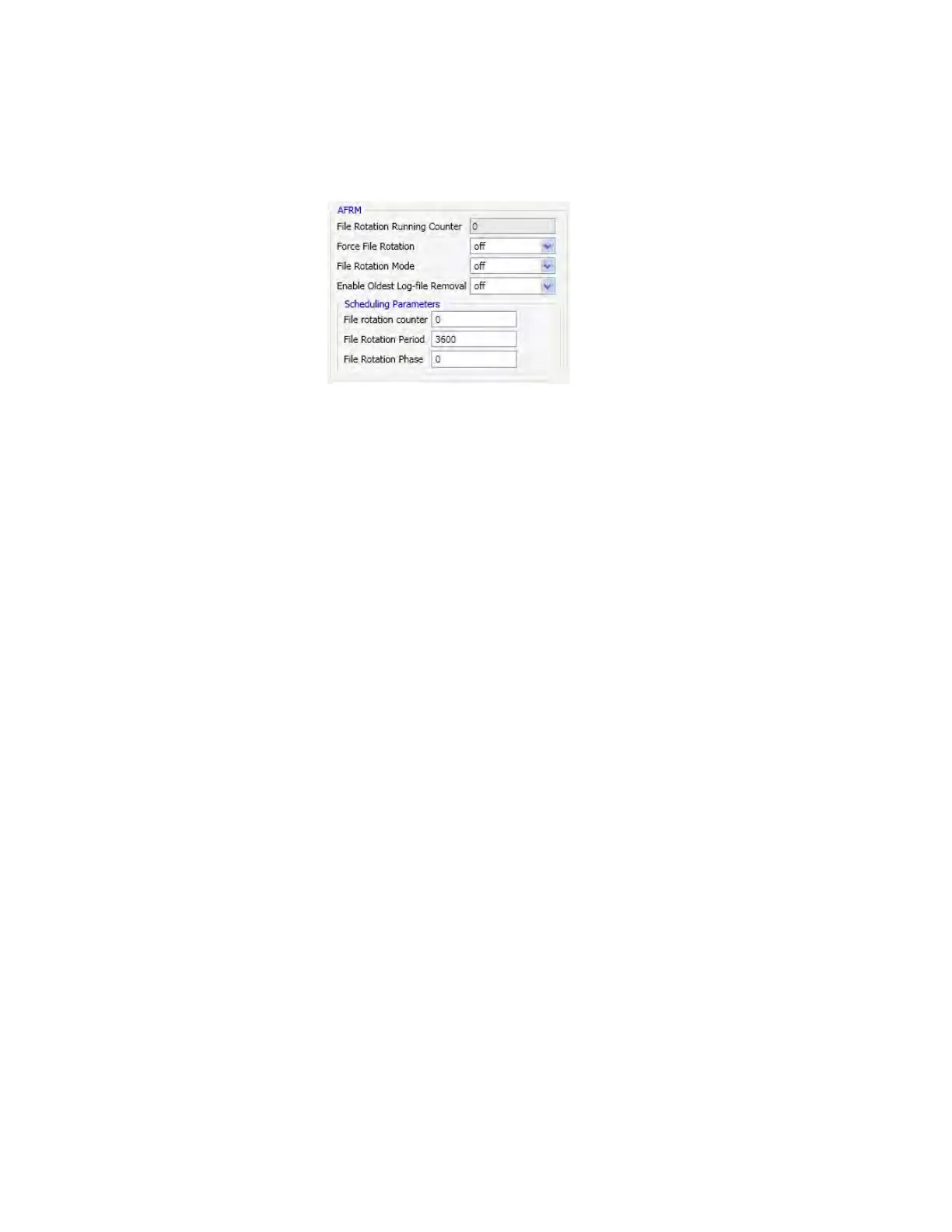
Enable Oldest Log-file removal – if active, the receiver will remove the least recent files if no free space
is available in the receiver memory to record the current file.
Figure 1-16. AFRM
1.6. Setup and Measuring
1.6.1. External Antenna Setup
The DELTA receiver can be used with an external antenna. Follow the steps below to connect an external
antenna to DELTA and measure its offset.
1. Attach the antenna to a tripod or bipod and center it over the point at which data will be collected.
2. Measure the antenna height as described below.
3. Record the antenna height, point name, and start time in the field notes.
4. Attach the flexible RF cable from the external antenna to the antenna connector on the bottom
panel of the receiver.
Measure Antenna Height
The location of the antenna relative to the point being measured is very important for both measurings in
which the elevation of the points is important and in measurings for horizontal location only. Horizontal
measurings are often larger in area than can reliably fit on a flat plane, therefore the antenna adjustment
must be done in three dimensions and then projected onto a two dimensional plane. The receiver
calculates the coordinates of the antenna’s phase center. To determine the coordinates of the station
marker, the user must specify the following:
• Measured height of the antenna above the station marker
• Method of measuring the antenna height
• Model of the antenna used
Antennas have two types of measurements:
• Vertical – measured from the marker to the antenna reference point (ARP) located on the bottom
of the receiver at the base of the mounting threads.


 To Next Page