page 13 / 27
5.6.3. Adjustdoubledrill(optional)
Adjust the double drill unit before starting work with the machine.
Procedure:
1. Turn the main switch to off.
2. Adjustthedrillunitasdescribedin“Adjustdrillunit”.
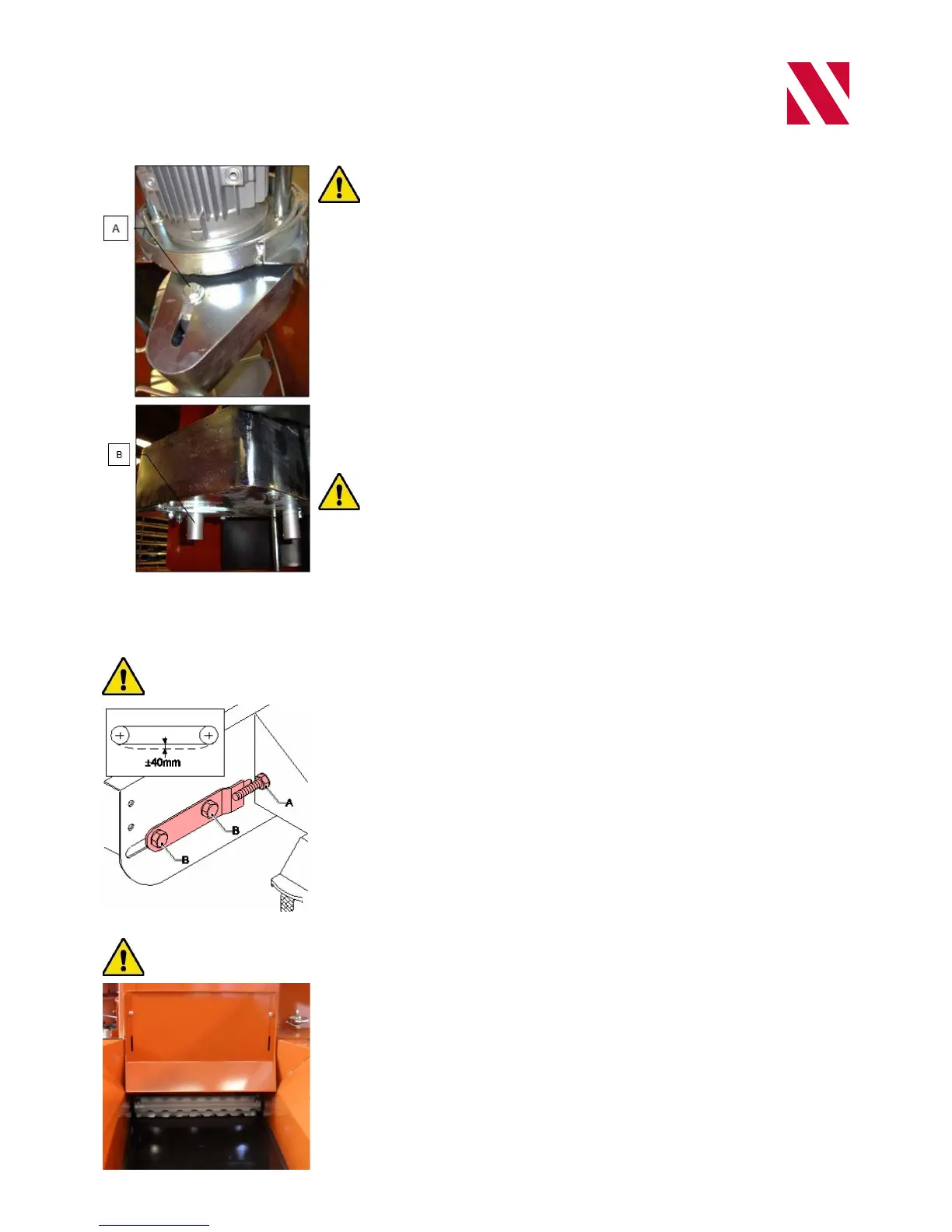
3. Remove the covers (at B)
4. Loosen bolt (A) to adjust the position of the second drill head.
5. Slide drill shaft (B) to the required position.
6. Tighten bolt (A).
7. Fit one of the two covers (at B). Make sure that the rotating shaft does not
contact the plate
Check that the pot track can be started: the pot track must turn freely. Make
sure that the drill unit has not been set too deep.
5.7. Adjustsoilsupply
5.7.1. Checktensionofsoilbelt
Check the tension of the soil belt before starting work with the machine.
Procedure:
1. Check the tension of the soil belt. The tension is correct when the play in the
middle of the belt is about 40 mm.
2. Adjust the tension of the belt if necessary.
a. Loosen the four block bearing bolts (B).
b. Adjust the tension by simultaneously turning nuts (A) on each side of the
soil belt.
c. Tighten the four block bearing bolts (B).
5.7.2. Adjustheightofsoilslide
Adjust the soil slide height before starting work with the machine.
Adjust the height of the soil slide so that the soil supply belt does not deliver too
much soil. Adjust the soil slide to the lowest possible height to avoid accumulation
ofsoilinthemachine.Thesoilslideneedstobesettoalowerheightwhenlling
small pots.


 To Next Page