19
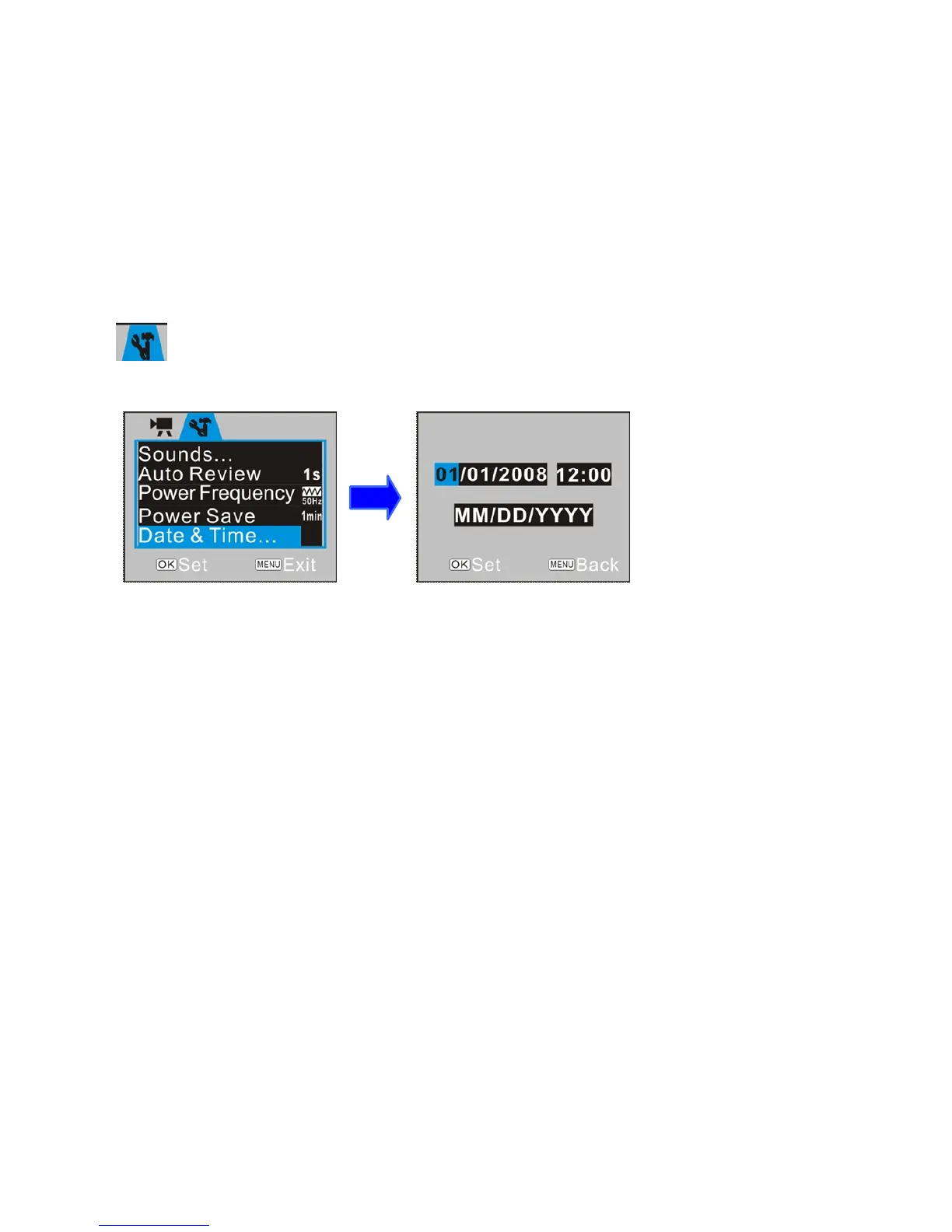
Menu . Press UP / DOWN Button to select “Date & Time” option, and press OK key
to enter settings window.
In settings window, press LEFT / RIGHT Button to select item (date, time) to be adjusted
(the background of selected item is displayed in blue). Then press UP or DOWN Button to
adjust and press OK Button to confirm after adjustment or press MENU Button to cancel
settings and exit. Finally press MENU Button to exit from settings mode.
Computer Connection
Before connecting for first time to computer, please install the video recorder driver
application contained on installation CD.
Turn on recorder. Set the USB Mode in Setup Menu as MSDC (Portable Hard Disc).
Connect to computer using the USB cable. The device will then enter the Portable Hard
Disc Mode.



 To Next Page