29
Negative Photo image appears as negative film
Red Photo image has slight reddish color
Green Photo image has slight greenish color
Blue Photo image has slight bluish color
Notes: Use the LEFT / RIGHT Buttons to adjust the Exposure Compensation Value when
setting the Exposure / EV value. The screen will change in brightness accordingly.
Press the OK Button to confirm and then press the MENU Button to exit setting.
• Internal Setting
Setup Mode / Internal Setting at the Camera Mode are the same as in the Video Recording
Mode.
Audio Recording Mode
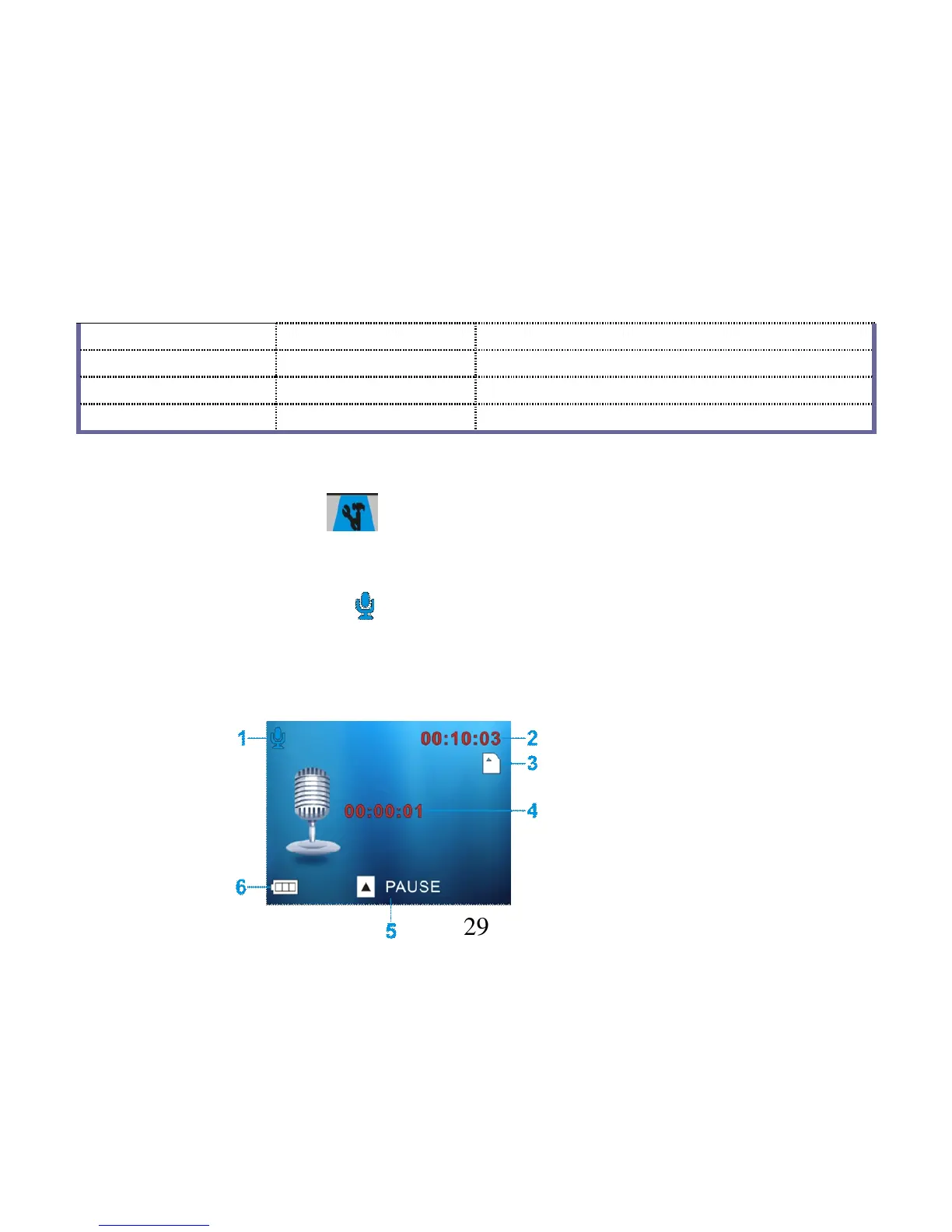
- Set the Mode Knob to point the Audio Recording Mode and turn ON the video recorder.
- Press the Recording Button to START recording and press the same button again to STOP.
◆ The following icons / indicators are visible on the DISPLAY when the Audio Recording
Mode is selected:



 To Next Page