Right Front Speaker
LOUDSPEAKER OUTPUTS
ON / STANDBY
OFF
AC
230 - 240V ~ 50Hz
450W
WARNING
AVIS
NE PAS OUVRIR
RISQUE D E CHOC ELECTRIQUE
DO NO T OPEN
RISK OF ELECTRIC SHOCK
For use with
DSC400 System
JBL, Incorporated
Northridge, CA
SUB500
A Harman International Company
Manufactured:
THIS PANEL AND ITS ABOV E
HEATSINK ARE DESIGNED TO
BEC OM E QU ITE WA RM DURIN G
NORMAL OPERATION
Importan t deta ils reg arding
the use of a utoma tic Turn
On / Standby / Off are in
your owne r's m anua l.
RIGHT CENTER LEFT LEFTRIGHT
FRONT
SPEAKERS
SURROUND
SPEAKERS
SYSTEM AUDIO
INPUT
<
"WARNING :
"AVIS :
FOR
CONTINUED PROTECTION
AGAINST A RISK OF FIRE,
REPLACE ONLY WITH SAME
FUSE TYPE."
UTILSER UN FUSIBLE
DE RECHANGE DE
MEME TYPE."
4A / 250V TYPE T
POWER
TM
Left Front Speaker
Subwoofer
Center Speaker
Right Surround Speaker
Left Surround Speaker
LOUDSPEAKER OUTPUTS
ON / STANDBY
OFF
AC
230 - 240V ~ 50Hz
450W
WARNING
AVIS
NE PAS OUVRIR
RISQUE DE CHOC ELECTRIQUE
DO NOT OPEN
RISK OF ELECTRIC SHO CK
For use with
DSC400 System
JBL, Incorporated
Northridge, CA
SUB500
A Harman International Company
Manufactured:
THIS PANEL AND ITS ABOV E
HEATSINK ARE DESIGNED TO
BEC OM E QU ITE WA RM DURIN G
NORMAL OPERATION
Importan t deta ils reg arding
the use of a utoma tic Turn
On / Standby / Off are in
your owne r's m anua l.
RIGHT CENTER LEFT LEFTRIGHT
FRONT
SPEAKERS
SURROUND
SPEAKERS
SYSTEM AUDIO
INPUT
<
"WARNING :
"AVIS :
FOR
CONTINUED PROTECTION
AGAINST A RISK OF FIRE,
REPLACE ONLY WITH SAME
FUSE TYPE."
UTILSER UN FUSIBLE
DE RECHANGE DE
MEME TYPE."
4A / 250V TYPE T
POWER
TM
Subwoofer
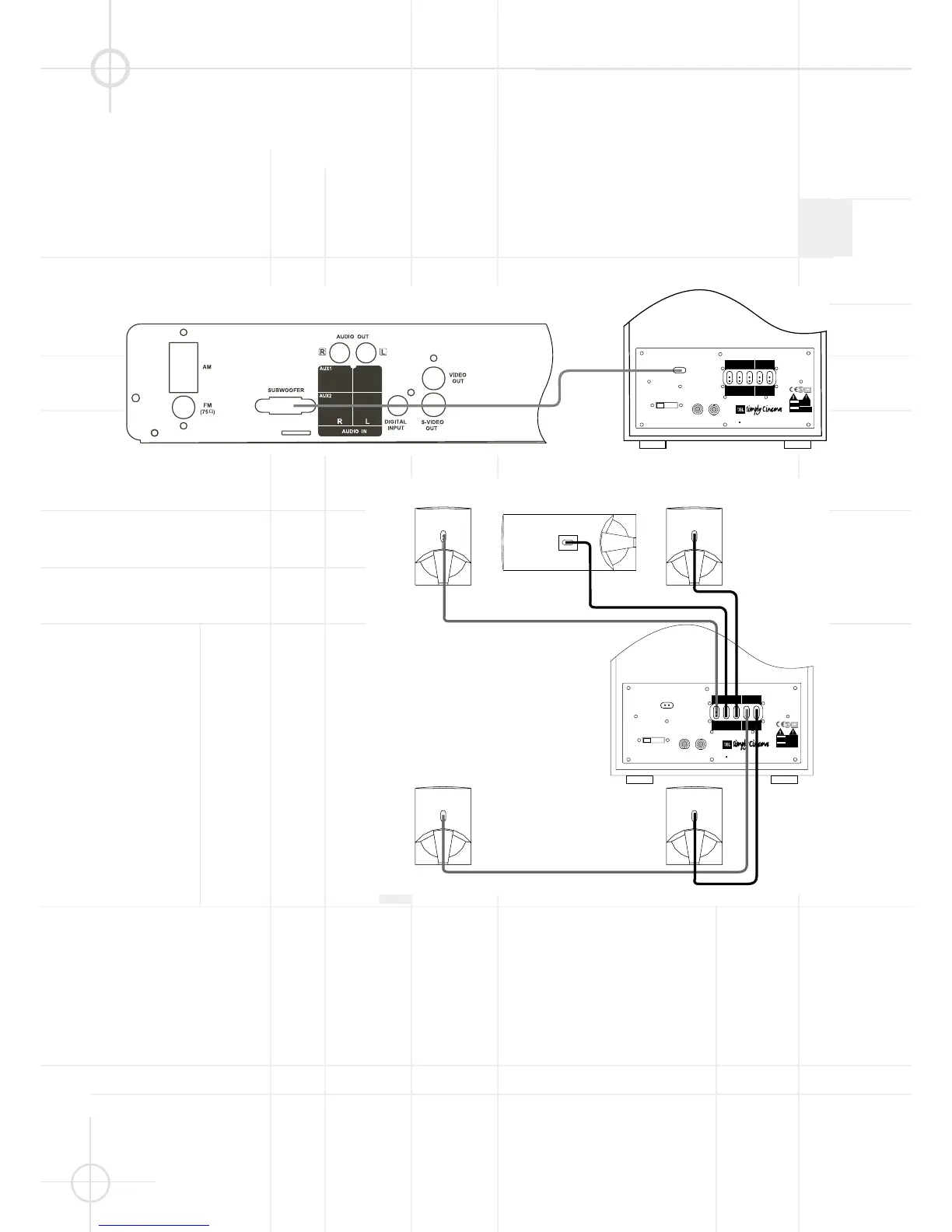
DSC SYSTEM CONNECTION
Caution: Always make certain that the controller and the subwoofer are turned off before connecting
or disconnecting anything.
Connecting the Controller to
the Subwoofer
Connect the special multi-pin cable
(included) to the output marked
"System Audio Output" on the
controller and to the input marked
"System Audio Input" on the
subwoofer. This sends the bass/Low
Frequency Effects signal to the
subwoofer's own 100 Watt amplifier
and sends the three front and two
rear channels to the five 35 Watt
amplifiers conveniently built into the
subwoofer to power your DSC
satellite speakers.
Connecting the Subwoofer
to the Satellites
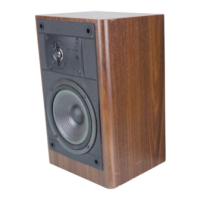
Your DSC system includes cables for
connection of all five satellite
speakers to the subwoofer. Connect
the special error-proof connectors at
the subwoofer end of each cable to
the appropriately marked sockets on
the rear of the subwoofer. To place
the speakers in your room, see the
recommendation on pages 10 and 27.
Connect the special error-proof
connectors at the loudspeaker end
of each cable to the correct loud-
speaker. Make certain to connect the
right front output on the subwoofer
to the right front speaker, center
output to center speaker, etc.




 To Next Page