36
OTHER FUNCTIONS (CONTINUED)
Picture Zooming
(DVD and VCD)
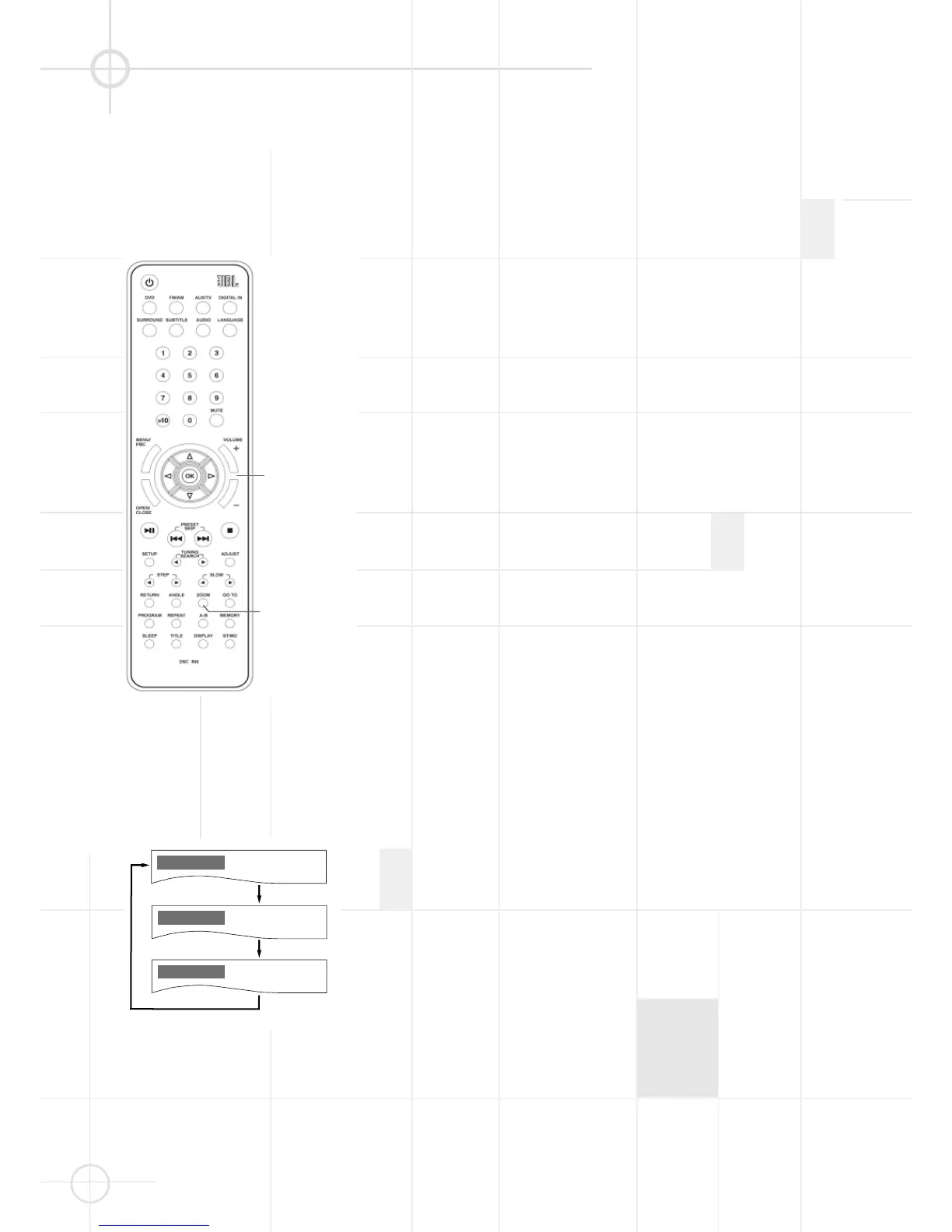
1. Press the ZOOM button on the
remote control during normal, slow
or still (pause) playback.
2. If you press the ZOOM button
repeatedly, the magnification level
increases. Two magnification
levels are available. On each press
of ZOOM, the following message
will appear on the TV screen.
Notes:
• If you press the
E
/
D
/
/
buttons, the zoom point shifts,
allowing you to pan the zoomed
picture.
• Some discs may not respond to the
zoom feature.
• Zooming does not work on subtitles
or menu screens included on DVDs.
• The magnification level varies
depending on the TV DISPLAY
selection in the SETUP menu.




 To Next Page